Pg 230 2026

Get Form
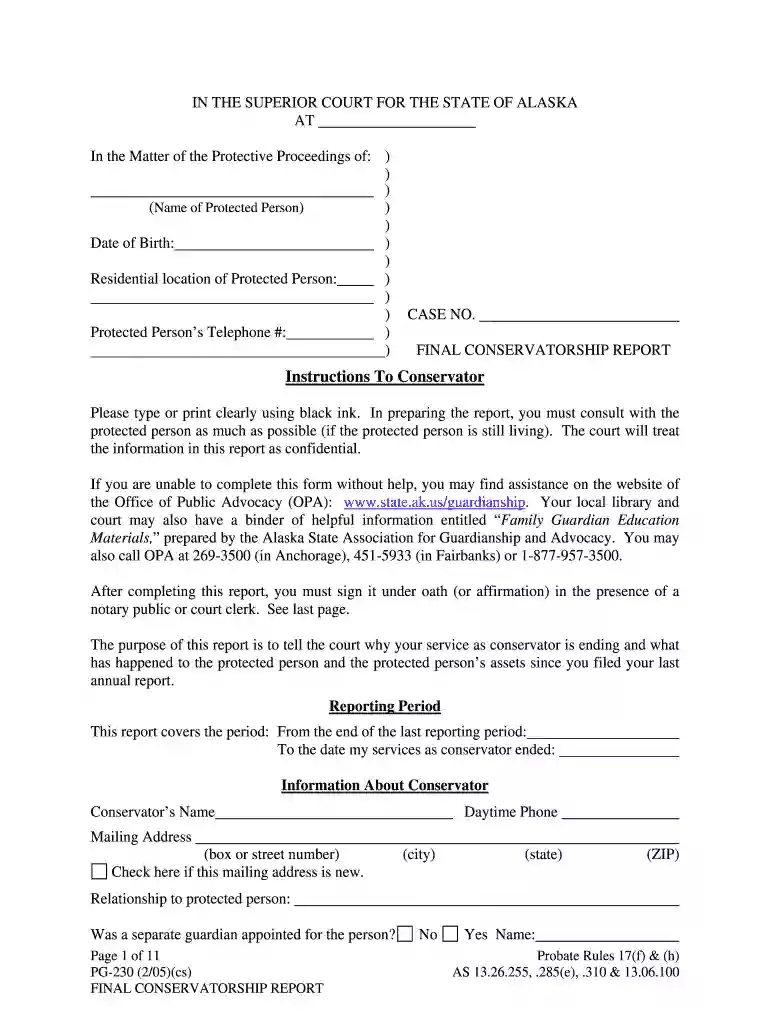
pg 230 Preview on Page 1

Here's how it works

01. Edit your pg 230 online
Type text, add images, blackout confidential details, add comments, highlights and more.

02. Sign it in a few clicks
Draw your signature, type it, upload its image, or use your mobile device as a signature pad.

03. Share your form with others
Send pg 230 form via email, link, or fax. You can also download it, export it or print it out.

How to use or fill out pg 230

Form edit decoration
9.5
Ease of Setup
DocHub User Ratings on G2
9.0
Ease of Use
DocHub User Ratings on G2
  1. Click ‘Get Form’ to open it in the editor.
  2. Begin by entering the name of the protected person and their date of birth in the designated fields. Ensure accuracy as this information is crucial for identification.
  3. Fill in the residential location and telephone number of the protected person. This helps maintain communication and ensures proper documentation.
  4. In the 'Reason For Ending Conservatorship' section, select the appropriate reason from the options provided. If applicable, attach any necessary documents such as a death certificate.
  5. Proceed to complete sections regarding medical care, housing, and financial details. Be thorough in describing expenses and income sources to provide a comprehensive overview.
  6. Review all entries for clarity and completeness before signing under oath. Utilize our platform’s features to ensure all information is correctly formatted.

Start filling out your form today for free using our editor!

See more pg 230 versions

We've got more versions of the pg 230 form. Select the right pg 230 version from the list and start editing it straight away!
Versions Form popularity Fillable & printable
2005 4.8 Satisfied (301 Votes)
be ready to get more

Complete this form in 5 minutes or less

Get form

Got questions?

We have answers to the most popular questions from our customers. If you can't find an answer to your question, please contact us.
Contact us
This compatible PG-245XL high yield ink cartridge can also be used to replace the standard PG-245 and starter PG-243 Pigment Black Ink Cartridges.
The standard capacity Canon PG-510 cartridge contains 9ml of ink, giving an approximate yield of 220 pages. The high capacity Canon PG-512 cartridge contains 15ml of ink, which give a page yield of approximately 400 pages.
Overview. Experience crisp, smudge-resistant professional quality text with the PG-243 Pigment Black Ink Cartridge. Designed with FINE (Full Photolithographic Inkjet Nozzle Engineering) technology, your documents will realize added sharpness, detail and quality.
Product specifications Item Weight2.08 ounces Compatible Printer Models Canon PIXMA MG2924, Canon PIXMA MG3022, Canon PIXMA TS3120, Canon PIXMA TS302, Canon PIXMA TR4550, Canon PIXMA TS3122, Canon PIXMA MX492, Canon PIXMA TS202, Canon PIXMA MG2555, Canon PIXMA MG2920, Canon PIXMA TS3129, Canon PIXMA MG292214 more rows
The Canon 243 ink is a starter cartridge containing 5.6 ml. Canon 245 ink is a standard yield cartridge containing 8.0 ml. They are both said to produce 180 printed pages. Canon Ink 245XL is a high-yield ink cartridge that comes in 12.0 ml and can print 300 pages.

Security and compliance

At DocHub, your data security is our priority. We follow HIPAA, SOC2, GDPR, and other standards, so you can work on your documents with confidence.

Learn more
ccpa2
pci-dss
gdpr-compliance
hipaa
soc-compliance
be ready to get more

Complete this form in 5 minutes or less

Get form

People also ask

If you look at the part number of your Canon ink cartridge, you will notice it either starts with a PG or a CL. Canon labels their ink cartridges this way to reference the ink type inside a particular printer cartridge. Cartridges with a PG are filled with pigment-based ink, which is ideal for printing text.
Canon 243 is a black starter cartridge that typically comes with new printers and runs out quickly. The Canon 245 is a black standard-capacity ink cartridge. Generally, it is used as a replacement when the Canon 243 starter cartridge runs out.

pg 230