




Here's how it works



How to use or fill out RPC 7 5A MJP Firm Application Renewal - State Bar Of Nevada with DocHub

- Click ‘Get Form’ to open the RPC 7 5A MJP Firm Application Renewal in our editor.
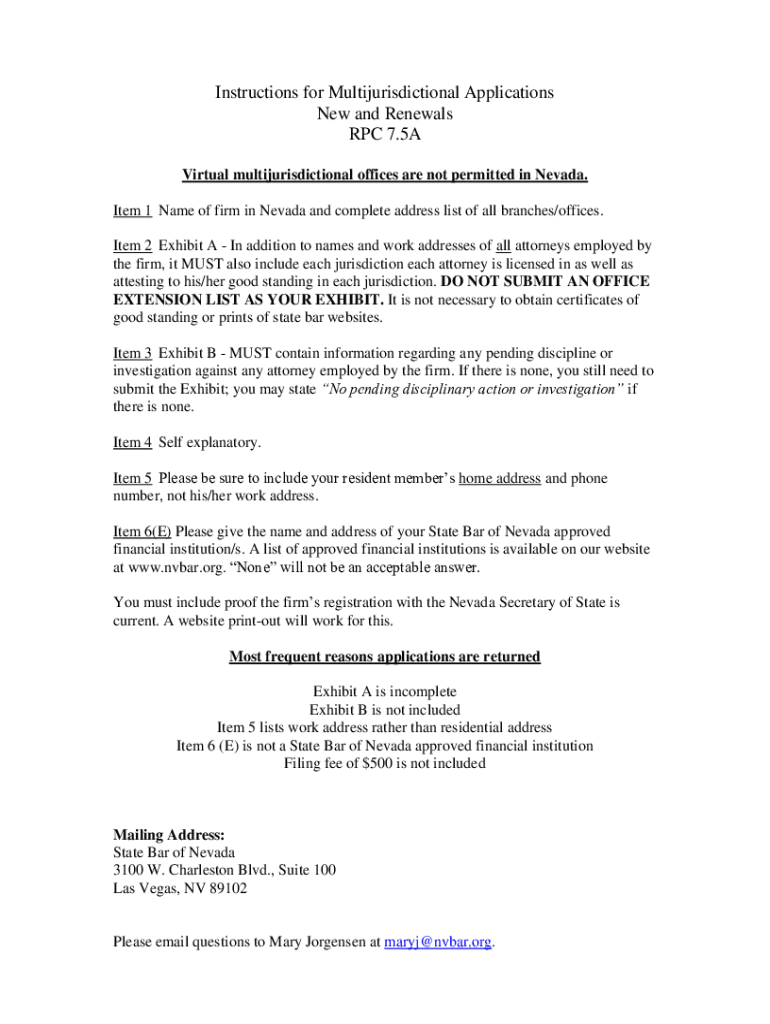
- Begin by entering the name of your firm and complete address for all branches in the designated fields. Ensure accuracy as this information is crucial for your application.
- For Exhibit A, list all attorneys employed by your firm along with their work addresses and jurisdictions they are licensed in. Remember to attest to their good standing without submitting certificates.
- In Exhibit B, provide details regarding any pending disciplinary actions against attorneys. If none exist, simply state that on the exhibit.
- Complete the sections regarding your resident member’s home address and phone number, ensuring you do not use work addresses.
- Lastly, confirm that you have included proof of current registration with the Nevada Secretary of State and ensure that all required fees are attached before submission.
Start using our platform today to streamline your application process for free!
It's free
See more RPC 7 5A MJP Firm Application Renewal - State Bar Of Nevada versions
| Versions | Form popularity | Fillable & printable |
|---|---|---|
| 2022 | 4.8 Satisfied (40 Votes) |
Got questions?
How do I sign my RPC 7 5A MJP Firm Application Renewal - State Bar Of Nevada on iOS?
With DocHub, you can rapidly sign your RPC 7 5A MJP Firm Application Renewal - State Bar Of Nevada or any other paperwork on iOS, even without setting up extra applications. You can access your DocHub account from any internet-connected browser and fill out and sign your form in any preferred method with just a couple of clicks.
How do you modify RPC 7 5A MJP Firm Application Renewal - State Bar Of Nevada from Google Drive?
If you store your documents in Google Drive, there is no need to download your RPC 7 5A MJP Firm Application Renewal - State Bar Of Nevada on your computer and upload it back to our editor. A significantly simpler way is to set up a browser extension developed by DocHub to streamline this flow. The extension allows editing PDFs right in your web browser. Alternatively, you may integrate your DocHub and Gmail accounts for more efficient editing.
Security and compliance
At DocHub, your data security is our priority. We follow HIPAA, SOC2, GDPR, and other standards, so you can work on your documents with confidence.
Learn more


