Type text, add images, blackout confidential details, add comments, highlights and more.
02. Sign it in a few clicks
Draw your signature, type it, upload its image, or use your mobile device as a signature pad.
03. Share your form with others
Send it via email, link, or fax. You can also download it, export it or print it out.
How to use or fill out VA Inspection with our platform
Ease of Setup
DocHub User Ratings on G2
Ease of Use
DocHub User Ratings on G2
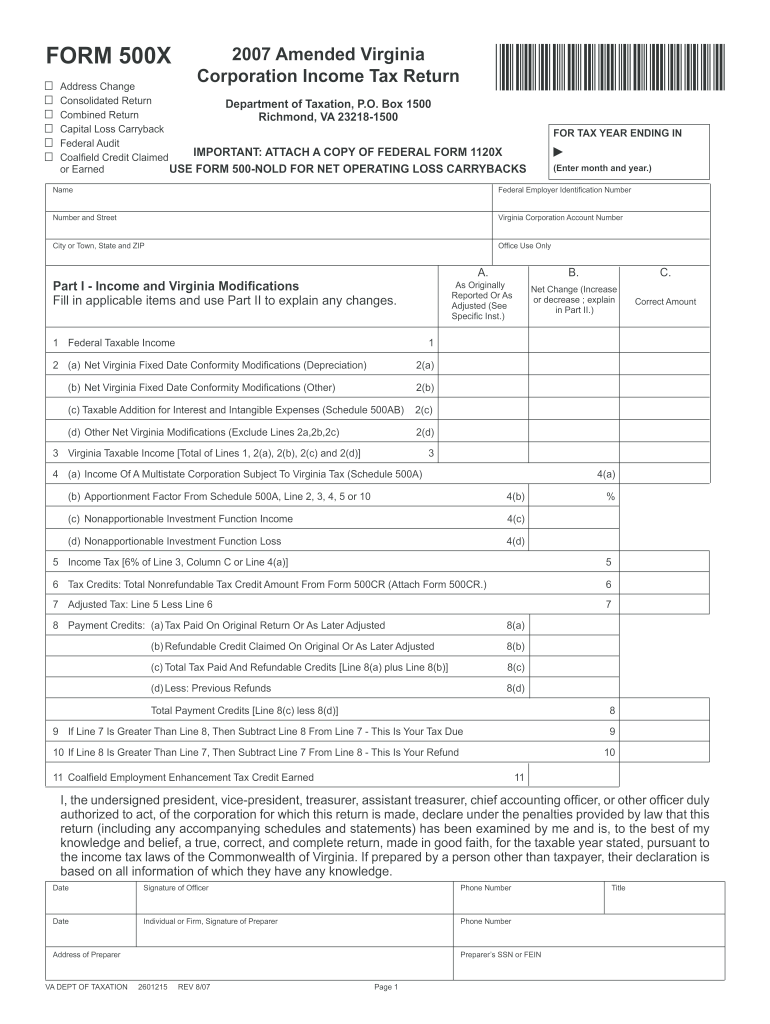
Click ‘Get Form’ to open the VA Inspection document in the editor.
Begin by entering the tax year at the top of the form. This is crucial for accurate processing.
Fill in your corporation's name and Federal Employer Identification Number (FEIN) in the designated fields.
In Part I, report your Federal Taxable Income and any Virginia modifications. Ensure you provide accurate figures as these will affect your tax calculations.
Complete each line carefully, especially lines related to tax credits and payment credits. Attach any necessary documentation as indicated.
In Part II, explain any changes made to income or modifications. Be detailed to avoid confusion during processing.
Finally, review all entries for accuracy before signing and submitting the form through our platform.
Start using our platform today for free to streamline your VA Inspection form completion!
VA state Inspection ManualVA inspection homeVA state inspection checklistVA safety inspection LookupVA State inspection applicationVa inspection sticker lawVirginia state inspection law changeVa inspection requirements home
Security and compliance
At DocHub, your data security is our priority. We follow HIPAA, SOC2, GDPR, and other standards, so you can work on your documents with confidence.
This course is designed to provide the emissions inspector candidate with specialized training in conducting a thorough vehicle emissions inspection. TheRead more
Cookie consent notice
This site uses cookies to enhance site navigation and personalize your experience.
By using this site you agree to our use of cookies as described in our Privacy Notice.
You can modify your selections by visiting our Cookie and Advertising Notice.