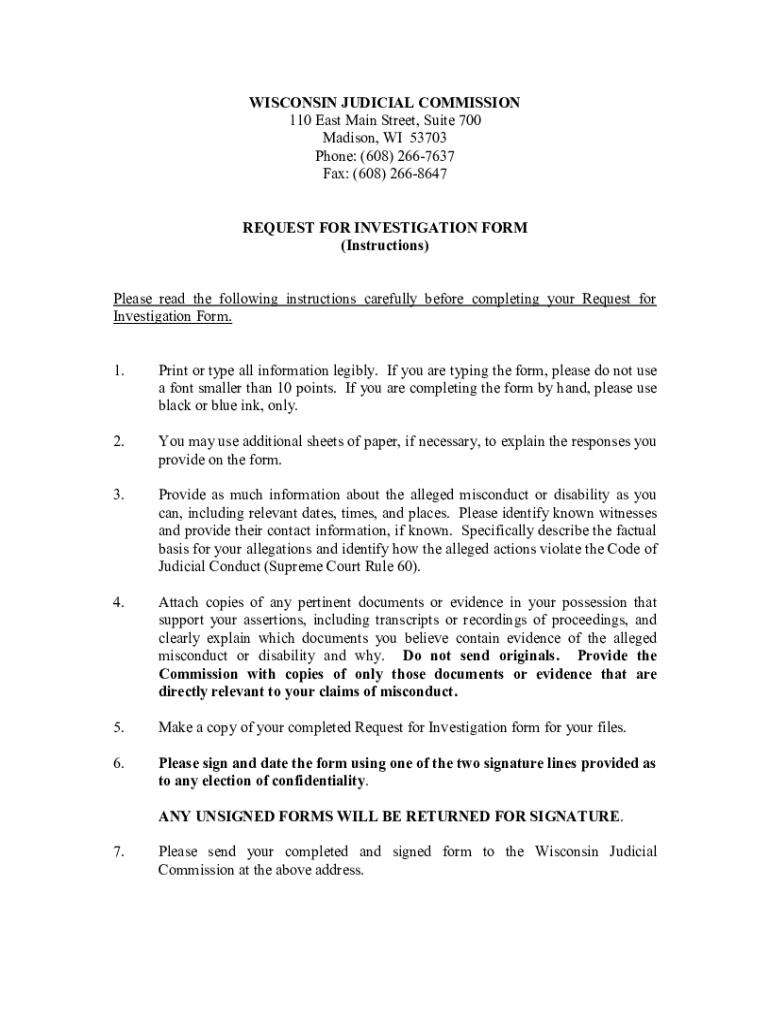
Wisconsin Judicial Commission Complaint Form - 2026

Get Form
Wisconsin Judicial Commission Complaint Form - Preview on Page 1

Here's how it works

01. Edit your form online
Type text, add images, blackout confidential details, add comments, highlights and more.
02. Sign it in a few clicks
Draw your signature, type it, upload its image, or use your mobile device as a signature pad.
03. Share your form with others
Send it via email, link, or fax. You can also download it, export it or print it out.

How to use or fill out Wisconsin Judicial Commission Complaint Form - with DocHub

Form edit decoration
9.5
Ease of Setup
DocHub User Ratings on G2
9.0
Ease of Use
DocHub User Ratings on G2
  1. Click ‘Get Form’ to open the Wisconsin Judicial Commission Complaint Form in our editor.
  2. Begin by entering your personal information at the top of the form, including your name, address, and phone number. Ensure that all details are legible and accurate.
  3. In the section regarding the judicial official, provide their name and the court they belong to. This is crucial for identifying the subject of your complaint.
  4. Detail the statement of facts by filling in when and where the alleged misconduct occurred. Include relevant dates, times, and locations.
  5. If applicable, answer questions related to any court case involved. Specify case names, numbers, types of cases, and your relationship to them.
  6. List any supporting documents you have attached that substantiate your claims. Clearly explain their relevance.
  7. Conclude by signing and dating the form in one of the provided signature lines based on your confidentiality preference.

Start using our platform today to complete your Wisconsin Judicial Commission Complaint Form easily and for free!

See more Wisconsin Judicial Commission Complaint Form - versions

We've got more versions of the Wisconsin Judicial Commission Complaint Form - form. Select the right Wisconsin Judicial Commission Complaint Form - version from the list and start editing it straight away!
Versions Form popularity Fillable & printable
2023 4.1 Satisfied (30 Votes)
2006 4 Satisfied (33 Votes)
be ready to get more

Complete this form in 5 minutes or less

Get form

Got questions?

We have answers to the most popular questions from our customers. If you can't find an answer to your question, please contact us.
Contact us

A lot of software applications are available on the market for document editing and signing. DocHub is one of the most in-demand online solutions that comply with all security and compliance standards and guarantees your eSigned documentation is legally enforceable. All you need to give it a try is to sign up for an account, upload your Wisconsin Judicial Commission Complaint Form -, provide the required information, and click Sign. Generate your eSignature by typing, drawing it, uploading its image to your template, or scanning a unique QR code.

Apart from a comprehensive toolset for editing PDFs on mobile phones, DocHub allows you to sign your Wisconsin Judicial Commission Complaint Form - along the way. Open our editor in your internet browser, make modifications using DocHub’s toolset, and finish your editing by eSigning the completed form.

File suit in federal court. You may be able to file a new lawsuit in federal district court alleging violations of your federal statutory or constitutional rights. Federal courts have a duty to properly apply federal law.
The Wisconsin Judicial Commission investigates and prosecutes allegations of misconduct or disability on the part of Wisconsin judges and court commissioners. The Commissions purpose is to protect the integrity of the judicial process and to preserve public confidence in the courts.
Typically, the prosecutor may engage in four main types of prosecutorial misconduct: Introducing false evidence. Failing to disclose exculpatory evidence. Using improper arguments. Discriminating during jury selection.

Security and compliance

At DocHub, your data security is our priority. We follow HIPAA, SOC2, GDPR, and other standards, so you can work on your documents with confidence.

Learn more
ccpa2
pci-dss
gdpr-compliance
hipaa
soc-compliance

People also ask

372(c), that allows any person to file a complaint alleging judicial misconduct or disability. Misconduct refers to conduct that interferes with the effective administration of the business of the courts, not the correctness of a particular ruling.
Obvious examples are violations of criminal law, sexual misconduct with staff/attorneys/parties, joining discriminatory organizations and using the judicial position to enhance a private interest.
Judicial misconduct is a serious bdocHub of judicial ethics, including actions like bribery, bias, or abuse of power. Proving misconduct requires evidence and legal assistance. The definition of judicial misconduct is a serious deviation from the accepted practices of a judge in the judicial profession.

Related links