




Here's how it works



How to use or fill out Simsbury Meadows Performing Arts Center Performing Arts with our platform

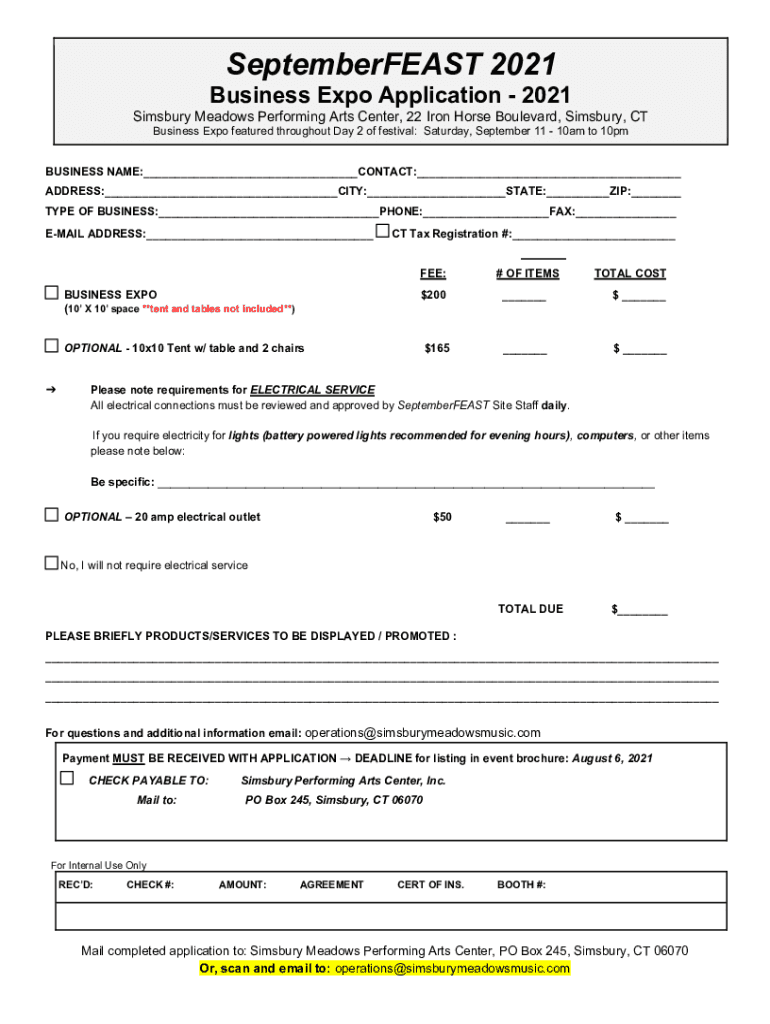
- Click ‘Get Form’ to open the Simsbury Meadows Performing Arts Center Business Expo Application in the editor.
- Begin by entering your BUSINESS NAME and CONTACT information in the designated fields. Ensure accuracy for effective communication.
- Fill in your ADDRESS, CITY, STATE, and ZIP CODE. This information is crucial for event correspondence.
- Select your TYPE OF BUSINESS from the options provided and include your PHONE and FAX numbers for contact purposes.
- Provide your E-MAIL ADDRESS and CT Tax Registration # if applicable. This will facilitate any necessary follow-ups.
- Indicate whether you require electrical service by checking the appropriate box and detailing your needs in the specified area.
- Complete the TOTAL COST section by calculating fees based on booth size and additional services selected.
- Review all entries for accuracy before signing the agreement at the bottom of the form. Your signature confirms compliance with all regulations.
Start filling out your application today using our platform for a seamless experience!
It's free
See more Simsbury Meadows Performing Arts CenterPerforming Arts versions
| Versions | Form popularity | Fillable & printable |
|---|---|---|
| 2021 | 4.8 Satisfied (67 Votes) |
Got questions?
Can I sign my Simsbury Meadows Performing Arts CenterPerforming Arts on a mobile?
Sure, you’ll find many different apps for this on the web. Nevertheless, if you need to eSign your Simsbury Meadows Performing Arts CenterPerforming Arts without installing additional software, DocHub is the optimum choice you can make. This robust editor works on mobile devices just as on desktops. Open our editor in your preferred internet browser, register or log in to your account, and start managing your forms.
How do you complete Simsbury Meadows Performing Arts CenterPerforming Arts online?
You may complete and sign your Simsbury Meadows Performing Arts CenterPerforming Arts online, even on a tight deadline. All you need to access high quality editing instruments on any device is a DocHub account, that you can register in a few moments. When you sign up, add your document or find what you are searching for in our catalog, complete it using the editing instruments you need, and place your electronic signature on it at the end.
Security and compliance
At DocHub, your data security is our priority. We follow HIPAA, SOC2, GDPR, and other standards, so you can work on your documents with confidence.
Learn more


