Type text, add images, blackout confidential details, add comments, highlights and more.
02. Sign it in a few clicks
Draw your signature, type it, upload its image, or use your mobile device as a signature pad.
03. Share your form with others
Send b6b via email, link, or fax. You can also download it, export it or print it out.
How to use or fill out official form 6b with our platform
Ease of Setup
DocHub User Ratings on G2
Ease of Use
DocHub User Ratings on G2
Click ‘Get Form’ to open it in the editor.
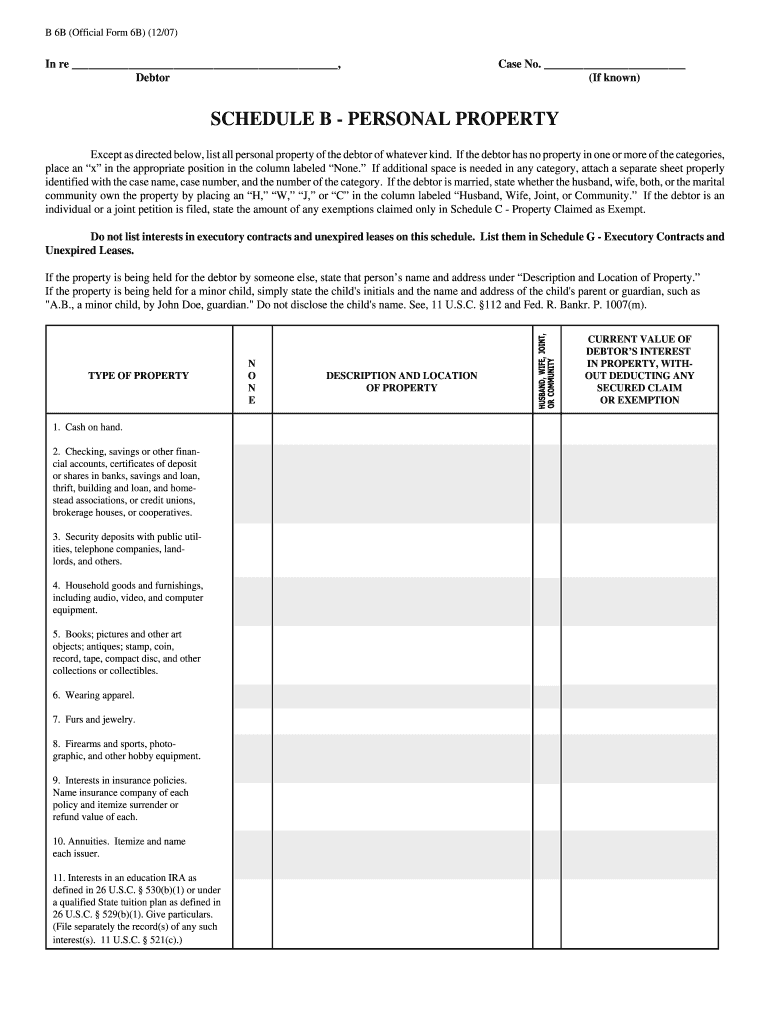
Begin by entering the debtor's name and case number at the top of the form. Ensure accuracy as this information is crucial for identification.
In the 'SCHEDULE B - PERSONAL PROPERTY' section, list all personal property owned by the debtor. If there are categories with no property, mark an 'x' in the 'None' column.
For each type of property listed, provide a description and location. Be specific to ensure clarity regarding ownership and value.
Indicate ownership status (Husband, Wife, Joint, or Community) using appropriate letters in the designated column.
If additional space is needed for any category, attach a separate sheet labeled with the case name and number.
Start filling out your official form 6b today for free using our platform!
Official Form 119Flmb uscourts gov formsB107 formForm 122A-1 instructionsStatement of Affairs (Bankruptcy form)Schedule i form 106iFederal Procedural FormsB101 Form
Security and compliance
At DocHub, your data security is our priority. We follow HIPAA, SOC2, GDPR, and other standards, so you can work on your documents with confidence.
B6B (Official Form 6B) (12/07) - Cont. Type of Property. N. O. N. E. Description and Location of Property. Husband,. Wife,. Joint, or. Community. Current ValueRead more
I-009321-P-0150-EF technical section complete letter
Similarly, page 12 states that fish appetite behavior was semi-aggressive throughout the study; however, the raw data (Form 6) and the summary table.Read more
Except as directed below, list all personal property of the debtor of whatever kind. If the debtor has no property in one or more of the categories,.Read more
Cookie consent notice
This site uses cookies to enhance site navigation and personalize your experience.
By using this site you agree to our use of cookies as described in our Privacy Notice.
You can modify your selections by visiting our Cookie and Advertising Notice.