Ch 115s form pdf 2026

Get Form
ch aplazar volver download Preview on Page 1

Here's how it works

01. Edit your ch aplazar volver download online
Type text, add images, blackout confidential details, add comments, highlights and more.
02. Sign it in a few clicks
Draw your signature, type it, upload its image, or use your mobile device as a signature pad.
03. Share your form with others
Send ch emitir download via email, link, or fax. You can also download it, export it or print it out.

How to use or fill out ch 115s form pdf with our platform

Form edit decoration
9.5
Ease of Setup
DocHub User Ratings on G2
9.0
Ease of Use
DocHub User Ratings on G2
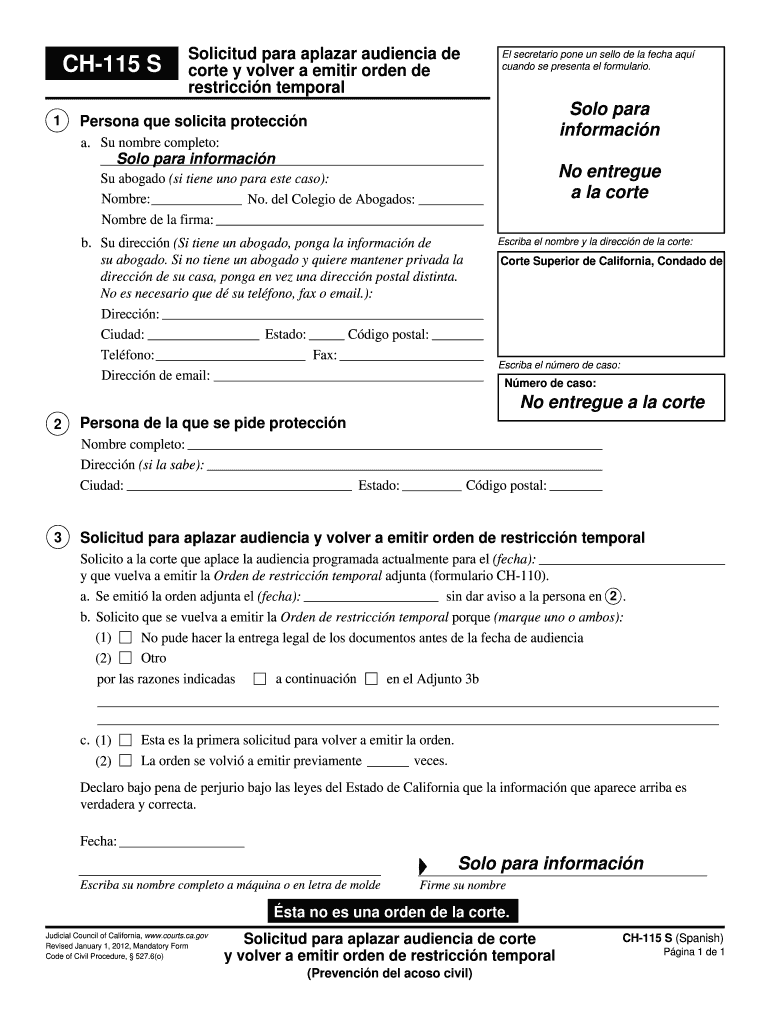
  1. Click ‘Get Form’ to open the CH-115 S form in the editor.
  2. Begin by entering your full name in the designated field for the person requesting protection. If you have an attorney, include their details as well.
  3. Fill in your address. If you prefer to keep your home address private, provide a different mailing address instead.
  4. Next, specify the court's name and case number where applicable. This information is crucial for processing your request.
  5. For the person from whom protection is requested, enter their full name and known address details.
  6. Indicate the date of the scheduled hearing you wish to postpone and check the appropriate reasons for your request.
  7. Finally, declare that all provided information is true by signing and dating the form at the bottom.

Start using our platform today to fill out your CH-115 S form easily and for free!

See more ch 115s form pdf versions

We've got more versions of the ch 115s form pdf form. Select the right ch 115s form pdf version from the list and start editing it straight away!
Versions Form popularity Fillable & printable
2012 4.8 Satisfied (64 Votes)
be ready to get more

Complete this form in 5 minutes or less

Get form

Got questions?

We have answers to the most popular questions from our customers. If you can't find an answer to your question, please contact us.
Contact us

Sure, it is possible with DocHub. This safe and compliant online solution has a phone-based signing option. Once you log in to your DocHub account and import your s aplazar volver emitir to our editor, fill out all necessary areas and use the Sign feature on the upper barf. Click on Create your signature and choose Phone from the available options. Here, you scan a QR code with your smartphone and draw your signature on your phone display, as you usually do when signing hard copies. If you access DocHub right from your mobile device, you can eSign your paperwork by drawing your electronic signature, adding its picture, or simply with a typed name.

As a comprehensive document editing platform, DocHub is available on mobile phones. Open DocHub in your choice of mobile internet browser and use our intelligent mobile-friendly toolset to fill out your ch aplazar corte volver.

Security and compliance

At DocHub, your data security is our priority. We follow HIPAA, SOC2, GDPR, and other standards, so you can work on your documents with confidence.

Learn more