




Here's how it works



How to use or fill out texasoagchildsupport with our platform

- Click ‘Get Form’ to open the texasoagchildsupport document in the editor.
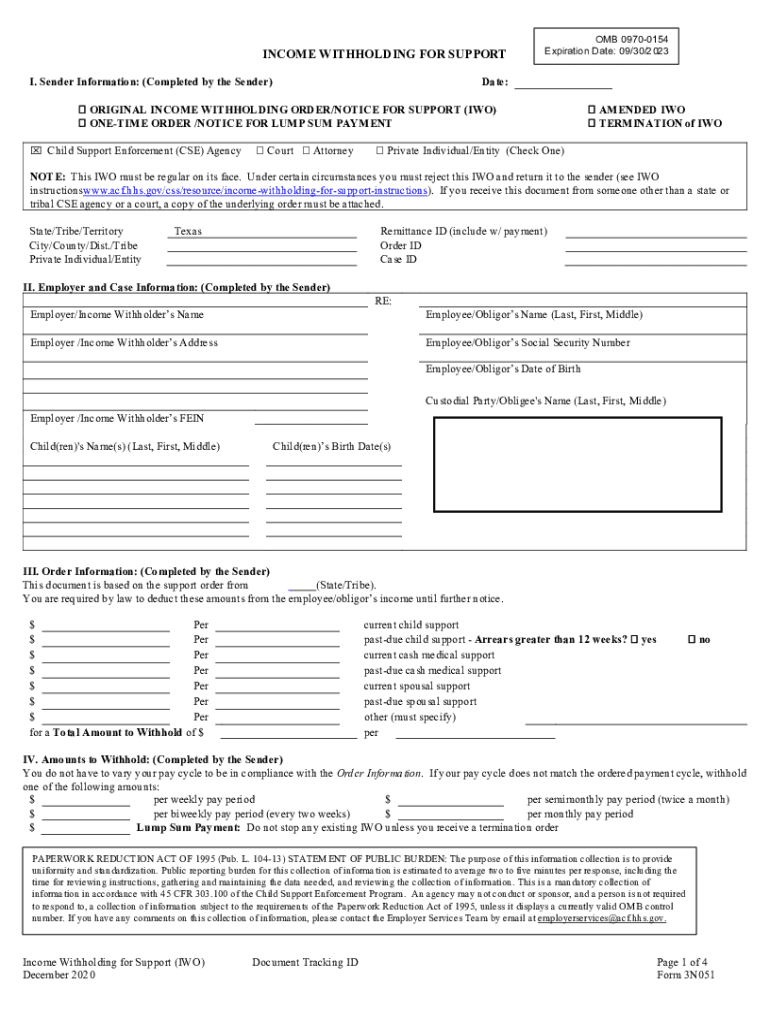
- Begin by filling out the Sender Information section. Enter the date and select the appropriate type of order, such as 'Original Income Withholding Order' or 'Amended IWO'.
- In the Employer and Case Information section, provide details about the employer, including their name, address, and FEIN. Also, list the names of the children involved and the employee/obligor's information.
- Complete the Order Information section by specifying amounts to be withheld for current and past-due child support, medical support, and spousal support as applicable.
- Fill in the Amounts to Withhold section based on your pay cycle. Choose from options like weekly or biweekly payments.
- Finally, review all entered information for accuracy before saving or exporting your completed form.
Start using our platform today to streamline your document editing and form completion process for free!
It's free
See more texasoagchildsupport versions
Got questions?
How can I sign my texasoagchildsupport on iOS?
With DocHub, you can rapidly approve your texasoagchildsupport or any other paperwork on iOS, even without installing additional applications. You can access your DocHub account from any web-connected browser and complete and sign your document in any preferred method with just a couple of clicks.
How do you edit texasoagchildsupport online?
With DocHub, there are several convenient methods to edit your texasoagchildsupport online. You can drag and drop the form and modify it straight at the DocHub website or use our browser extension to fill out your form immediately. On top of that, you can modify your PDF on your phone, as DocHub is compatible with all the available mobile platforms.
Security and compliance
At DocHub, your data security is our priority. We follow HIPAA, SOC2, GDPR, and other standards, so you can work on your documents with confidence.
Learn more


