




Here's how it works



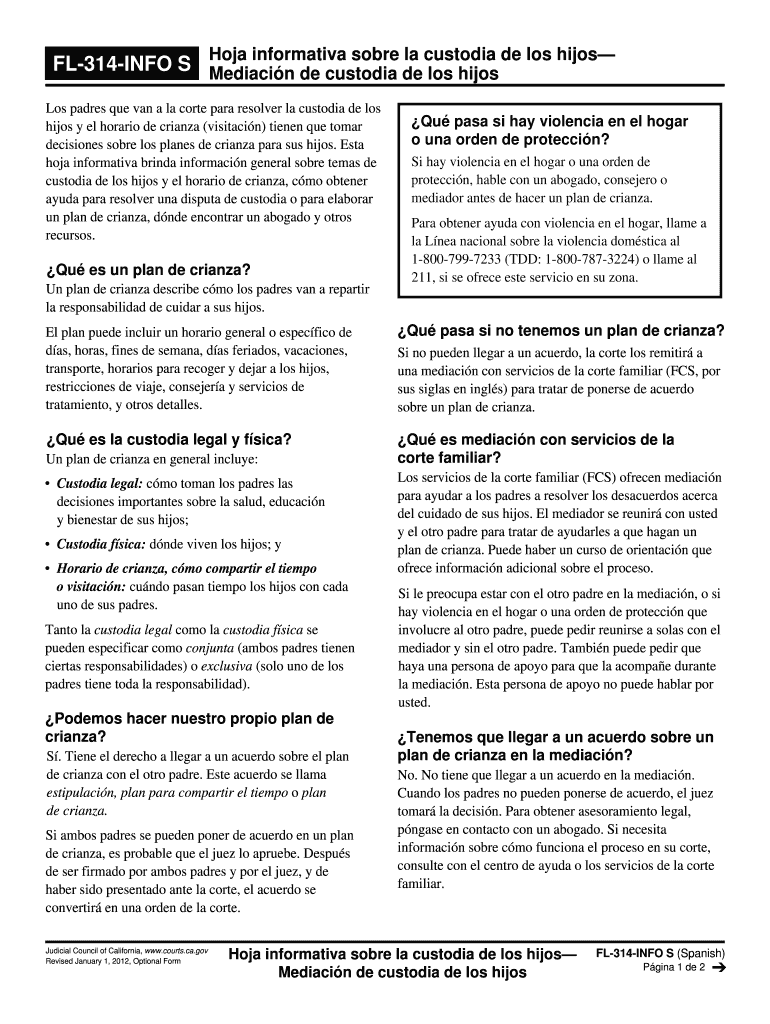
How to use or fill out California Mediación Form PDF with DocHub

- Click ‘Get Form’ to open the California Mediación Form PDF in our editor.
- Begin by filling out the top section with your personal information, including names and contact details of both parents involved in the custody arrangement.
- Next, navigate to the section detailing custody arrangements. Clearly specify whether you are seeking joint or sole custody and provide a brief description of your proposed parenting plan.
- In the visitation schedule area, outline specific days and times for each parent’s visitation rights. Be as detailed as possible to avoid future misunderstandings.
- If applicable, include any restrictions on travel or other conditions that may affect custody or visitation. This ensures clarity and compliance with legal requirements.
- Finally, review all entries for accuracy before saving your completed form. Utilize our platform's features to sign electronically if required.
Start using our editor today to complete your California Mediación Form PDF easily and for free!
It's free
See more california mediacion form pdf versions
| Versions | Form popularity | Fillable & printable |
|---|---|---|
| 2012 | 4.8 Satisfied (63 Votes) |
Got questions?
How can I create an electronic signature in my california mediacion form pdf on Android?
Approving paperwork on a mobile device is fast, straightforward, and doesn’t require software installation when you have an account with DocHub. Sign in from any browser, fill in your empty fields with your data, and click on Sign → Create your signature. You can draw your eSignature just as you usually do on paper, add its image to your california mediacion form pdf, or type in your name and stylize its look. Whatever option you select, your document will be valid.
How do you fill out california mediacion form pdf online?
You can find and edit your california mediacion form pdf online by using DocHub. Its simple yet feature-rich design enables you to start productive work immediately after you register your account. Create your account and add your file, then our user interface will guide you via our stress-free form completion experience.
What is CA Evidence Code 1020?
What is a mediation disclosure form?
What is the evidence code 1102 in California?
Security and compliance
At DocHub, your data security is our priority. We follow HIPAA, SOC2, GDPR, and other standards, so you can work on your documents with confidence.
Learn more


