




Here's how it works



How to use or fill out licensing wi with our platform

- Click ‘Get Form’ to open the licensing wi in the editor.
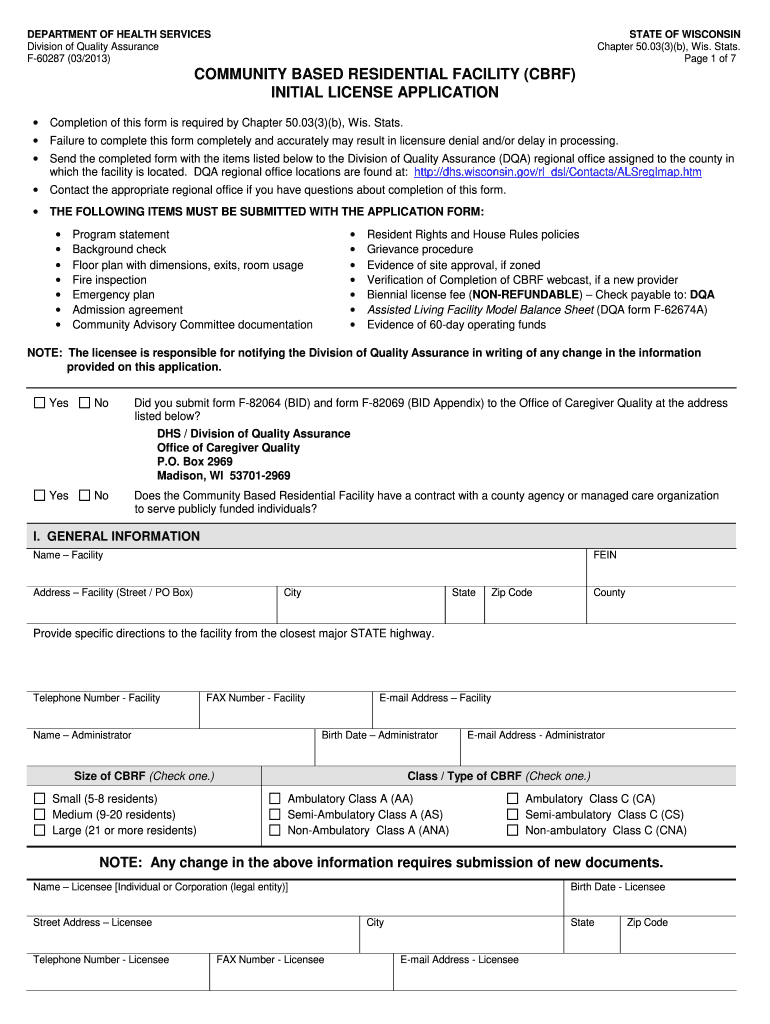
- Begin by filling out the 'General Information' section. Enter the facility name, address, and contact details accurately to ensure proper identification.
- In the 'Resident Information' section, specify the total resident capacity and check the primary client groups you intend to serve. This helps in aligning your services with community needs.
- Proceed to 'Financial Information'. Here, provide a current balance sheet and detail your monthly operating expenses. Ensure that all financial documents are attached for verification.
- Complete the 'Fit and Qualified' section by answering questions regarding previous licensure applications. Be honest as this impacts your eligibility.
- Finally, review all sections for accuracy before signing in the 'Attestation' area. Your signature confirms that all information is truthful.
Start using our platform today to streamline your licensing process for free!
It's free
Got questions?
How do I sign my tappi test methods pdf free of charge?
Most eSignature services require users to have a paid subscription. With DocHub, there are two ways for you to create an electronic signature to your tappi test methods pdf free of charge:
- You can do it during a 7-day trial period;
- You can subscribe to a free plan.
The second option, however, has restrictions on the number of signatures, sign requests, emails, and forms for editing available per month. You can check for full details here.
How do you get cbrf license application for my state?
If you are looking for a state-specific cbrf license application sample, you can find it in our DocHub Forms & Templates catalog. Use the search field, key in your form’s name, and search through the results for your state. You may also filter out irrelevant results while searching our catalog by groups.
Can you get a Wisconsin state ID online?
How do I contact the DSPS in Wisconsin?
What do you need for a REAL ID in Wisconsin?
Security and compliance
At DocHub, your data security is our priority. We follow HIPAA, SOC2, GDPR, and other standards, so you can work on your documents with confidence.
Learn more


