




Here's how it works



How to use or fill out Employment Application - Natural Bridge Animal Hospital

- Click ‘Get Form’ to open it in the editor.
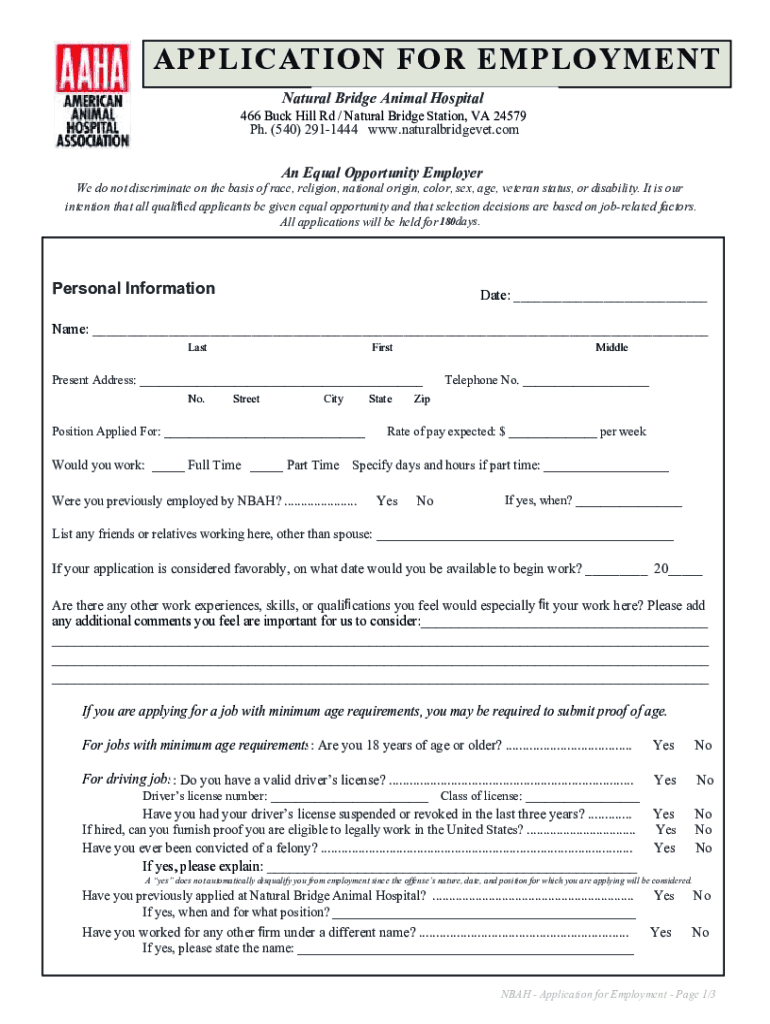
- Begin by entering your personal information, including your name, social security number, and contact details. Ensure accuracy as this information is crucial for processing your application.
- Indicate the position you are applying for and your expected rate of pay. This helps the employer understand your expectations.
- Fill out your employment history, starting with the most recent job. Include details such as company name, address, phone number, job title, and reasons for leaving.
- Complete the education record section by listing schools attended and degrees awarded. If applicable, include any relevant certifications or training.
- Review all sections carefully to ensure completeness and accuracy before submitting your application.
Start filling out your Employment Application today using our platform for free!
It's free
See more Employment Application - Natural Bridge Animal Hospital versions
| Versions | Form popularity | Fillable & printable |
|---|---|---|
| 2020 | 4.8 Satisfied (168 Votes) |
Got questions?
How can I send my Employment Application - Natural Bridge Animal Hospital for eSignature?
Upload your Employment Application - Natural Bridge Animal Hospital to DocHub (once you’ve set up an account for this). If you need to fill out fields in it, use proper tools from the top pane. For instance, drop Signature Fields, assign each to a particular person, and click on Sign → Request signatures from others. Personalize your message for your recipients and click Send Request. You can also send your document by fax or as a Signing link instead of using email (you’ll find these options by navigating to the Menu → Send)
Do I need to install software to modify my Employment Application - Natural Bridge Animal Hospital?
When you edit your Employment Application - Natural Bridge Animal Hospital with DocHub, you only need a stable internet connection and virtually any web browser installed on your device. No need to set up any third-party software or study tutorials. Just open a tab with DocHub, drag and drop your file, and modify it on the spot.
What do you need to work at an animal hospital?
How to start working in animal care?
Can I work at a vet clinic without a degree?
Security and compliance
At DocHub, your data security is our priority. We follow HIPAA, SOC2, GDPR, and other standards, so you can work on your documents with confidence.
Learn more


