




Here's how it works



How to use or fill out Union Vale Fire District Membership Application Packet

- Click ‘Get Form’ to open the Union Vale Fire District Membership Application Packet in our editor.
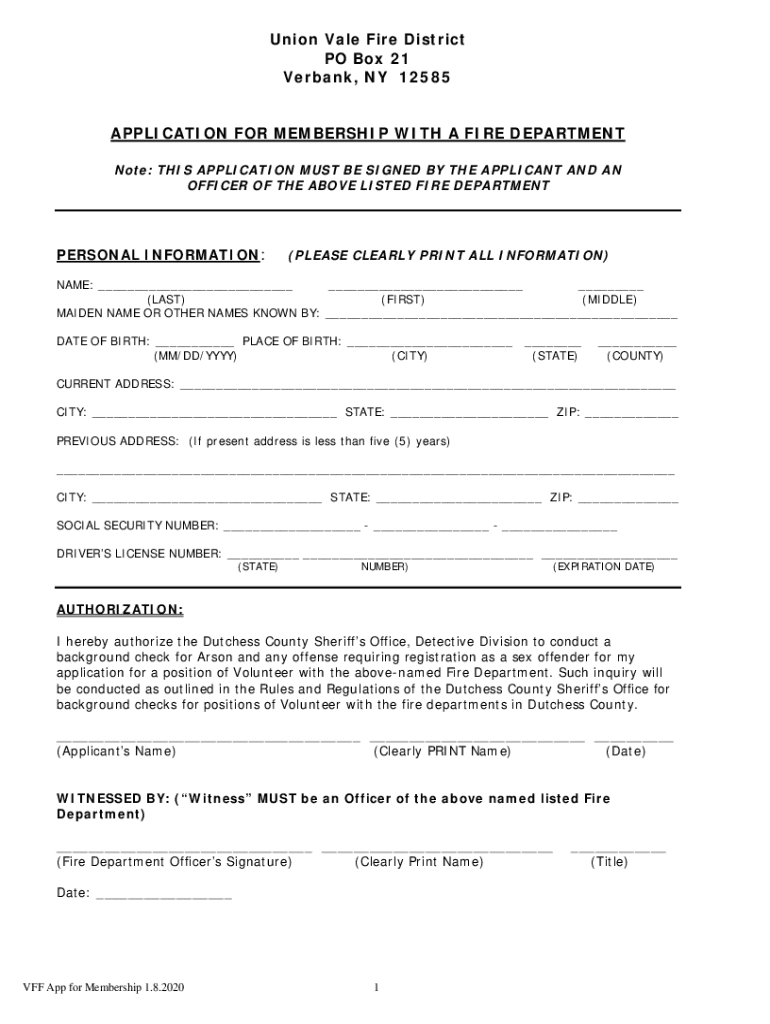
- Begin by filling out your personal information. Clearly print your name, date of birth, and place of birth in the designated fields.
- Provide your current and previous addresses, ensuring all details are accurate. Include your social security number and driver's license information as required.
- In the authorization section, read carefully and sign to authorize a background check. Ensure you have a witness from the fire department sign as well.
- Complete any additional sections regarding prior experience, references, and certifications if applicable. Make sure to provide clear contact information for references.
- Review all filled sections for accuracy before submitting. Use our platform's tools to save or share your completed application easily.
Start filling out your application today using our free online editor for a seamless experience!
It's free
See more Union Vale Fire District Membership Application Packet versions
| Versions | Form popularity | Fillable & printable |
|---|---|---|
| 2020 | 4.8 Satisfied (179 Votes) |
Got questions?
How can I send my Union Vale Fire District Membership Application Packet for eSignature?
Upload your Union Vale Fire District Membership Application Packet to DocHub (after you’ve created an account for this). If you need to complete fields in it, use appropriate tools from the top pane. For instance, add Signature Fields, assign each to specific person, and click on Sign → Request signatures from others. Personalize your message for your recipients and click Send Request. You can also send your document by fax or as a Signing link instead of using email (you’ll find these options by navigating to the Menu → Send)
What internet browser do I need to edit Union Vale Fire District Membership Application Packet online?
If you want to edit your Union Vale Fire District Membership Application Packet on the internet easily, it does not matter what browser you employ. DocHub’s straightforward editing tools are available using any internet browser. Simply open the appropriate tab in the editor, add your document, and fill it out without stress.
What is the two in two out rule in firefighting?
What is the oldest age to become a firefighter?
Are volunteer firefighters considered real firefighters?
Security and compliance
At DocHub, your data security is our priority. We follow HIPAA, SOC2, GDPR, and other standards, so you can work on your documents with confidence.
Learn more


