Ol 53 2026

Get Form
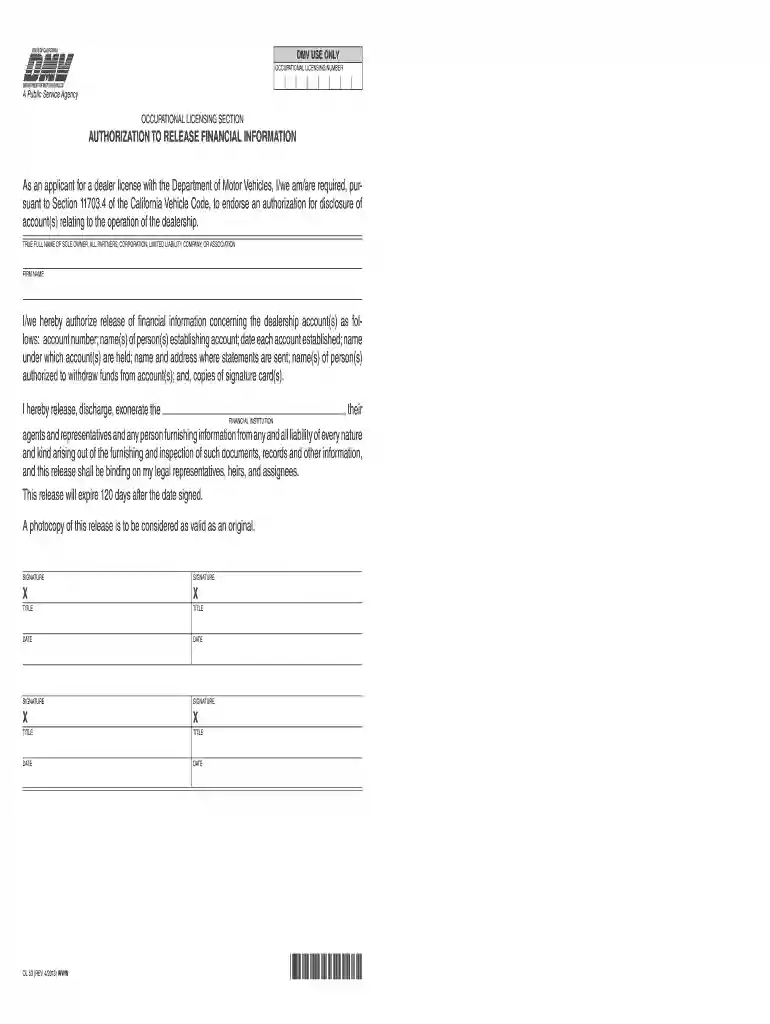
authorization for payoff california Preview on Page 1

Here's how it works

01. Edit your authorization for payoff california online
Type text, add images, blackout confidential details, add comments, highlights and more.

02. Sign it in a few clicks
Draw your signature, type it, upload its image, or use your mobile device as a signature pad.

03. Share your form with others
Send ol 53 via email, link, or fax. You can also download it, export it or print it out.

How to use or fill out ol 53 with our platform

Form edit decoration
9.5
Ease of Setup
DocHub User Ratings on G2
9.0
Ease of Use
DocHub User Ratings on G2
  1. Click ‘Get Form’ to open the ol 53 in the editor.
  2. Begin by entering the TRUE FULL NAME of the sole owner, partners, corporation, or association in the designated field. Ensure accuracy as this information is crucial for your application.
  3. Next, input the FIRM NAME associated with your dealership. This should match any official documentation you have.
  4. In the section for financial information authorization, provide details such as account number and names of individuals establishing accounts. Be thorough to avoid delays in processing.
  5. Sign and date the form where indicated. Each authorized person must provide their signature and title to validate the release of information.
  6. Review all entries for completeness and accuracy before submitting. Use our platform’s tools to make any necessary edits easily.

Start using our platform today to fill out your ol 53 form quickly and efficiently!

See more ol 53 versions

We've got more versions of the ol 53 form. Select the right ol 53 version from the list and start editing it straight away!
Versions Form popularity Fillable & printable
2013 4.8 Satisfied (120 Votes)
2002 4.3 Satisfied (146 Votes)
be ready to get more

Complete this form in 5 minutes or less

Get form

Got questions?

We have answers to the most popular questions from our customers. If you can't find an answer to your question, please contact us.
Contact us

Yes, and it’s really easy! DocHub is an online PDF editor with advanced document management features that allow you quickly adjust your documents, fill out blank fields and drop new ones for other people to fill out, and create electronic signatures in several ways. Add your financial information authorization, provide information as requested, and select how you want to eSign your document - by typing your name, drawing your signature, uploading its picture, or utilizing a QR code.

You can easily edit and complete your ol 53 on any iOS gadget. Open an internet browser of your choice, go to the DocHub website, authorize or create a new account, upload your file for editing, and make your required alterations. Our service is mobile-friendly, so utilizing its functions on your smartphone will be a no-brainer, even on the first try.

Fees to Pay You will need to pay a few fees when transferring a vehicle title in California. These include the $15 title transfer fee, the $25 smog transfer fee (if applicable), and any taxes and registration fees that may be due. Be sure to check with your local DMV office for specific fee information.
Application for Title or Registration/Verification of Vehicle (REG 343)
REG 343, Application for Title or Registration/Verification of Vehicle.

People also ask

Form Reproduction Contacts Form TypeAddressRegistration (REG) Vessel (BOAT) Motor Carrier (MC)DMV Policy Division 2415 First Avenue, MS D168 Sacramento, CA 95818 (916) 610-1189Driver Licensing (DL) Financial Responsibility (SR)DMV Policy Division 2570 24th Street, MS J163 Sacramento, CA 95818 (916) 657-56911 more row
To take over ownership of a vehicle, you will need: If the seller is not the owner whose name is on the title, you will need a Bill of Sale signed by both the seller and the person whose name appears on the title.
Pay in Person at a DMV Office Bring with you: Cash, an ATM/debit card, credit card, a cashiers check, or money order made payable to DMV. Dishonored checks cannot be paid by personal check.
If the buyer does not sign the title and mail or give it to DVS, then the sellers name stays on the title of the car. If the buyer doesnt transfer the title within 10 days, the cars registration is suspended. What should I do if I sold a car but didnt report the sale? You should report the sale to DVS immediately.
A Notice of Priority Re-examination of Driver Form (DS427) is sent from a Law Enforcement Officer to the California Department of Motor Vehicles when an Officer believes that a subjects driving privilege should be investigated.

Related links