




Here's how it works



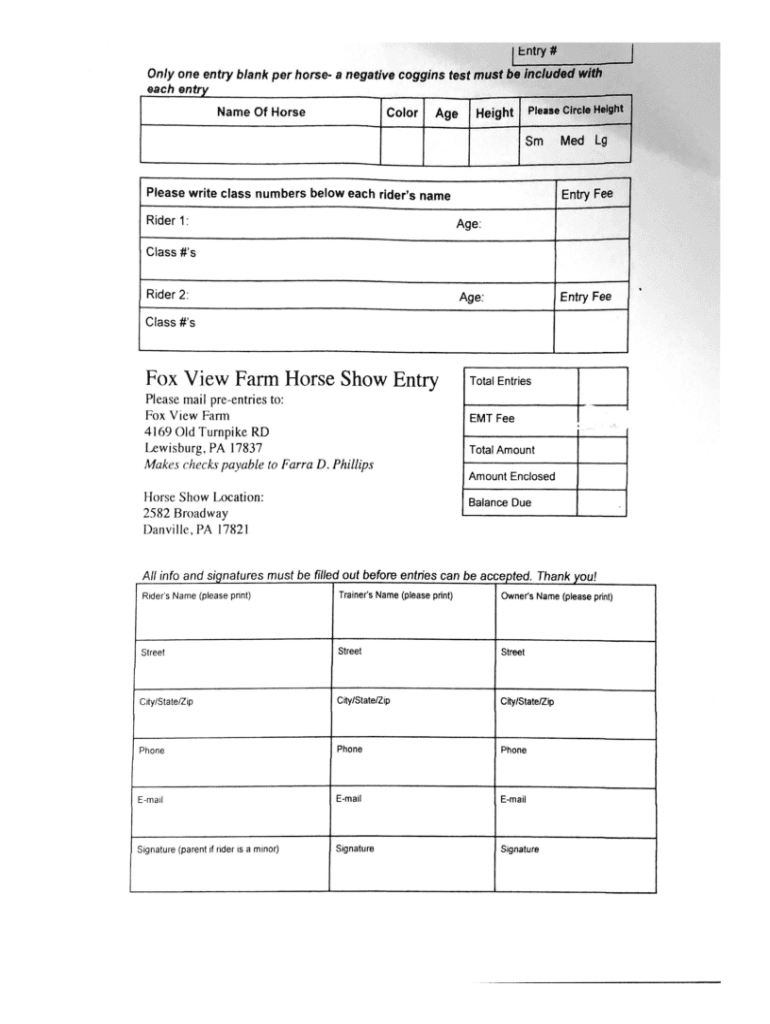
How to use or fill out Fox View Farm Horse Show Entry with our platform

- Click ‘Get Form’ to open the Fox View Farm Horse Show Entry in our editor.
- Begin by entering your personal information in the designated fields, including your name, address, and contact details. Ensure all information is accurate for seamless communication.
- Next, navigate to the horse information section. Here, you will need to provide details about each horse you are entering, such as their name, breed, and age. This helps organizers categorize entries effectively.
- Proceed to select the classes you wish to enter. Check the appropriate boxes next to each class that applies. This step is crucial for ensuring you are registered for the correct events.
- Finally, review your entries for accuracy before submitting. Once satisfied, save your form and utilize our platform’s signing feature if required.
Start filling out your Fox View Farm Horse Show Entry today for free and experience the convenience of our platform!
It's free
See more Fox View Farm Horse Show Entry versions
Got questions?
Is it secure to sign my Fox View Farm Horse Show Entry electronically?
You need to use only trusted software solutions with strong security compliance to approve your paperwork electronically. DocHub is just the type of editor you need! It stores data on Amazon Web Servers and complies with all essential security criteria and eSignature laws, so it’s a trustworthy way to eSign your Fox View Farm Horse Show Entry or other documents with this tool.
How do you edit Fox View Farm Horse Show Entry on Android?
Document editing with DocHub is equally convenient on desktop and mobile devices. You only need an internet browser to revise your Fox View Farm Horse Show Entry on Android. Open our website and sign in to access the tools you need. Add your document and introduce your intended modifications. After that, you can keep your form in your document storage or send it out right away.
What do you need for a show horse?
What do I need to show a horse?
What does a horse show consist of?
Security and compliance
At DocHub, your data security is our priority. We follow HIPAA, SOC2, GDPR, and other standards, so you can work on your documents with confidence.
Learn more


