




Here's how it works

01. Edit your prescription authority agreement online
Type text, add images, blackout confidential details, add comments, highlights and more.

02. Sign it in a few clicks
Draw your signature, type it, upload its image, or use your mobile device as a signature pad.

03. Share your form with others
Send it via email, link, or fax. You can also download it, export it or print it out.
How to use or fill out prescriptive authority agreement with our platform

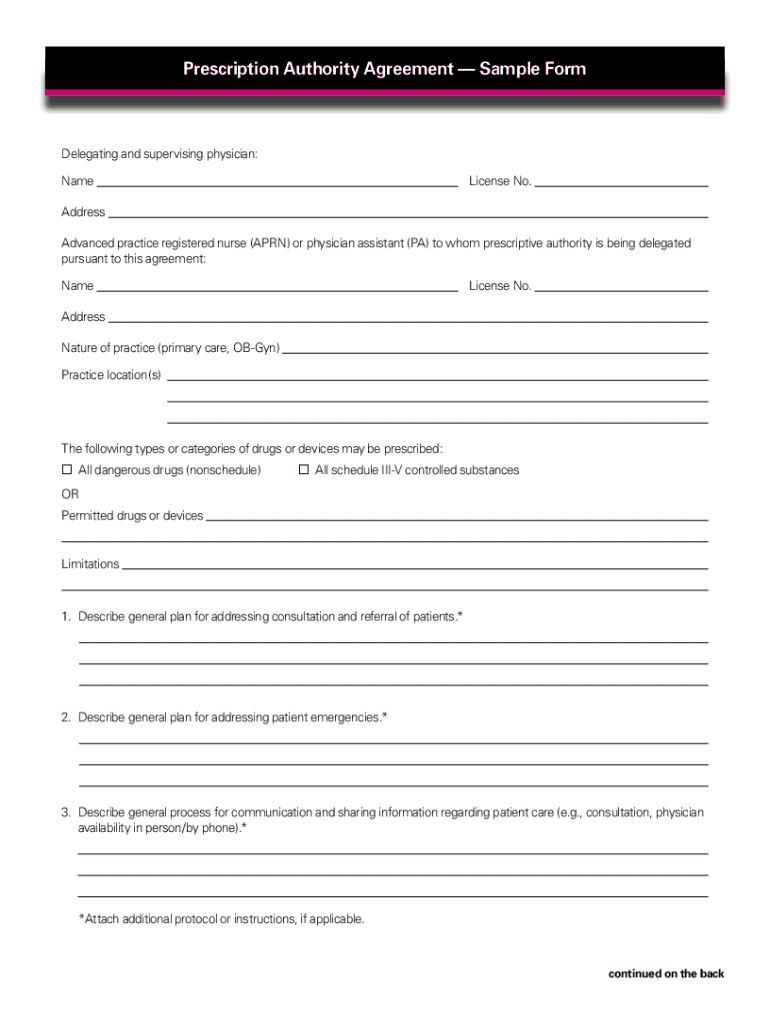
- Click ‘Get Form’ to open the prescriptive authority agreement in the editor.
- Begin by entering the names, addresses, and license numbers of both the delegating physician and the advanced practice registered nurse (APRN) or physician assistant (PA). This information is crucial for establishing accountability.
- Specify the nature of practice and practice locations. Clearly outline where the APRN or PA will be operating to ensure compliance with regulations.
- Identify the types or categories of drugs or devices that may be prescribed. You can select options like 'All dangerous drugs' or specify limitations as needed.
- Detail your general plan for addressing patient emergencies and consultations. This section should include protocols for communication between the physician and APRN/PA.
- Outline a quality assurance and improvement plan, including methods for documenting its implementation, such as chart reviews and meeting frequencies.
- Finally, ensure all parties sign and date the agreement. Remember to maintain copies for both the physician and APRN/PA.
Start using our platform today to streamline your prescriptive authority agreement process for free!
Fill out prescriptive authority agreement online
It's free
It's free
See more prescriptive authority agreement versions
We've got more versions of the prescriptive authority agreement form. Select the right prescriptive authority agreement version from the list and start editing it straight away!
Security and compliance
At DocHub, your data security is our priority. We follow HIPAA, SOC2, GDPR, and other standards, so you can work on your documents with confidence.
Learn more


