




01. Edit your app 003 online
Type text, add images, blackout confidential details, add comments, highlights and more.

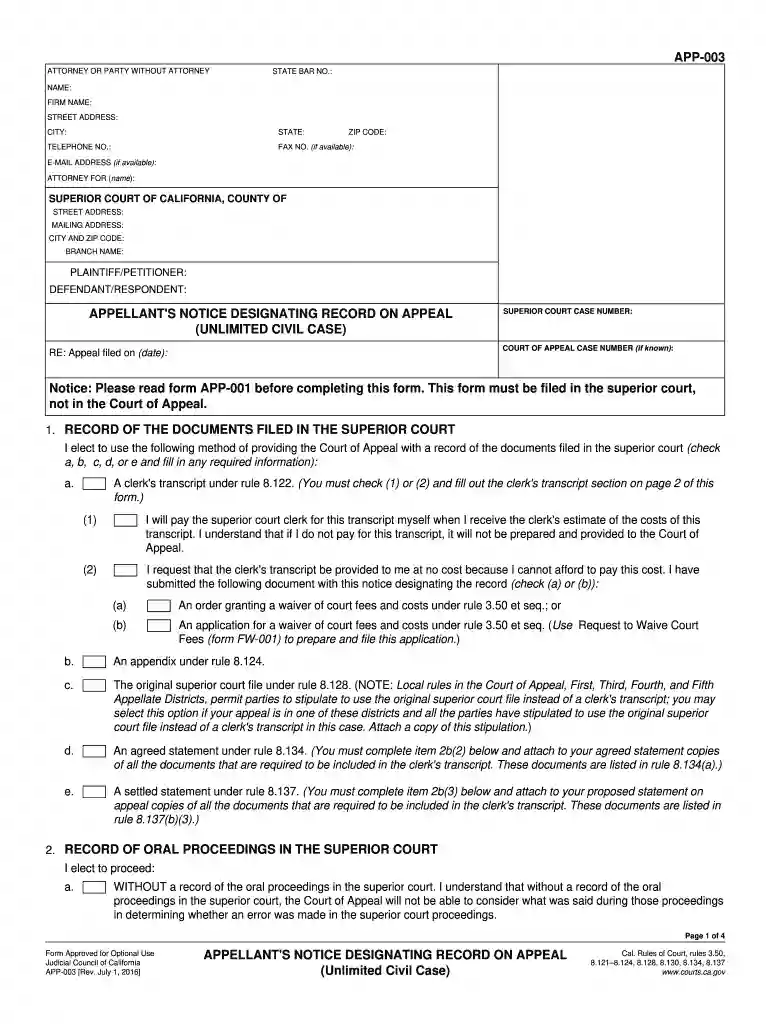
Type text, add images, blackout confidential details, add comments, highlights and more.

Draw your signature, type it, upload its image, or use your mobile device as a signature pad.

Send app003 via email, link, or fax. You can also download it, export it or print it out.

Start using our platform today for free to streamline your document editing and submission process!
We've got more versions of the app 003 form. Select the right app 003 version from the list and start editing it straight away!
Most eSignature services require users to have a paid subscription. With DocHub, there are two ways for you to add an electronic signature to your app003 form without being charged:
The second option, though, has restrictions on the number of signatures, sign requests, emails, and forms for adjusting available per month. You can check for full information here.
You can get and edit your app003 form online by using DocHub. Its straightforward but feature-rich design allows you to start effective work right after you sign up your account. Create your account and add your document, then our user interface will guide you through our stress-free form completion experience.
At DocHub, your data security is our priority. We follow HIPAA, SOC2, GDPR, and other standards, so you can work on your documents with confidence.
The Cisco 2-, 5-, 8-, and 10-Port Gigabit Ethernet SPAs are available on high-end Cisco routing platforms, offering the benefits of network scalability.Read more
Jan 1, 2019 This form must be filed in the superior court, not in the Court of Appeal. 1. RECORD OF THE DOCUMENTS FILED IN THE SUPERIOR COURT. I choose toRead more
Forms - Staff ; ITS, Controlled IT Spaces Access Authorization Form ; ITS, Controlled IT Spaces Access Control List ; ITS, Controlled IT Spaces Visitor Log, 003G.Read more


