




Here's how it works



How to use or fill out 50th Street Oklahoma City, OK 73111

- Click ‘Get Form’ to open it in the editor.
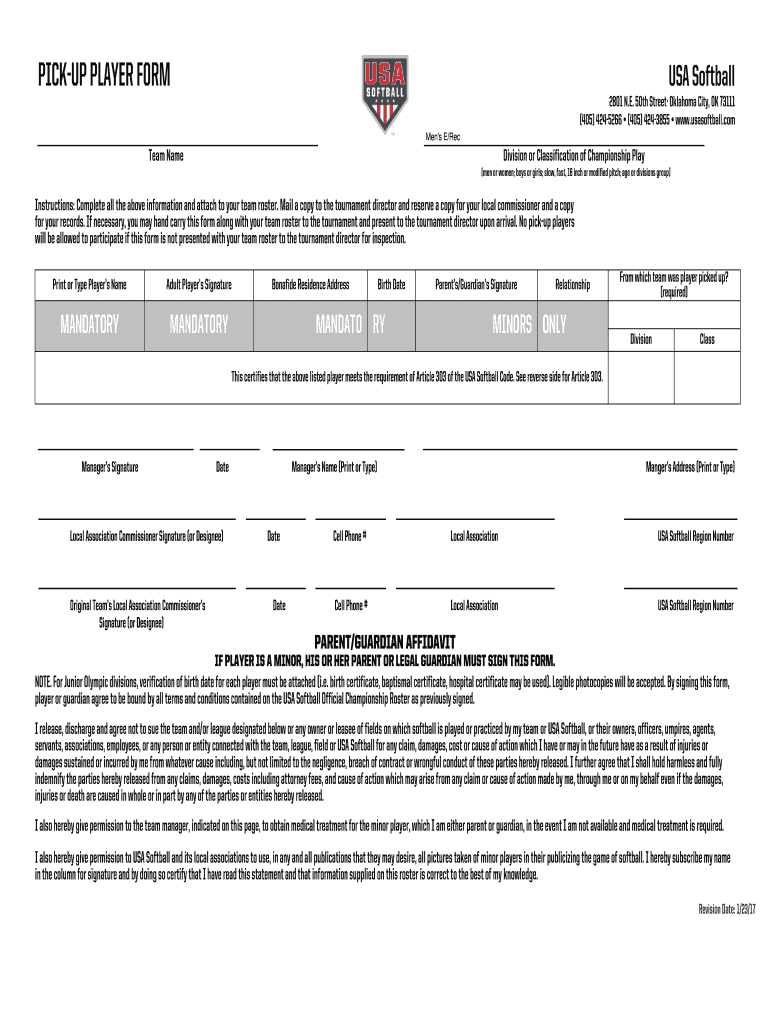
- Begin by entering the 'Team Name' at the top of the form. This identifies your team for the tournament.
- Fill in the 'Division or Classification of Championship Play' section. Specify whether it's men's or women's, and include details about pitch type and age divisions.
- In the 'Print or Type Player’s Name' field, clearly write the name of each player being picked up. Ensure accuracy for proper identification.
- Collect signatures where indicated: Adult Player’s Signature is mandatory, as well as Parent’s/Guardian’s Signature for minors. Make sure to include their relationship to the player.
- Complete additional fields such as 'Bonafide Residence Address', 'Birth Date', and contact information for both managers and local associations.
- Review all entries for completeness before saving your document. Attach any necessary verification documents if required.
Start using our platform today to streamline your form completion process for free!
It's free
See more 50th Street Oklahoma City, OK 73111 versions
Got questions?
Can I sign my 50th Street Oklahoma City, OK 73111 electronically?
According to eSignature laws, documents approved digitally have the same validity as those approved with pen and paper. You can eSign almost any business and personal documentation. Four types of paperwork still demand handwritten signatures only - wills and testamentary trusts, court orders and other court forms, state statutes regulating divorce, adoption, or other family law, and notice of cancellation of utility services. If you follow the rules and utilize a reliable and compliant software solution, like DocHub, you can eSign your 50th Street Oklahoma City, OK 73111 without printing it.
How do you fill out 50th Street Oklahoma City, OK 73111 online?
You can find and edit your 50th Street Oklahoma City, OK 73111 online by using DocHub. Its simple but feature-rich design enables you to start effective work immediately after you register your account. Create your account and add your document, then our interface will guide you through our stress-free form completion experience.
Security and compliance
At DocHub, your data security is our priority. We follow HIPAA, SOC2, GDPR, and other standards, so you can work on your documents with confidence.
Learn more


