Vaccine waiver form 2026

Get Form
vaccination waiver form Preview on Page 1

Here's how it works

01. Edit your vaccination waiver form online
Type text, add images, blackout confidential details, add comments, highlights and more.

02. Sign it in a few clicks
Draw your signature, type it, upload its image, or use your mobile device as a signature pad.

03. Share your form with others
Send printable religious vaccine exemption form via email, link, or fax. You can also download it, export it or print it out.

How to use or fill out vaccine waiver form with our platform

Form edit decoration
9.5
Ease of Setup
DocHub User Ratings on G2
9.0
Ease of Use
DocHub User Ratings on G2
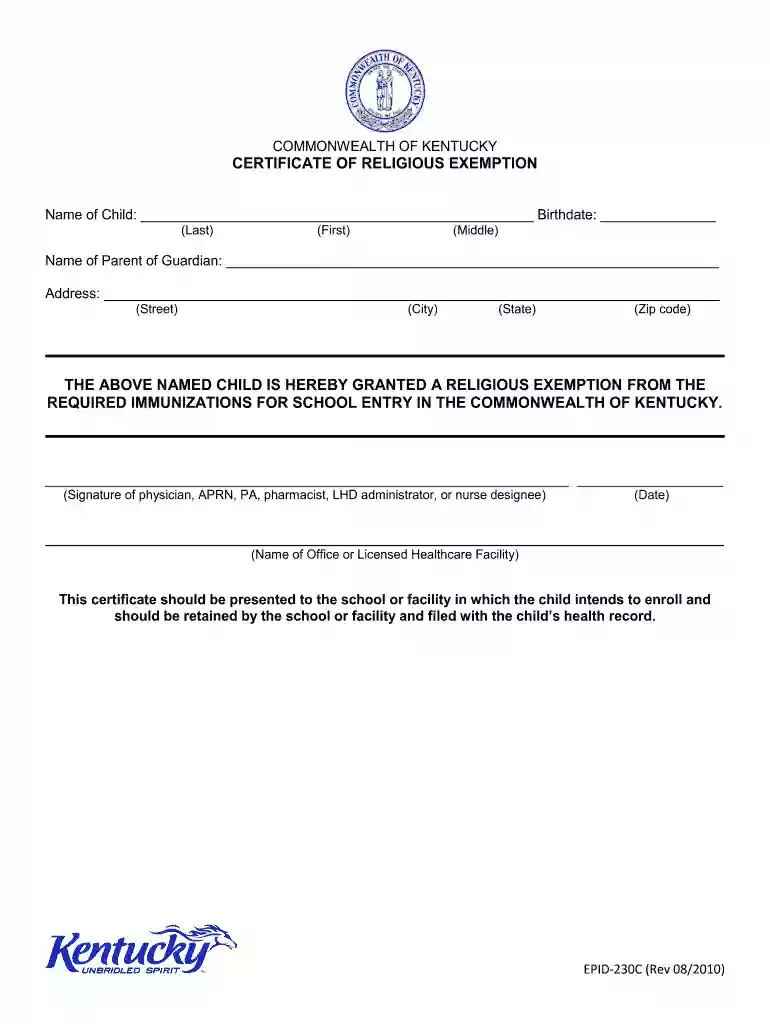
  1. Click ‘Get Form’ to open the vaccine waiver form in the editor.
  2. Begin by entering the child's name in the designated fields for Last, First, and Middle names. Ensure accuracy as this information is crucial for identification.
  3. Next, input the child's birthdate in the provided space. This helps verify age requirements for school entry.
  4. Fill in the name of the parent or guardian responsible for signing the form. This section ensures that a legal guardian is acknowledging the exemption.
  5. Complete the address fields with your current street address, city, state, and zip code. This information is necessary for record-keeping purposes.
  6. The healthcare provider must sign and date the form in the specified areas. Make sure to include their name and office details to validate the exemption.
  7. Once all fields are completed, review your entries for accuracy before saving or exporting your document.

Start using our platform today to fill out your vaccine waiver form easily and for free!

See more vaccine waiver form versions

We've got more versions of the vaccine waiver form form. Select the right vaccine waiver form version from the list and start editing it straight away!
Versions Form popularity Fillable & printable
2010 4.8 Satisfied (122 Votes)
2002 4.3 Satisfied (36 Votes)
be ready to get more

Complete this form in 5 minutes or less

Get form

Got questions?

We have answers to the most popular questions from our customers. If you can't find an answer to your question, please contact us.
Contact us
Children need not be immunized if the parent, guardian or emancipated child objects in writing to the immunization on religious grounds or on the basis of strong moral or ethical conviction similar to religious belief.
The Arkansas Department of Health is authorized by Act 999 of 2003 to grant individual exemptions from the immunization requirements. This website allows you to submit an application for exemption. The application may be completed by parents or guardians of students or by students who are 18 years of age or older.
Please initial next to each of the statements below: I request a reasonable accommodation due to my sincere religious beliefs. I understand and assume the risks of non-vaccination. I accept full responsibility for my health, thus removing liability from the City to the required vaccinations.
Currently, only six states in the country do not allow religious exemptions: California. Maine. Mississippi. New York. West Virginia. Connecticut.

Security and compliance

At DocHub, your data security is our priority. We follow HIPAA, SOC2, GDPR, and other standards, so you can work on your documents with confidence.

Learn more
ccpa2
pci-dss
gdpr-compliance
hipaa
soc-compliance
be ready to get more

Complete this form in 5 minutes or less

Get form