Partner Details - Services Australia 2026

Get Form
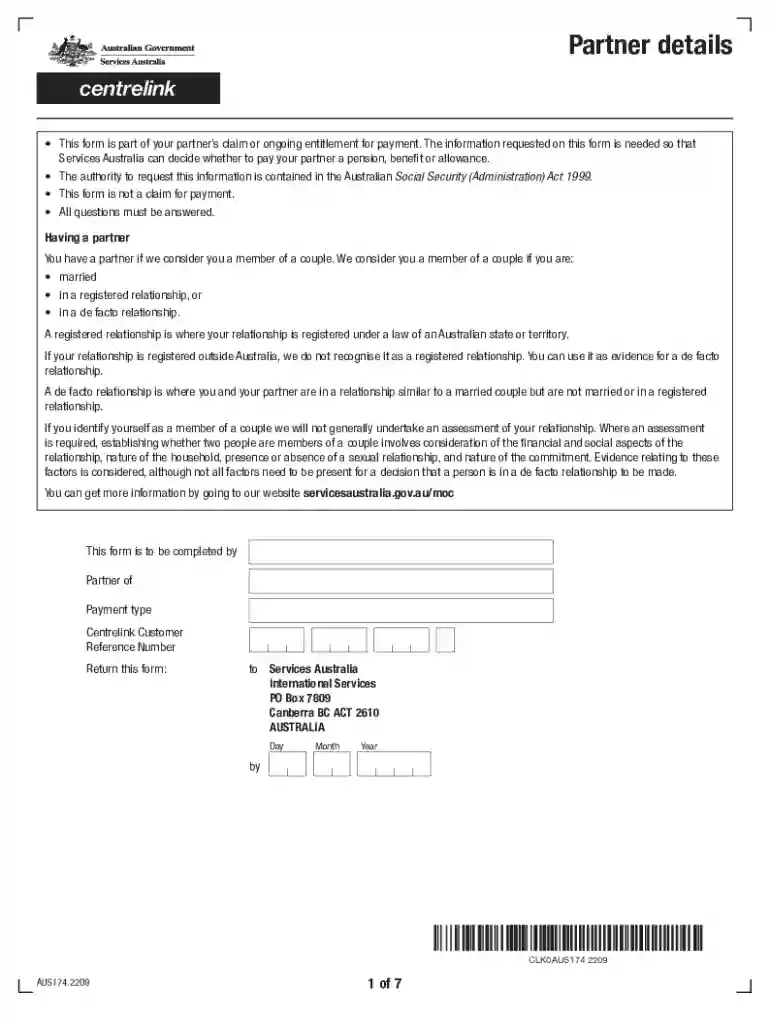
aus174 form Preview on Page 1

Here's how it works

01. Edit your aus174 form online
Type text, add images, blackout confidential details, add comments, highlights and more.

02. Sign it in a few clicks
Draw your signature, type it, upload its image, or use your mobile device as a signature pad.

03. Share your form with others
Send aus174 via email, link, or fax. You can also download it, export it or print it out.

How to use or fill out Partner Details - Services Australia with our platform

Form edit decoration
9.5
Ease of Setup
DocHub User Ratings on G2
9.0
Ease of Use
DocHub User Ratings on G2
  1. Click ‘Get Form’ to open the Partner Details - Services Australia in the editor.
  2. Begin by filling out your personal details. Indicate your relationship status by ticking the appropriate box, and provide your full name, date of birth, and country of birth.
  3. Next, specify your home address and how long you have lived there. If applicable, include any other names you have been known by.
  4. Proceed to the income and assets section. List all countries where you have lived since birth and provide details about your household contents and personal effects.
  5. Complete the sections regarding any life insurance policies, motor vehicles, bank accounts, and other assets. Ensure that all fields are filled accurately for a smooth processing experience.
  6. Finally, review your entries for accuracy before submitting the form through our platform.

Start using our platform today to complete your Partner Details - Services Australia form easily and for free!

See more Partner Details - Services Australia versions

We've got more versions of the Partner Details - Services Australia form. Select the right Partner Details - Services Australia version from the list and start editing it straight away!
Versions Form popularity Fillable & printable
2022 4.4 Satisfied (57 Votes)
2014 4 Satisfied (24 Votes)
be ready to get more

Complete this form in 5 minutes or less

Get form

Got questions?

We have answers to the most popular questions from our customers. If you can't find an answer to your question, please contact us.
Contact us
Centrelink considers couples de facto based on factors like: Living arrangements Shared expenses (like rent and electricity) Social aspects of the relationship Even if you dont combine finances, Centrelink still assesses your payments as a couple, meaning your income affects both of your payments.
The Partner details form (MOD P) is an official document in Australia designed to gather information about your partner when you are claiming or receiving a payment or concession card.
If you live together and also meet certain other arbitrary criteria (being seen as a couple in public, being together for 10+ weeks, etc) they will determine you are in a partnership and depending on your partners income your payments will be reduced.
If your Centrelink online account is linked to myGov, you can tell us about your travel plans online. If you dont have these, youll need to create them. You can also use your online account to get information on how your travel could affect your payments and concession cards.
Your relationship can be official in a few ways. Your relationship may be de facto, registered or married. You may need to confirm your relationship status with us.

Security and compliance

At DocHub, your data security is our priority. We follow HIPAA, SOC2, GDPR, and other standards, so you can work on your documents with confidence.

Learn more
ccpa2
pci-dss
gdpr-compliance
hipaa
soc-compliance
be ready to get more

Complete this form in 5 minutes or less

Get form