




Here's how it works



How to use or fill out Sold Price: Jean Jacques Pradier - April 3, 0121 10:00 AM EDT with our platform

- Click ‘Get Form’ to open it in the editor.
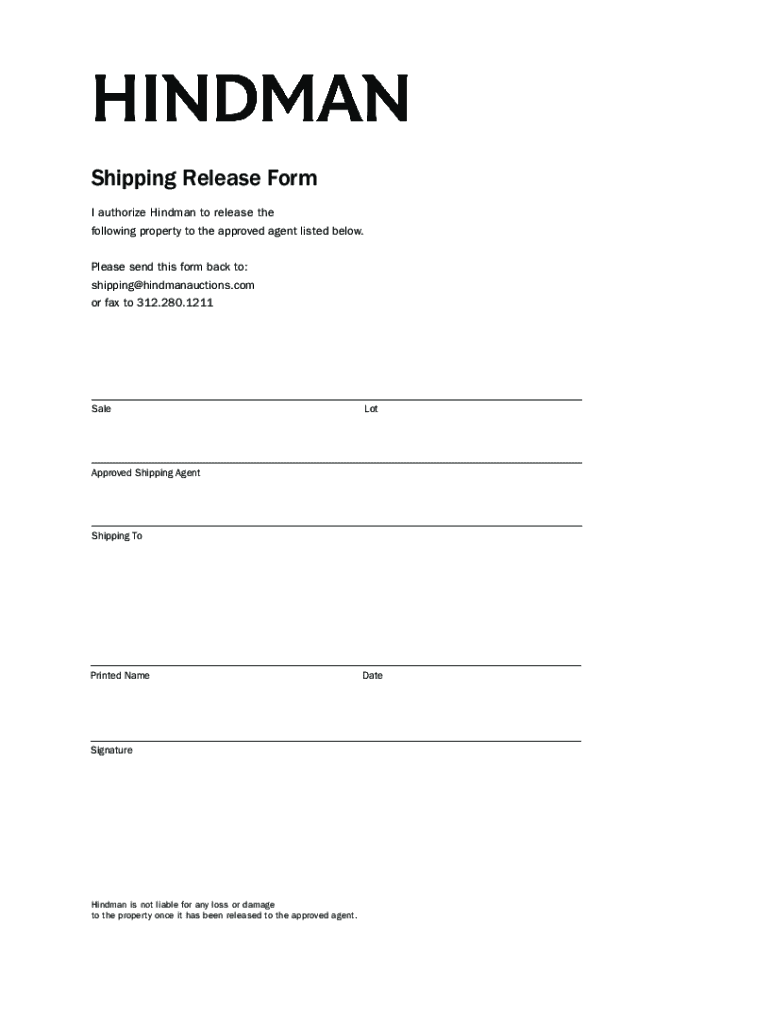
- Begin by entering the sale details in the designated field. This includes the lot number and any relevant information pertaining to the sold price.
- Next, identify your approved shipping agent by filling in their name and contact information. Ensure accuracy to avoid any delays.
- In the 'Shipping To' section, provide the complete address where the item should be sent. Double-check for correctness.
- Fill in your printed name and date at the bottom of the form to authenticate your request.
- Finally, sign the document electronically using our platform’s signature feature to finalize your authorization.
Start using our platform today for free to streamline your document editing and signing process!
It's free
See more Sold Price: Jean Jacques Pradier - April 3, 0121 10:00 AM EDT versions
Got questions?
How can I send my Sold Price: Jean Jacques Pradier - April 3, 0121 10:00 AM EDT from Google Drive for approval?
If you regularly work with documents stored in your Google Drive, DocHub is a perfect option for you to easily and quickly fill out, modify, and approve them. This editor integrates properly with Google services, so you can export your Sold Price: Jean Jacques Pradier - April 3, 0121 10:00 AM EDT from your Google Drive to the editor without the need of downloading and re-uploading it. Right-click on your document, choose Open With → DocHub PDF Sign and Edit. In our editor, add and assign Signature Fields for all people involved, then click on the Menu option above → Send → choose how you want to share your paperwork.
How to fill out Sold Price: Jean Jacques Pradier - April 3, 0121 10:00 AM EDT online for free in 2024?
With a swift editing platform like DocHub, you do not require anything but a browser and internet connection to modify your Sold Price: Jean Jacques Pradier - April 3, 0121 10:00 AM EDT on the internet easily. Add your document or find the relevant form in DocHub’s catalog, open our editor with a single click, and complete it digitally. To revise your forms anytime, register a free profile with DocHub.
Security and compliance
At DocHub, your data security is our priority. We follow HIPAA, SOC2, GDPR, and other standards, so you can work on your documents with confidence.
Learn more


