




Here's how it works



How to use or fill out Financial Assistance for Aged, Blind or Disabled with our platform

- Click ‘Get Form’ to open it in the editor.
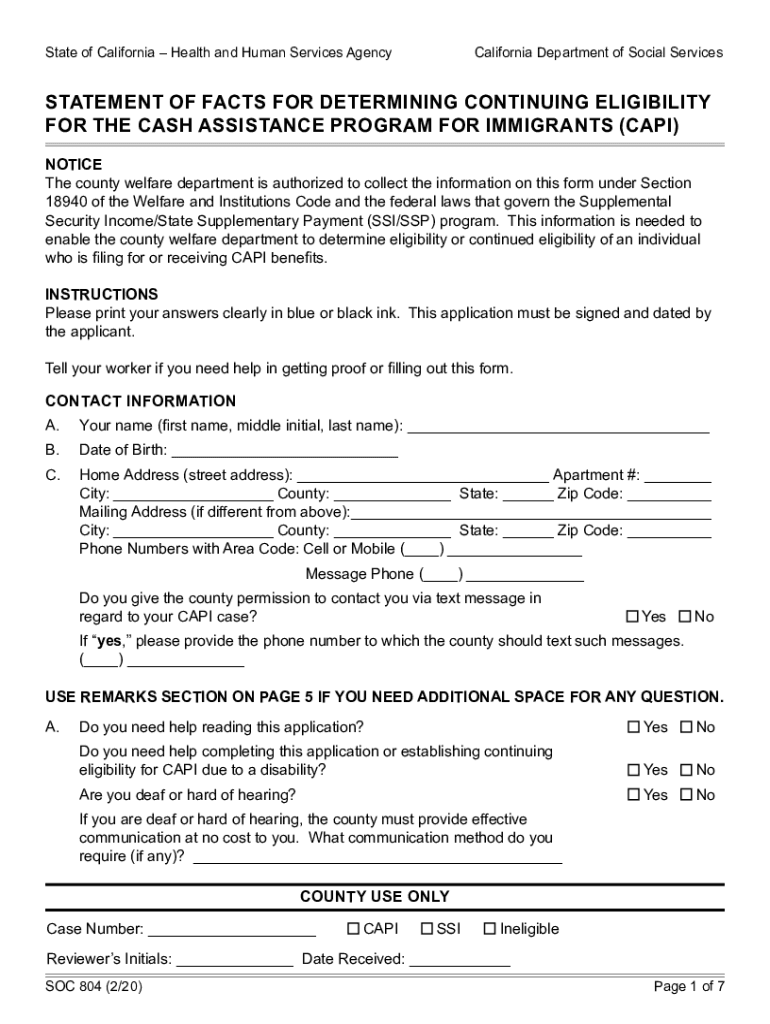
- Begin by entering your personal information in the Contact Information section. Clearly print your name, date of birth, and address. Ensure all details are accurate to avoid delays.
- Proceed to answer questions regarding your health and any assistance you may need. This includes indicating if you have any disabilities or require help with personal care.
- In the subsequent sections, provide information about your financial status. This includes income from employment, benefits received, and any assets you own. Attach necessary documentation as proof.
- Finally, review your responses for accuracy before signing the authorization statement at the end of the form. Make sure to date it appropriately.
Start filling out your Financial Assistance form today using our platform for free!
It's free
See more Financial Assistance for Aged, Blind or Disabled versions
Got questions?
What is the simplest way to electronically sign my california department of social services capi?
A lot of software solutions are available out there for document modifying and signing. DocHub is one of the most popular online solutions that comply with all data protection and compliance requirements and guarantees your electronically signed paperwork is legally enforceable. All you need to try it out is to create an account, upload your california department of social services capi, provide the necessary information, and click Sign. Generate your electronic signature by typing, drawing it, uploading its picture to your template, or scanning a unique QR code.
Can I print my 804 form and finish it on my own?
If you choose analog methods of completing your 804 form, it is simple to download your file for printing. Search DocHub’s Forms & Templates catalog to locate the exact document template you require and open it for editing or download it on your gadget in the format of your liking. It is possible to complete your form electronically and place your handwritten signature on it right after printing or eSign your document with DocHub.
What do people with disabilities get for free?
What money do you get if you are disabled?
What is the aid to the aged blind and disabled?
Security and compliance
At DocHub, your data security is our priority. We follow HIPAA, SOC2, GDPR, and other standards, so you can work on your documents with confidence.
Learn more


