Referral Form OB GYN - Albuquerque 2026

Get Form
lovelace referral form Preview on Page 1

Here's how it works

01. Edit your lovelace referral form online
Type text, add images, blackout confidential details, add comments, highlights and more.
02. Sign it in a few clicks
Draw your signature, type it, upload its image, or use your mobile device as a signature pad.
03. Share your form with others
Send it via email, link, or fax. You can also download it, export it or print it out.

How to use or fill out Referral Form OB GYN - Albuquerque with our platform

Form edit decoration
9.5
Ease of Setup
DocHub User Ratings on G2
9.0
Ease of Use
DocHub User Ratings on G2
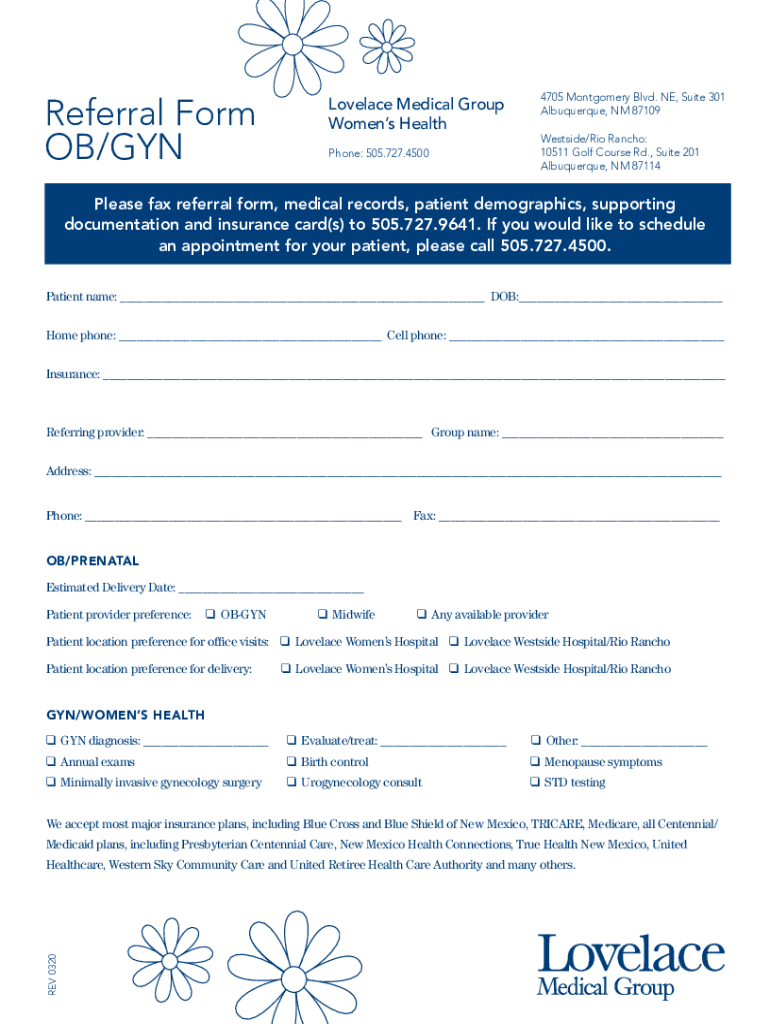
  1. Click ‘Get Form’ to open the Referral Form OB GYN - Albuquerque in the editor.
  2. Begin by entering the patient's name and date of birth in the designated fields at the top of the form.
  3. Fill in the home and cell phone numbers to ensure accurate contact information.
  4. Provide insurance details in the specified section, ensuring all relevant information is included.
  5. Complete the referring provider's information, including group name, address, phone, and fax number.
  6. For OB/Prenatal care, indicate the estimated delivery date and select patient provider preferences from the options provided.
  7. In the GYN/Women’s Health section, check any applicable diagnoses or services required for evaluation or treatment.
  8. Once all fields are completed, review your entries for accuracy before submitting.

Start using our platform today to fill out your Referral Form OB GYN - Albuquerque easily and for free!

See more Referral Form OB GYN - Albuquerque versions

We've got more versions of the Referral Form OB GYN - Albuquerque form. Select the right Referral Form OB GYN - Albuquerque version from the list and start editing it straight away!
Versions Form popularity Fillable & printable
2020 4.8 Satisfied (28 Votes)
2014 5 Satisfied (38 Votes)
be ready to get more

Complete this form in 5 minutes or less

Get form

Got questions?

We have answers to the most popular questions from our customers. If you can't find an answer to your question, please contact us.
Contact us

Electronic document signing requires a software solution that complies with data security and eSignature regulations. DocHub is a great tool for that, because it fulfills all the above mentioned requirements. Whatever method you like to sign your Referral Form OB GYN - Albuquerque in DocHub, your eSignature will be legally binding and court-admissible.

If you store your documents in Google Drive, there is no need to download your Referral Form OB GYN - Albuquerque on your computer and upload it back to our editor. A significantly easier way is to set up a browser extension developed by DocHub to streamline this flow. The extension allows editing PDFs in your browser. Alternatively, you can integrate your DocHub and Gmail accounts for more efficient editing.

Your gynecologist can screen you for these basic conditions and be your first line of defense. If they see a chronic issue or something that needs further diagnostics or examination, they are prepared to recommend and refer you to the appropriate specialist who can give you the care you require.
According to the DMHC, its a California law that states you do not need a referral for routine OB or Maternity care. Let them know requiring you to get a referral is against CA state law.
Most health plans must allow enrollees to see their OBGYN without a referral from their primary care doctor.

Security and compliance

At DocHub, your data security is our priority. We follow HIPAA, SOC2, GDPR, and other standards, so you can work on your documents with confidence.

Learn more
ccpa2
pci-dss
gdpr-compliance
hipaa
soc-compliance

People also ask

OB-GYN is best suited if: You have menstrual, pregnancy, fertility or contraception questions or issues. You have sexual health concerns, such as libido, pain or abuse.
You should be able to just call the obstetrics office and ask to make an appointment, but if that doesnt work, whoever answers the phone will be able to tell you who to call to request an appointment as a new patient.

Related links