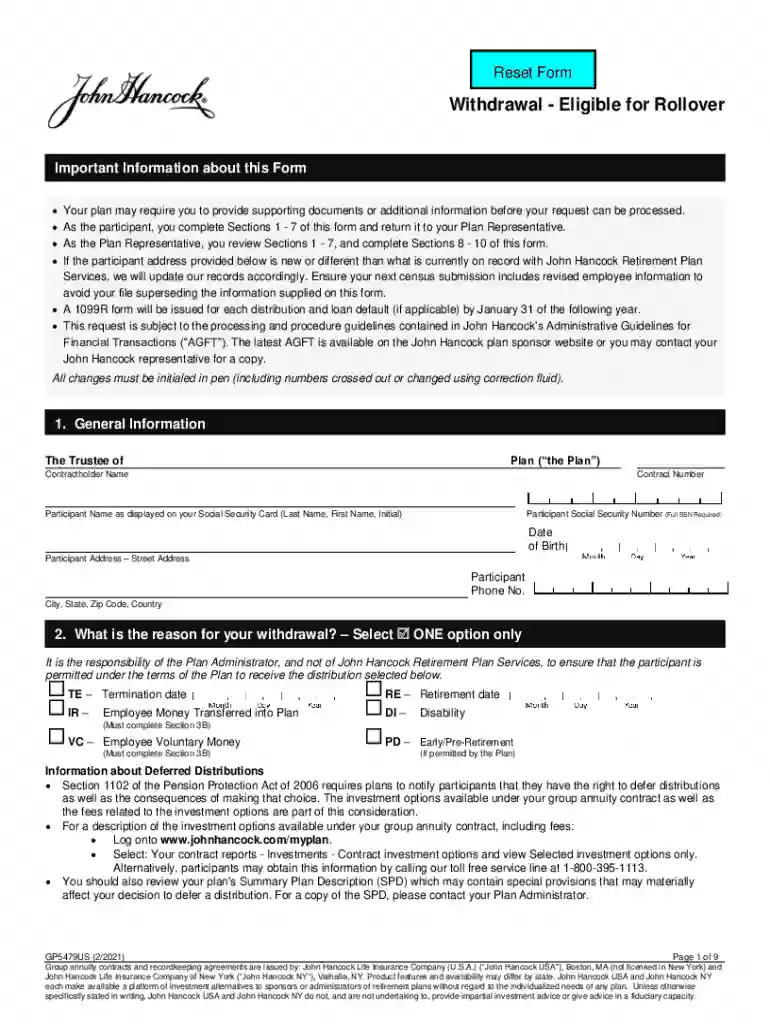
Gp5479us form hancock 2026

Get Form
gp5479us Preview on Page 1

Here's how it works

01. Edit your gp5479us online
Type text, add images, blackout confidential details, add comments, highlights and more.

02. Sign it in a few clicks
Draw your signature, type it, upload its image, or use your mobile device as a signature pad.

03. Share your form with others
Send it via email, link, or fax. You can also download it, export it or print it out.

How to use or fill out gp5479us form hancock with our platform

Form edit decoration
9.5
Ease of Setup
DocHub User Ratings on G2
9.0
Ease of Use
DocHub User Ratings on G2
  1. Click ‘Get Form’ to open the gp5479us form in the editor.
  2. Begin by filling out Section 1, which includes your general information such as your name, Social Security Number, and address. Ensure all details match your official documents.
  3. In Section 2, select the reason for your withdrawal. Choose only one option that best describes your situation.
  4. Proceed to Section 3 to indicate how much you wish to withdraw. You can choose to withdraw a percentage or the total amount of your vested account value.
  5. In Section 4, specify where you want your money sent. You can choose a direct rollover or payment directly to yourself. Complete any additional sections as necessary based on your choice.
  6. Review Sections 5 and 6 for electronic fund transfer details and any waivers you may wish to apply regarding waiting periods.
  7. Finally, sign and date the form in Section 7 before submitting it according to the instructions provided by your plan administrator.

Start using our platform today for free and streamline your document editing experience!

See more gp5479us form hancock versions

We've got more versions of the gp5479us form hancock form. Select the right gp5479us form hancock version from the list and start editing it straight away!
Versions Form popularity Fillable & printable
2021 4.9 Satisfied (32 Votes)
2016 4 Satisfied (38 Votes)
2012 4.3 Satisfied (56 Votes)
be ready to get more

Complete this form in 5 minutes or less

Get form

Got questions?

We have answers to the most popular questions from our customers. If you can't find an answer to your question, please contact us.
Contact us

Sure, it is possible with DocHub. This safe and compliant online editor features a phone-based signing option. When you log in to your DocHub account and add your gp5479us form hancock to our editor, complete all empty areas and utilize the Sign feature on the upper barf. Click on Create your signature and choose Phone from the available choices. Here, you scan a QR code with your smartphone and draw your signature on your phone display, as you normally do when signing physical papers. If you access DocHub right from your mobile device, you can electronically sign your template by drawing your eSignature, uploading its image, or simply with a typed name.

If you store your documents in Google Drive, there is no need to download your gp5479us form hancock on the computer and upload it back to our editor. A much easier way is to set up a browser extension developed by DocHub to simplify this flow. The extension allows editing PDFs in your browser. Alternatively, you may integrate your DocHub and Gmail accounts for more efficient editing.

Visit the forms page at johnhancock.com/annuities. Find the Withdrawal request form FULL TERMINATION (IRA and nonqualified) or Withdrawal request form PARTIAL WITHDRAWAL (IRA and nonqualified). Click the link to submit the applicable form version online and follow the step-by-step instructions.
There are two ways you can move your money: a direct rollover and a 60-day rollover. If youre rolling over from a 401(k) to an IRA (or another qualified retirement plan), you can ask your plan administrator to make the payment directly to the other account. Contact your plan administrator for instructions.

Security and compliance

At DocHub, your data security is our priority. We follow HIPAA, SOC2, GDPR, and other standards, so you can work on your documents with confidence.

Learn more