




Here's how it works



How to use or fill out epa ohio static PortalsExemption Extension Application Instructions with our platform

- Click ‘Get Form’ to open the Exemption/Extension Application in the editor.
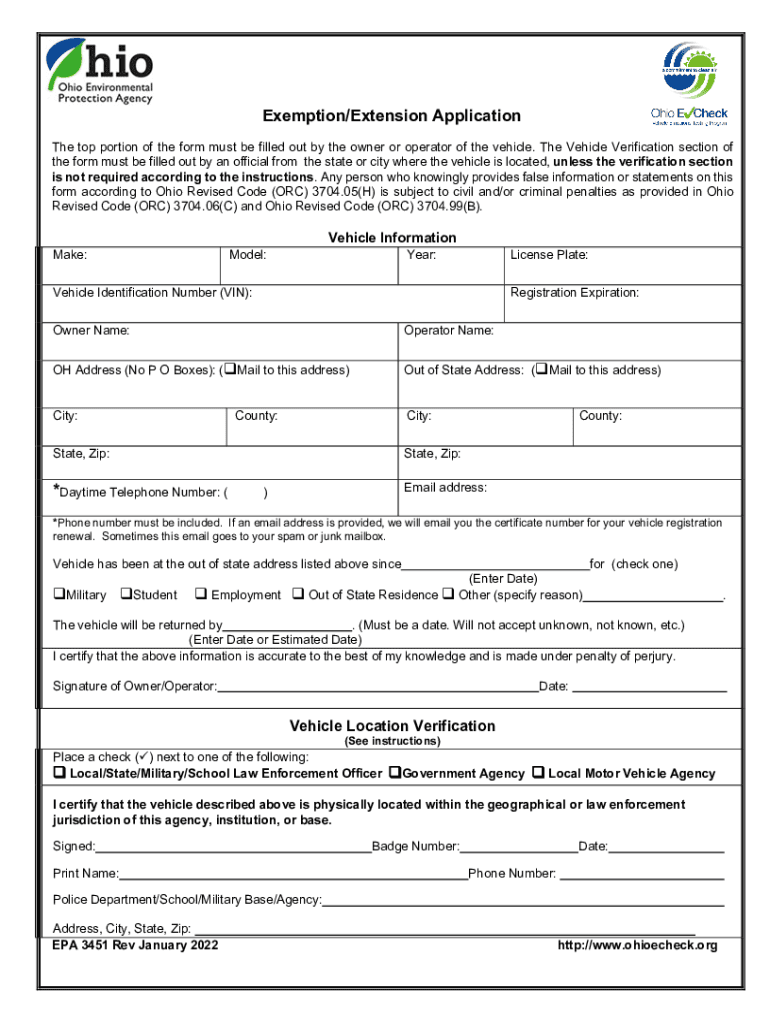
- Begin by filling out the top portion of the form with your vehicle's information, including Make, Model, Year, License Plate, and Vehicle Identification Number (VIN).
- Provide your contact details such as Owner Name, Operator Name, and both Ohio and Out of State addresses. Ensure you include a daytime telephone number and an email address for communication.
- Indicate the reason for exemption by checking the appropriate box (Military, Student, Employment, etc.) and provide the date when the vehicle has been at the out-of-state address.
- Complete the Vehicle Location Verification section if required. This must be signed by an official from the relevant agency.
- Finally, certify that all information is accurate by signing and dating the form before submission.
Start using our platform today to fill out your application easily and for free!
It's free
See more epa ohio static PortalsExemption Extension Application Instructions versions
Got questions?
What do I need to sign my ohio epa 3451 form electronically?
Electronic document signing requires a software solution that works in compliance with data security and eSignature regulations. DocHub is a great tool for that, because it meets all the above mentioned requirements. Whatever method you like to sign your ohio epa 3451 form in DocHub, your eSignature will be legally binding and court-admissible.
How do you get ohio epa exemption extension application?
You can find the latest and most relevant version of the ohio epa exemption extension application in our DocHub forms library. Browse it by categories or utilize the search field to find the exact template that suits your case. You may open this form for editing once you find it.
Security and compliance
At DocHub, your data security is our priority. We follow HIPAA, SOC2, GDPR, and other standards, so you can work on your documents with confidence.
Learn more


