




Here's how it works



How to use or fill out Medicare enrolment or new Medicare number request For use by Child Protection Agencies with our platform

- Click ‘Get Form’ to open it in the editor.
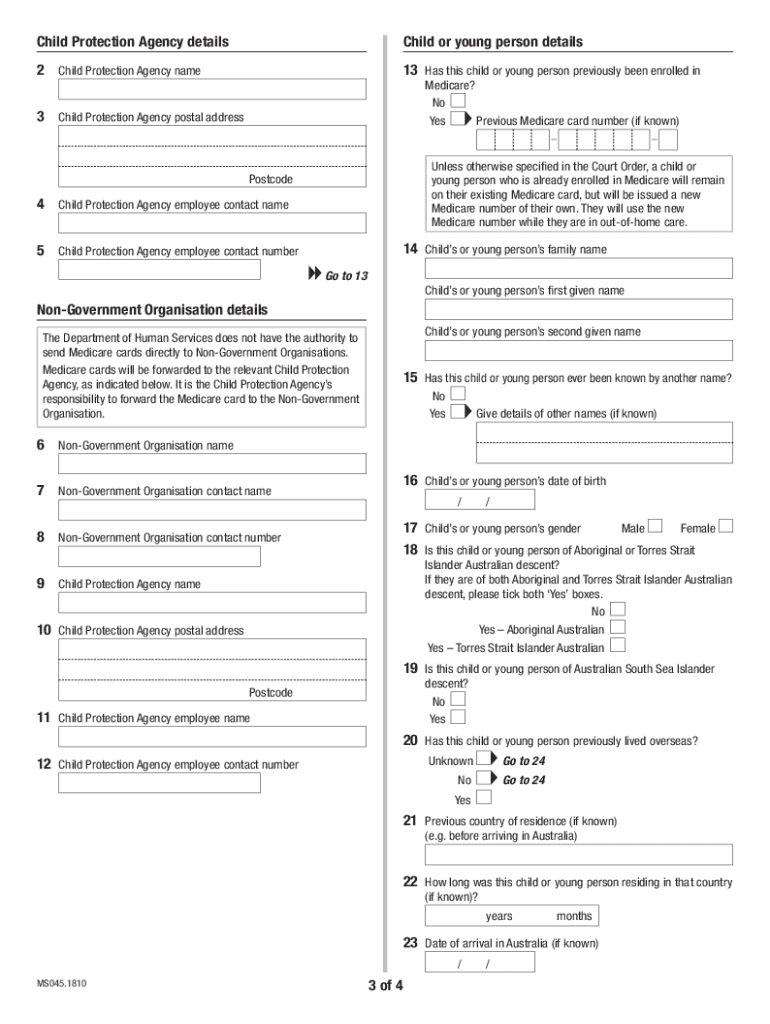
- Begin by filling in the Child Protection Agency details, including the agency name and postal address. Ensure all information is accurate.
- Provide the child or young person's details, including their full name, date of birth, and gender. If applicable, indicate if they have previously been enrolled in Medicare.
- Attach all required supporting documents as specified in sections 1a or 1b, depending on your status as a Child Protection Agency employee or Non-Government Organisation employee.
- Complete the Declaration section at the end of the form. Ensure that any young person aged 15 years or older signs this section.
- Review all entries for accuracy before submitting. You can return your completed form via email or post as instructed.
Start using our platform today to streamline your Medicare enrolment process for free!
It's free
See more Medicare enrolment or new Medicare number request For use by Child Protection Agencies versions
| Versions | Form popularity | Fillable & printable |
|---|---|---|
| 2018 | 4 Satisfied (33 Votes) |
Got questions?
How can I send my Medicare enrolment or new Medicare number request For use by Child Protection Agencies from Google Drive for approval?
If you often work with documents stored in your Google Drive, DocHub is a perfect solution for you to easily and quickly fill out, modify, and approve them. This editor integrates properly with Google services, so you can export your Medicare enrolment or new Medicare number request For use by Child Protection Agencies from your Google Drive to the editor without the need of downloading and re-uploading it. Right-click on your document, choose Open With → DocHub PDF Sign and Edit. In our editor, add and assign Signature Fields for all parties involved, then click on the Menu option above → Send → decide on how you want to share your form.
Do I need to set up software to modify my Medicare enrolment or new Medicare number request For use by Child Protection Agencies?
When you edit your Medicare enrolment or new Medicare number request For use by Child Protection Agencies with DocHub, you merely need a steady web connection and virtually any browser installed on your device. No need to set up any third-party applications or study guides. Simply open a tab with DocHub, drag and drop your file, and edit it on the spot.
Security and compliance
At DocHub, your data security is our priority. We follow HIPAA, SOC2, GDPR, and other standards, so you can work on your documents with confidence.
Learn more


