




Here's how it works



How to use or fill out LetterVote Yes for the Si View Metropolitan Parks District

- Click ‘Get Form’ to open it in our editor.
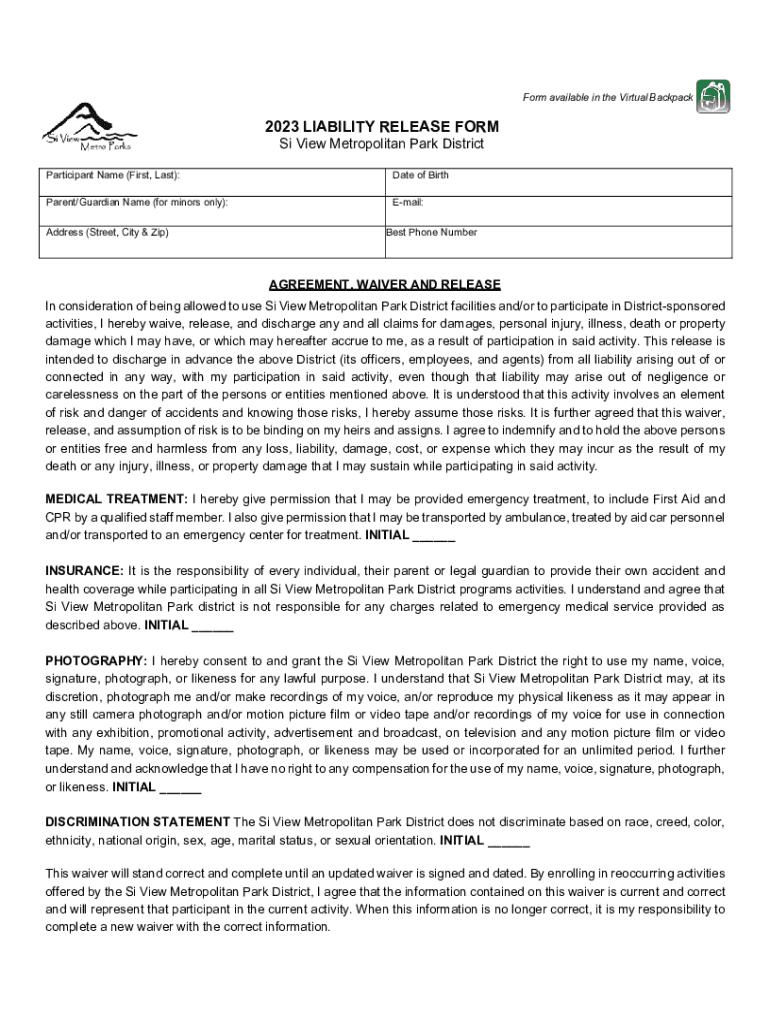
- Begin by entering the Participant Name (First, Last) in the designated field. This identifies who is participating in activities.
- Fill in the Date of Birth to confirm eligibility for participation, especially for minors.
- If applicable, provide the Parent/Guardian Name for minors to ensure proper consent.
- Enter your E-mail address and Address (Street, City & Zip) to facilitate communication and record keeping.
- Provide the Best Phone Number where you can be reached in case of emergencies or important updates.
- Read through the Agreement, Waiver, and Release section carefully. Initial each section to indicate your understanding and acceptance of terms regarding liability and medical treatment.
- For guardians of minors, complete the Participation Authorization and Parental Consent sections by initialing and signing where indicated.
- Finally, review all entered information for accuracy before submitting your form. Ensure that all initials are present as required.
Start filling out your LetterVote Yes form today using our platform for free!
It's free
See more LetterVote Yes for the Si View Metropolitan Parks District versions
Got questions?
Is it secure to sign my LetterVote Yes for the Si View Metropolitan Parks District electronically?
You should use only trustworthy software solutions with strong data protection compliance to approve your paperwork electronically. DocHub is just the type of software you need! It stores data on Amazon Web Servers and complies with all necessary security requirements and eSignature regulations, so it’s a reliable way to electronically sign your LetterVote Yes for the Si View Metropolitan Parks District or other documents with this tool.
How do you complete LetterVote Yes for the Si View Metropolitan Parks District on Android?
It is a no-brainer on a computer or via a mobile phone to fill out a LetterVote Yes for the Si View Metropolitan Parks District with DocHub. All you need to do is open any installed browser on your smartphone and proceed to the DocHub site. Once authenticated, add your document and open it in editing mode. Use our toolbar to make your edits and save changes. Optionally, keep your document in your files or send it to a recipient immediately.
Security and compliance
At DocHub, your data security is our priority. We follow HIPAA, SOC2, GDPR, and other standards, so you can work on your documents with confidence.
Learn more


