Definition and Meaning
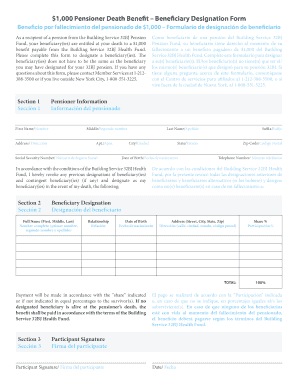
The term "form online" refers to digital documents that facilitate the completion of information collection processes, data submission, and transactions via an online platform. These forms are used across various sectors, including business, government, and education, to streamline operations by reducing paperwork and enhancing efficiency. The MI W-4P form, a specific example, serves as a Withholding Certificate for Michigan Pension or Annuity Payments, allowing individuals to direct pension administrators on withholding amounts.
Steps to Complete the Form Online
To successfully complete an online form like the MI W-4P, follow these steps:
-
Access the Form: Visit the platform hosting the form, ensuring you have a stable internet connection. For the MI W-4P, this might involve going to a government website or document management service like DocHub.
-
Provide Personal Information: Enter your personal details as requested, such as name, address, and taxpayer identification number.
-
Fill in the Specific Sections: Depending on the form's purpose, input relevant data. For MI W-4P, specify the desired withholding amount and any applicable exemptions.
-
Review and Confirm: Cross-check all entries for accuracy. Errors can lead to processing delays or incorrect tax withholding.
-
Submit the Form: Once satisfied with your entries, submit the form through the platform. Some forms may allow for electronic signatures to finalize the process, reflecting the ESIGN Act's requirements.
-
Save or Print for Records: It’s advisable to save a digital copy or print the completed form for your records.
How to Obtain the Form Online
Obtaining a form online is straightforward with platforms offering document management services. Here's how you can obtain forms:
-
Direct Download: Many official websites offer forms that can be directly downloaded. For example, the MI W-4P could be available on Michigan's state website.
-
Cloud Services: Use services like DocHub to import forms from cloud storage like Google Drive. This facilitates easy access and editing.
-
Email Attachments: Forms can be received as email attachments and directly opened in a platform like DocHub for editing and submission.
Why You Should Form Online
Choosing to fill out forms online offers numerous benefits:
-
Efficiency: Completing forms online reduces the time taken compared to traditional paper-based methods.
-
Convenience: Forms can be filled out on any device, at any location, provided you have internet access.
-
Error Reduction: Many platforms offer validation checks to reduce human error in form completion.
-
Environmentally Friendly: Transitioning to digital forms helps reduce paper usage, contributing to sustainability efforts.
Who Typically Uses the Form Online
Online forms are utilized by a diverse range of users:
-
Individuals: For tax filing, job applications, and various registration processes.
-
Businesses: For collecting employee data, processing client information, and more.
-
Government Agencies: For simplifying citizen data collection and processing tasks.
-
Educational Institutions: For student registrations and administrative purposes, ensuring quick data management.


Important Terms Related to Form Online
Understanding certain terms can enhance form completion and submission:
-
Electronic Signature: A digital form of signature that is legally equivalent to a handwritten one. It ensures authenticity and integrity of the signed document.
-
Fillable Fields: Sections within a form that can be interacted with to input data. These can be text boxes, checkboxes, or dropdown menus.
-
Cloud Integration: Allows users to access, edit, and submit forms directly from cloud services like Google Drive.
-
Encryption: Secures data during transfer and storage, an essential feature when managing sensitive information online.
Legal Use of the Form Online
Online forms are legally recognized, provided they comply with specific regulations:
-
ESIGN Act Compliance: This U.S. federal law confirms the legality of electronic forms and signatures for various transactions.
-
Privacy Laws: Adhering to the relevant privacy laws like GDPR or CCPA, especially when handling sensitive data such as those found in government or healthcare forms.
-
Document Verification: Many organizations require certain online forms to be verified through digital signatures or other authentication methods to ensure legitimacy.
Software Compatibility
Online forms often integrate with different software solutions to streamline processes:
-
Accounting Software: Platforms like QuickBooks and TurboTax often support direct data import from online forms, expedient for tax-related documents.
-
Document Management Systems: Integration with systems like Microsoft Office or Google Workspace allows users to import and edit forms easily, reflecting the continued merger of productivity tools with form management solutions.