




Here's how it works



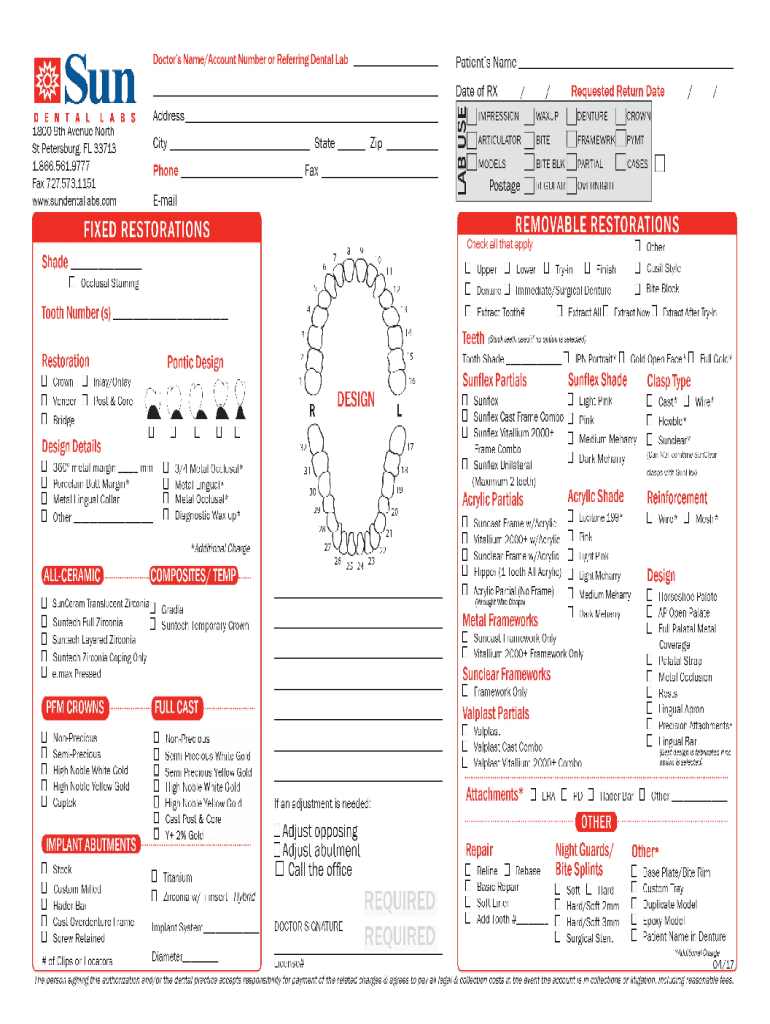
How to use or fill out Rx Updated sunceram png with our platform

- Click ‘Get Form’ to open the Rx Updated sunceram png in the editor.
- Begin by reviewing the header section, which typically includes essential information such as the patient's name and date of birth. Ensure these fields are filled accurately.
- Next, navigate to the medication details section. Here, you will find fields for medication name, dosage, and frequency. Input the required information carefully to avoid any errors.
- Proceed to the prescribing physician's information area. Fill in their name, contact details, and signature if necessary. This step is crucial for validation.
- Finally, review all entered data for accuracy before saving or exporting your completed form. Utilize our platform’s features to sign electronically if needed.
Start using our platform today for free and streamline your document editing experience!
It's free
See more Rx Updated sunceram png versions
Got questions?
How can I eSign my Rx Updated sunceram png in Word?
Microsoft Word doesn’t have signing tools to generate valid electronic signatures and enforceable forms. Fortunately, DocHub is an online eSignature-compliant editor that works with various file formats, including .doc files. Log in to your account and add the Word version of your Rx Updated sunceram png from your device and cloud, or URL - our editor will automatically convert it into an editable PDF. Make all essential alterations in your document and click Sign to generate your own legally-binding eSignature. You will find four signing methods from which to choose.
How do you get Rx Updated sunceram png?
You can find the latest and most relevant version of the Rx Updated sunceram png in our DocHub forms collection. Search it by categories or use the search field to get the exact template that suits your situation. You may open this form for editing once you find it.
Which SPF sun cream is best?
Is SPF 70 really better than 50?
Is SPF 30 or 50 better?
Security and compliance
At DocHub, your data security is our priority. We follow HIPAA, SOC2, GDPR, and other standards, so you can work on your documents with confidence.
Learn more


