healthstream beaumont Preview on Page 1

Beaumont direct deposit 2026

Here's how it works

  • 01. Edit your healthstream beaumont online

    Type text, add images, blackout confidential details, add comments, highlights and more.

  • 02. Sign it in a few clicks

    Draw your signature, type it, upload its image, or use your mobile device as a signature pad.

  • 03. Share your form with others

    Send beaumont peoplesoft employee self service via email, link, or fax. You can also download it, export it or print it out.

How to use or fill out beaumont direct deposit with our platform

Form edit decoration
9.5
Ease of Setup
DocHub User Ratings on G2
9.0
Ease of Use
DocHub User Ratings on G2
  1. Click ‘Get Form’ to open the beaumont direct deposit form in the editor.
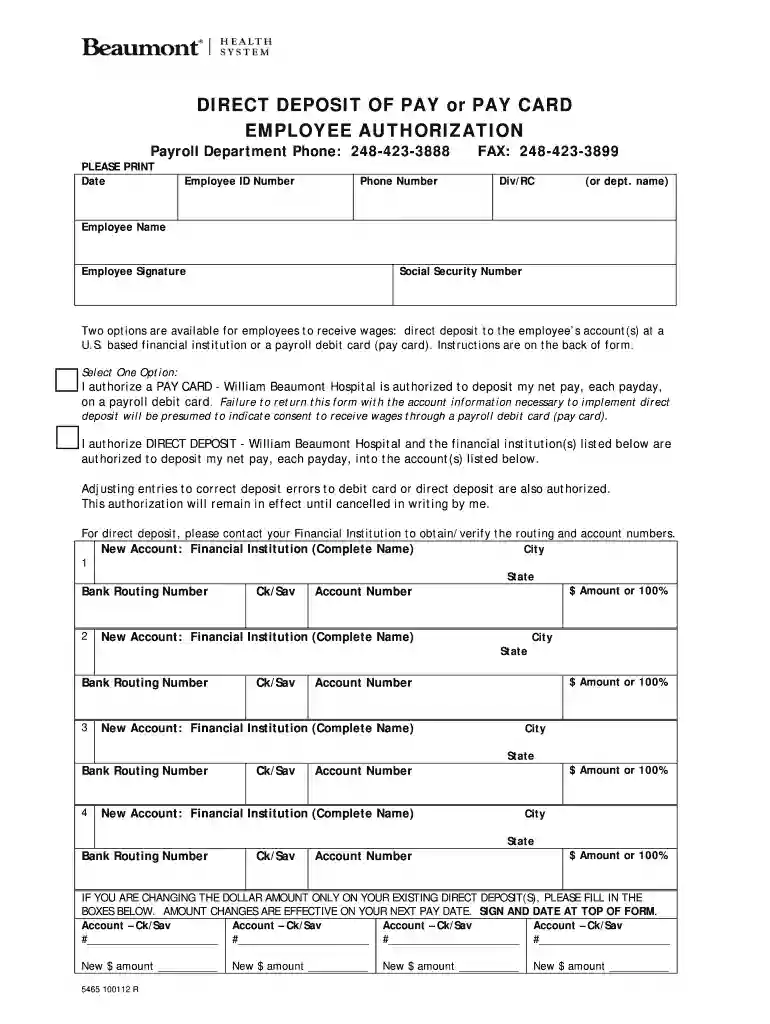
  2. Begin by entering the date, your Employee ID Number, and Phone Number in the designated fields. Ensure all information is accurate for processing.
  3. Select your preferred payment option: either 'PAY CARD' or 'DIRECT DEPOSIT'. If you choose direct deposit, proceed to fill in your financial institution details.
  4. For direct deposit, list up to four financial institutions along with their routing numbers and account numbers. Specify the amount or percentage of your pay to be deposited into each account.
  5. Verify all entered information with your financial institution to avoid errors. This includes checking that routing and account numbers are correct.
  6. Once completed, forward or fax the form to the Payroll Department using the provided contact details.

Start filling out your beaumont direct deposit form online for free today!

See more healthstream beaumont versions

We've got more versions of the healthstream beaumont form. Select the right healthstream beaumont version from the list and start editing it straight away!

VersionsForm popularityFillable & printable
20124.8 Satisfied (42 Votes)

be ready to get more

Complete this form in 5 minutes or less

Got questions?

We have answers to the most popular questions from our customers. If you can't find an answer to your question, please contact us.

Simply log onto your bank account profile and look at your checking account or savings account history. Depending on when payment was sent, your money could come up as pending direct deposit in either one of these accounts. Go into your bank account history to check the status of your money.
Submission Timing: Your employer/depositor might have submitted the direct deposit request after business hours or missed the submission deadline. Bank Holidays: These can lead to longer processing times.
To set up early direct deposit, you need to give your employer or payroll provider your bank account and routing numbers. Once youve successfully enrolled in direct deposit, your payroll provider can make payments directly into your checking account electronically, without mailing a paper check.

Security and compliance

At DocHub, your data security is our priority. We follow HIPAA, SOC2, GDPR, and other standards, so you can work on your documents with confidence.

beaumont peoplesoft payroll

Payroll Office

Pay dates, payroll, direct deposit 4400 MLK Blvd. P.O. Box 10009. Beaumont, Texas 77710 (409) 880-7011 Texas State University System Logo. All RightsRead more

Learn more
united states securities and exchange commission - form 10-k

Feb 17, 2017 Beaumont Works, Beaumont, Texas. Beaumont Works began operations in 1954 in Beaumont, Jefferson County, Texas. Over the years, Beaumont WorksRead more

Learn more
Authorization Form .

I authorize the City of Beaumont, TX, and the bank listed below to charge my checking/savings account for the amount of the selected city service each monthRead more

Learn more
If you believe that this page should be taken down, please follow our DMCA take down process here