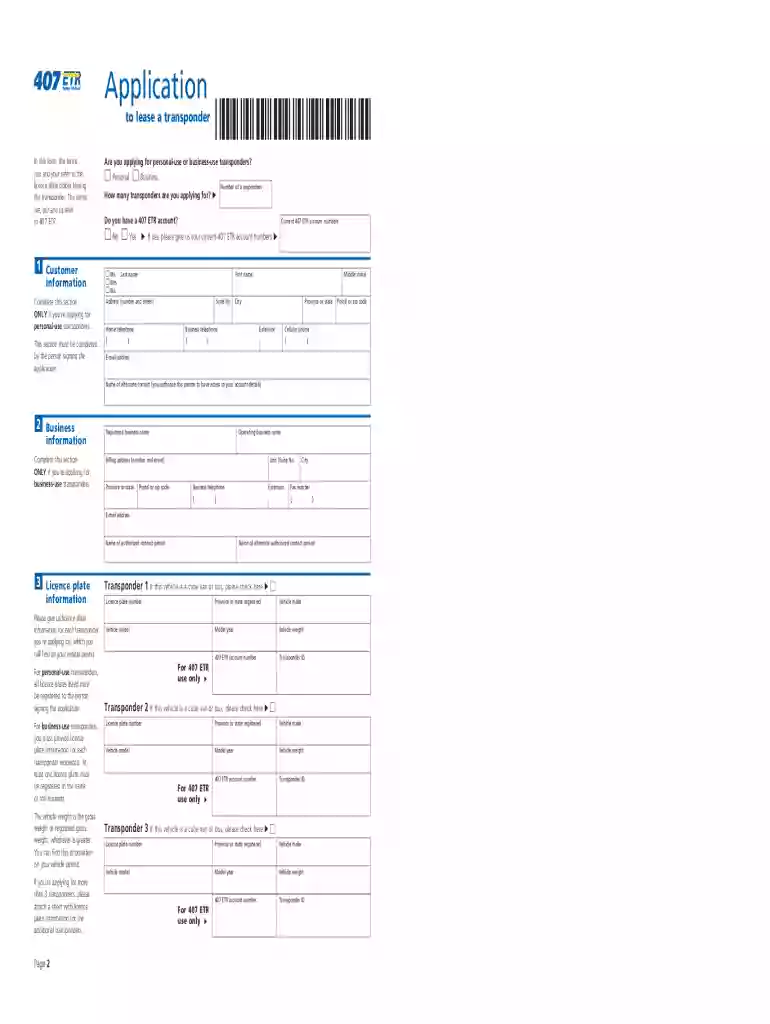
407 business transponder application 2026

Get Form
transponder 407 Preview on Page 1

Here's how it works

01. Edit your transponder 407 online
Type text, add images, blackout confidential details, add comments, highlights and more.

02. Sign it in a few clicks
Draw your signature, type it, upload its image, or use your mobile device as a signature pad.

03. Share your form with others
Send 407 transponder order via email, link, or fax. You can also download it, export it or print it out.

How to use or fill out 407 business transponder application with our platform

Form edit decoration
9.5
Ease of Setup
DocHub User Ratings on G2
9.0
Ease of Use
DocHub User Ratings on G2
  1. Click ‘Get Form’ to open the 407 business transponder application in the editor.
  2. Begin by filling out the 'Personal Information' section. If applying for business-use transponders, ensure that an authorized representative signs the application.
  3. In the 'Transponder Information' section, specify the number of transponders you are applying for and indicate whether they are light or heavy vehicle transponders based on your vehicle's weight.
  4. Complete the 'Licence Plate Information' section by providing a separate licence plate number for each transponder. Ensure that at least one plate is registered in the name of the business if applicable.
  5. Review all entered information for accuracy before signing. For personal-use applications, ensure all registered holders sign; for business applications, only an authorized representative needs to sign.
  6. Once completed, save your form and submit it via fax or mail as instructed at the end of the document.

Start using our platform today to streamline your application process for free!

See more 407 business transponder application versions

We've got more versions of the 407 business transponder application form. Select the right 407 business transponder application version from the list and start editing it straight away!
Versions Form popularity Fillable & printable
2023 4.3 Satisfied (26 Votes)
2016 4 Satisfied (42 Votes)
2014 4 Satisfied (37 Votes)
be ready to get more

Complete this form in 5 minutes or less

Get form

Got questions?

We have answers to the most popular questions from our customers. If you can't find an answer to your question, please contact us.
Contact us

Log in to your DocHub account and add your 407 transponder order online free to our editor using one of its upload options - from your device, cloud storage, protected URL, or your DocHub folders if you have already managed your form before. Open our editor, click the Sign key in the top toolbar, and decide on your signing method. You can use a picture of your handwritten signature, draw it, enter your name, or use a QR code instead.

Apart from a comprehensive toolset for editing PDFs on mobile devices, DocHub enables you to sign your 407 transponder order online along the way. Open our editor in your internet browser, make changes using DocHub’s toolset, and finish your editing by eSigning the finished form.

How can I pay my Highway 407 bill? Online. Through pre-authorized payments. Through your financial institutions online banking, telephone banking, or at the teller using your 407 account number. By cheque. By telephone.
407 ETR Complete Fee Details FeeLight Vehicle (5,000 kg and under)Heavy Single Unit VehicleMonthly Transponder Lease Fee Charged each month regardless of how many trips taken plus $1.00 monthly for each additional transponder attached to the account.$3.95$3.9510 more rows
How to your transponder Clean the inside of your front windshield and let dry. Plan to position your transponder behind the rear-view mirror, 510 cm from the top of your windshield. Remove the adhesive tape backing. Firmly press the transponder against the windshield.

Security and compliance

At DocHub, your data security is our priority. We follow HIPAA, SOC2, GDPR, and other standards, so you can work on your documents with confidence.

Learn more
ccpa2
pci-dss
gdpr-compliance
hipaa
soc-compliance

People also ask

Personal customers: Fill out the Application to Lease a Transponder Form and email to customerservice@407etr.com. Business customers: Fill out the Application to Lease a Transponder Form and email to businesshelp@407etr.com.
407 ETR Complete Fee Details FeeLight Vehicle (5,000 kg and under)Heavy Single Unit VehicleMonthly Transponder Lease Fee Charged each month regardless of how many trips taken plus $1.00 monthly for each additional transponder attached to the account.$3.95$3.9510 more rows
How to your transponder Clean the inside of your front windshield and let dry. Plan to position your transponder behind the rear-view mirror, 510 cm from the top of your windshield. Remove the adhesive tape backing. Firmly press the transponder against the windshield.
If you would like to use your transponder-equipped vehicle for other toll roads in the U.S., please visit itmsignup.com to register your vehicle with its U.S. toll provider.
The most convenient way to pay your bill is here on our website. We accept Visa, MasterCard or American Express. You may also pay by telephone at 1-888-407-0407. Visit Ontario Frequently?

407 sign up