
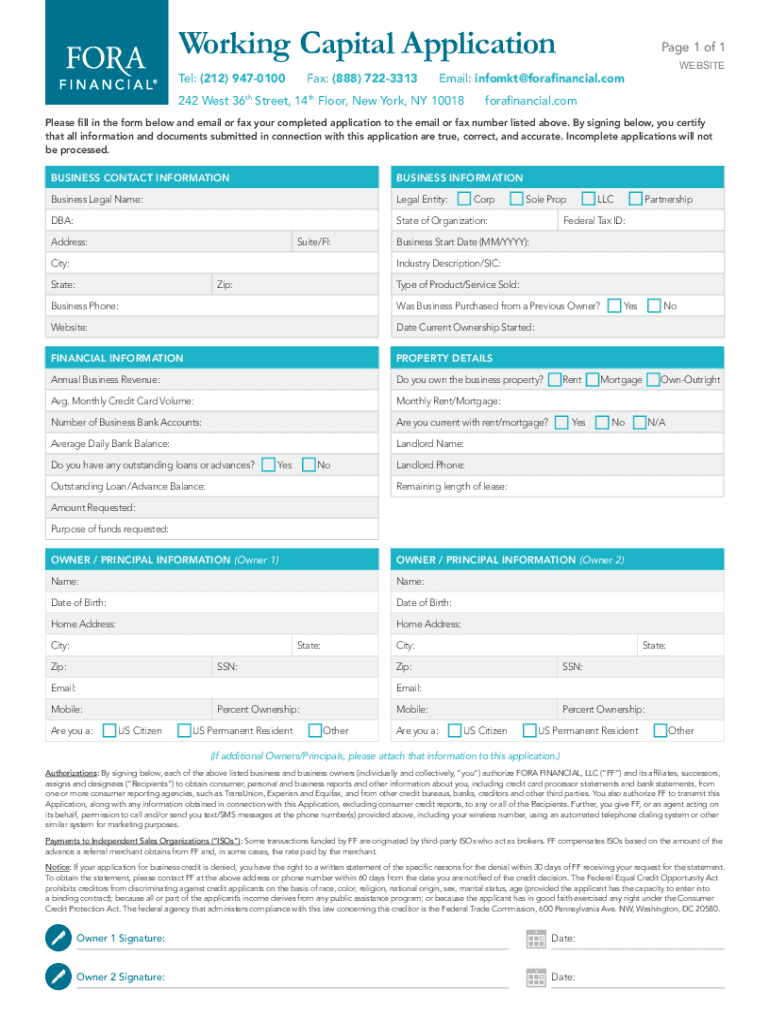







Definition and Meaning of Form Online
Forming a document or a process online refers to the digital transformation of traditional paperwork into an electronic format accessible via the internet. This transition allows users to fill out applications, submit data, and execute tasks over digital platforms, increasing efficiency and accessibility. Online forms can range from business applications and legal documents to tax forms and surveys. The significant advantage of using an online form is the reduction in reliance on paper and the associated convenience of managing forms through digital tools.
How to Use Form Online
Using forms online involves accessing a web-based platform that provides the form in a digital format. Users can interact with these forms through simple steps:
- Access the Platform: Navigate to the desired website or platform hosting the form, such as DocHub, which offers extensive capabilities for filling out and managing documents.
- Select the Form: Locate the specific form you need to complete, which may involve searching or filtering through available options.
- Fill Out the Form: Input the required information into the form fields. This can involve typing, selecting from dropdown menus, or checking boxes.
- Review and Correct: Before submitting, review the form for any errors or missing information. Online platforms often provide options for easy editing and correction.
- Submit or Save: Complete the process by submitting the form directly through the platform or saving it for further review or offline submission.
Steps to Complete the Form Online
Completing an online form is straightforward with the right steps:
- Prepare Required Information: Gather all necessary documents and information needed to complete the form. This may include financial statements, identification numbers, and personal details.
- Log Into the Platform: Ensure you are signed into the platform where the form is hosted, such as a secure portal like DocHub.
- Navigate to the Form Section: Access the form section within the platform, often categorized by form type or purpose.
- Enter Information: Carefully enter the required details into each form field. Make sure to follow any format instructions provided, such as date or address formatting guidelines.
- Attach Supporting Documents: If additional documents are needed, attach them using the platform’s upload functionalities.
- Review and Confirm Details: Preview the entire form to ensure all information is accurate and complete.
- Submit the Form: Use the platform’s submission feature to send the completed form to the intended recipient or target department.
Why Should You Use Form Online
Using online forms comes with numerous advantages:
- Efficiency: Online forms can be filled out and submitted faster than traditional paper forms, reducing processing times.
- Accessibility: Electronic forms can be accessed from anywhere with an internet connection, making them convenient for remote or mobile users.
- Environmental Impact: Reduces paper usage and waste, contributing to environmentally sustainable practices.
- Security: Offers enhanced security features, such as encryption and secure access, to protect sensitive information.
- Integration: Easily integrates with other digital tools, allowing for seamless data collection and management across platforms.
Key Elements of the Form Online Process
Several critical elements define the process of using online forms:
- Digital Signature Capability: Many platforms provide options to electronically sign forms, ensuring authenticity and legal validity.
- Form Field Variety: Online forms may include diverse fields such as text boxes, dropdowns, radio buttons, and signature fields for comprehensive data collection.
- Data Validation: Automated checks ensure the accuracy and completeness of entered data before submission.
- Privacy Controls: Options to manage data sharing and access, ensuring compliance with privacy regulations.
Software Compatibility
Online forms must be compatible with various software solutions:
- Document Editors: Like DocHub, allow for editing and annotating forms.
- Cloud Storage Services: Compatibility with platforms such as Google Drive and Dropbox enables easy import and export of form data.
- Accounting Software: Can integrate with financial tools like QuickBooks for business-related forms.
- Tax Preparation Software: Programs like TurboTax offer compatibility for filling and submitting tax-related forms.
Legal Use of Form Online
Online forms often adhere to legal standards to ensure compliance and validity:
- ESIGN Act Compliance: Electronic signatures on forms are legally binding when compliant with the Electronic Signatures in Global and National Commerce Act.
- Data Protection: Platforms incorporate encryption and security measures to protect personal information in line with legal requirements.
- Regulatory Standards: Meeting industry-specific regulations, such as HIPAA for healthcare forms and GDPR for data protection.
Examples of Using Form Online
Practical applications for online forms cover various scenarios:
- Tax Filings: Submit tax forms like the 1040 or W-2 electronically to the IRS.
- Loan Applications: Financial institutions offer online forms for businesses and individuals to apply for loans or lines of credit.
- Employee Onboarding: Employers use electronic forms for new hire paperwork and verification processes.
- Customer Feedback: Businesses collect customer experiences through online surveys and feedback forms.


