Form application waive 2026

Get Form
postal service health benefits Preview on Page 1

Here's how it works

01. Edit your postal service health benefits online
Type text, add images, blackout confidential details, add comments, highlights and more.

02. Sign it in a few clicks
Draw your signature, type it, upload its image, or use your mobile device as a signature pad.

03. Share your form with others
Send benefits plan via email, link, or fax. You can also download it, export it or print it out.

How to use or fill out form application waive

Form edit decoration
9.5
Ease of Setup
DocHub User Ratings on G2
9.0
Ease of Use
DocHub User Ratings on G2
  1. Click ‘Get Form’ to open it in the editor.
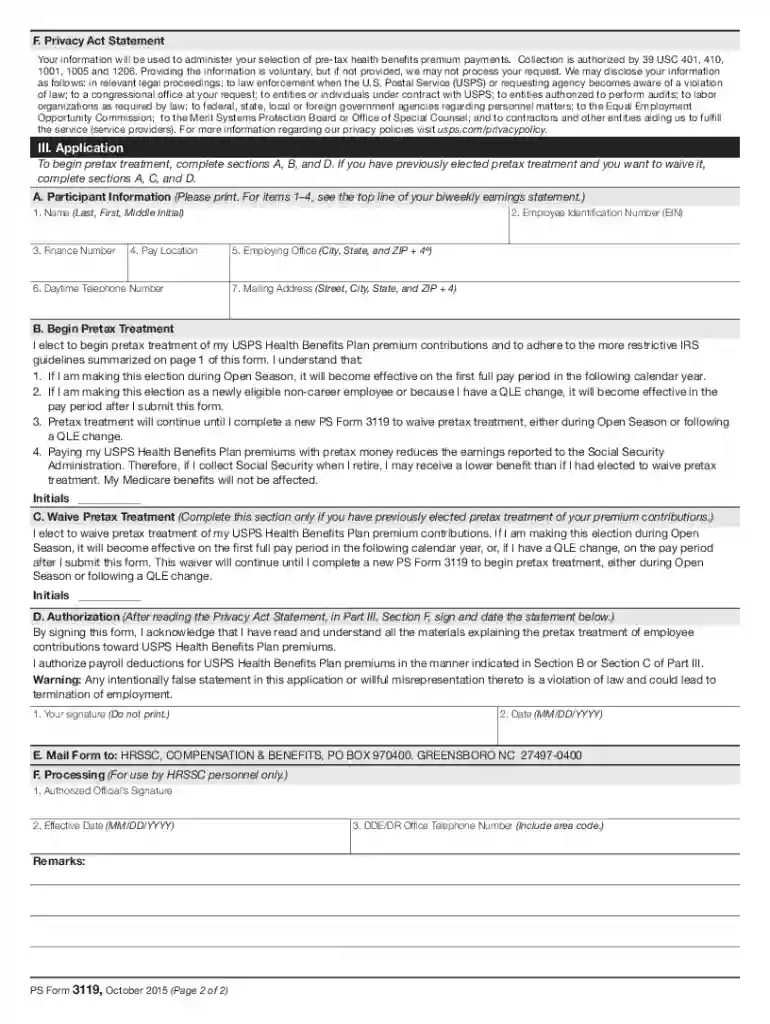
  2. Begin by filling out Section A, Participant Information. Provide your name, Employee Identification Number (EIN), and contact details as indicated.
  3. If you wish to start pretax treatment, complete Section B. Read the guidelines carefully and initial to confirm your understanding of the implications.
  4. If you are waiving pretax treatment because you have previously elected it, fill out Section C. Again, ensure you understand the conditions before initialing.
  5. In Section D, sign and date the form to authorize payroll deductions based on your selection in either Section B or C.
  6. Finally, submit the completed form by mailing it to HRSSC at the address provided in Section E.

Start using our platform today for free to streamline your document editing and form completion!

See more form application waive versions

We've got more versions of the form application waive form. Select the right form application waive version from the list and start editing it straight away!
Versions Form popularity Fillable & printable
2015 4.8 Satisfied (271 Votes)
be ready to get more

Complete this form in 5 minutes or less

Get form

Got questions?

We have answers to the most popular questions from our customers. If you can't find an answer to your question, please contact us.
Contact us
But a student needs to apply via the official procedure and then a college decides whether to grant the waiver or not. However, a student can request an application fee waiver through email as well. All you need to do is to send a proper, well-structured email to the admission authority and wait for them to approve it.
A waiver is a demonstration, usually in written form, of a partys intent to relinquish a legal right or claim. The key point to note is that the relinquishment is voluntary, and can apply to a variety of legal situations. Essentially, a waiver removes a real or potential liability for the other party in the agreement.
Forms are used to collect information from your customers, whereas Waivers and Policies are documents that your customers need to read and sign.
Use clear and concise language: avoid legal jargon and complex language. The waiver should be written in straightforward terms that are easy for participants to understand. Organize the document logically: structure the waiver with clear headings and subheadings to guide the reader through the content.

Security and compliance

At DocHub, your data security is our priority. We follow HIPAA, SOC2, GDPR, and other standards, so you can work on your documents with confidence.

Learn more
ccpa2
pci-dss
gdpr-compliance
hipaa
soc-compliance