




Here's how it works



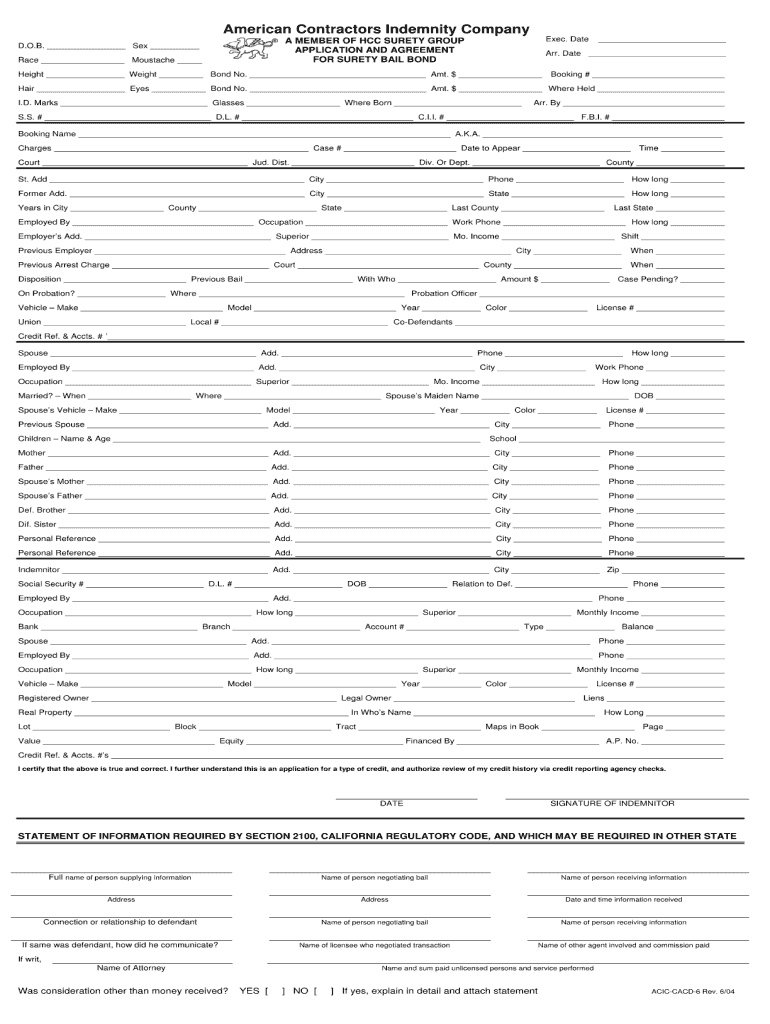
How to use or fill out aciccacd 6 with our platform

- Click ‘Get Form’ to open aciccacd 6 in the editor.
- Begin by reviewing the introductory section of the form, which outlines its purpose and any necessary instructions. This will help you understand what information is required.
- Proceed to fill out personal information fields such as name, address, and contact details. Ensure accuracy as this data is crucial for processing your submission.
- Next, navigate to the specific sections that require detailed responses. Use the text boxes provided to enter your answers clearly and concisely.
- If there are checkboxes or dropdown menus, select the options that apply to you. This will streamline your responses and ensure all necessary information is captured.
- Finally, review all entries for completeness and correctness before submitting. Utilize our platform’s editing features to make any adjustments easily.
Start using our platform today for free to complete your aciccacd 6 form effortlessly!
It's free
See more aciccacd 6 versions
| Versions | Form popularity | Fillable & printable |
|---|---|---|
| 2004 | 4.8 Satisfied (241 Votes) |
Got questions?
Can I draw my electronic signature to sign my forfeiture lien?
Sure, electronically drawing your signature is appropriate, but only if you utilize a tool that complies with industry laws and regulations. Try DocHub, which ensures eSignature validity under ESIGN and UETA requirements. All you need to approve your forfeiture lien electronically is an account with DocHub and an internet connection. After you open your document in our editor, click Sign and choose the Draw option.
How do you edit aciccacd 6 on Android?
Document editing with DocHub is equally convenient on desktop and mobile devices. You just need an internet browser to revise your aciccacd 6 on Android. Open our site and sign in to access the instruments you need. Add your document and introduce your intended modifications. After that, you can keep your form in your document storage or send it out instantly.
Security and compliance
At DocHub, your data security is our priority. We follow HIPAA, SOC2, GDPR, and other standards, so you can work on your documents with confidence.
Learn more


