




Here's how it works

01. Edit your flight fuel online
Type text, add images, blackout confidential details, add comments, highlights and more.

02. Sign it in a few clicks
Draw your signature, type it, upload its image, or use your mobile device as a signature pad.

03. Share your form with others
Send da form 2283 via email, link, or fax. You can also download it, export it or print it out.
How to use or fill out ident name ifr with our platform

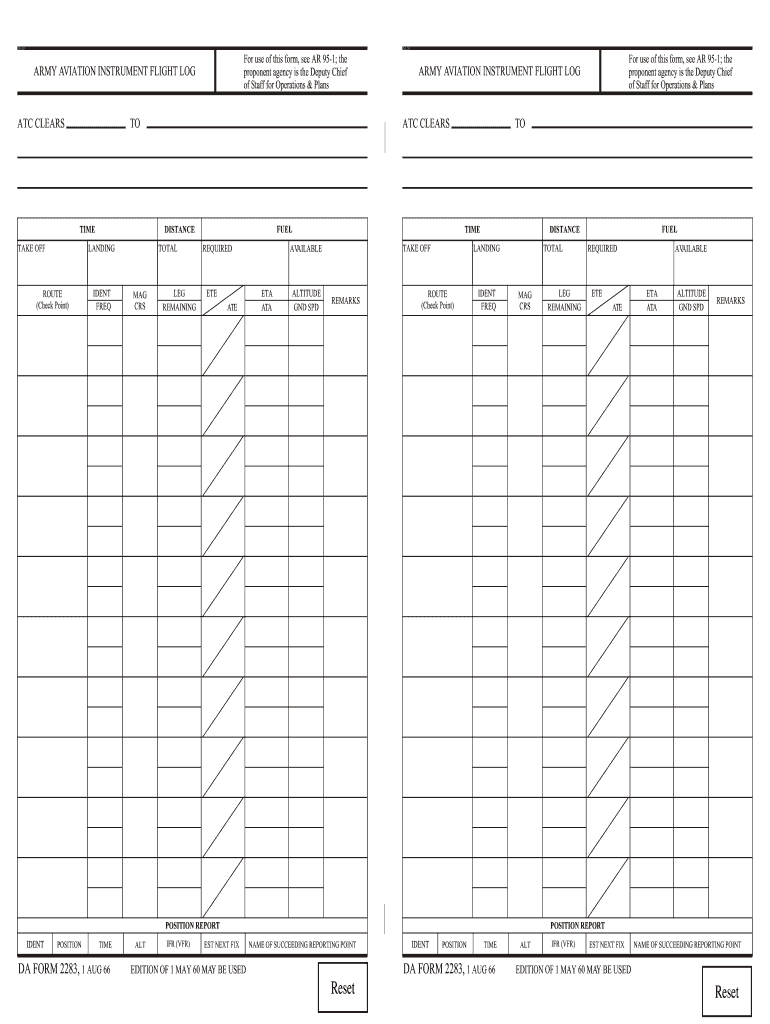
- Click ‘Get Form’ to open the Army Aviation Instrument Flight Log in the editor.
- Begin by filling out the 'IDENT' field, which is crucial for identifying your flight. Enter your unique identifier here.
- Next, complete the 'FREQ' section with the appropriate radio frequency for communication during your flight.
- In the 'MAG CRS' field, input the magnetic course you will be following. This helps in navigation and maintaining your route.
- Fill in the 'ETA' (Estimated Time of Arrival) and 'ATA' (Actual Time of Arrival) fields to keep track of your timing.
- Complete any additional sections such as 'REMARKS' for notes on your flight plan or any changes that may occur.
Start using our platform today to streamline your document editing and form completion for free!
Fill out ident name ifr online
It's free
It's free
See more ident name ifr versions
We've got more versions of the ident name ifr form. Select the right ident name ifr version from the list and start editing it straight away!
| Versions | Form popularity | Fillable & printable |
|---|---|---|
| 1966 | 4.8 Satisfied (211 Votes) |
Security and compliance
At DocHub, your data security is our priority. We follow HIPAA, SOC2, GDPR, and other standards, so you can work on your documents with confidence.
Learn more


