Type text, add images, blackout confidential details, add comments, highlights and more.
02. Sign it in a few clicks
Draw your signature, type it, upload its image, or use your mobile device as a signature pad.
03. Share your form with others
Send it via email, link, or fax. You can also download it, export it or print it out.
How to use or fill out p 193 with our platform
Ease of Setup
DocHub User Ratings on G2
Ease of Use
DocHub User Ratings on G2
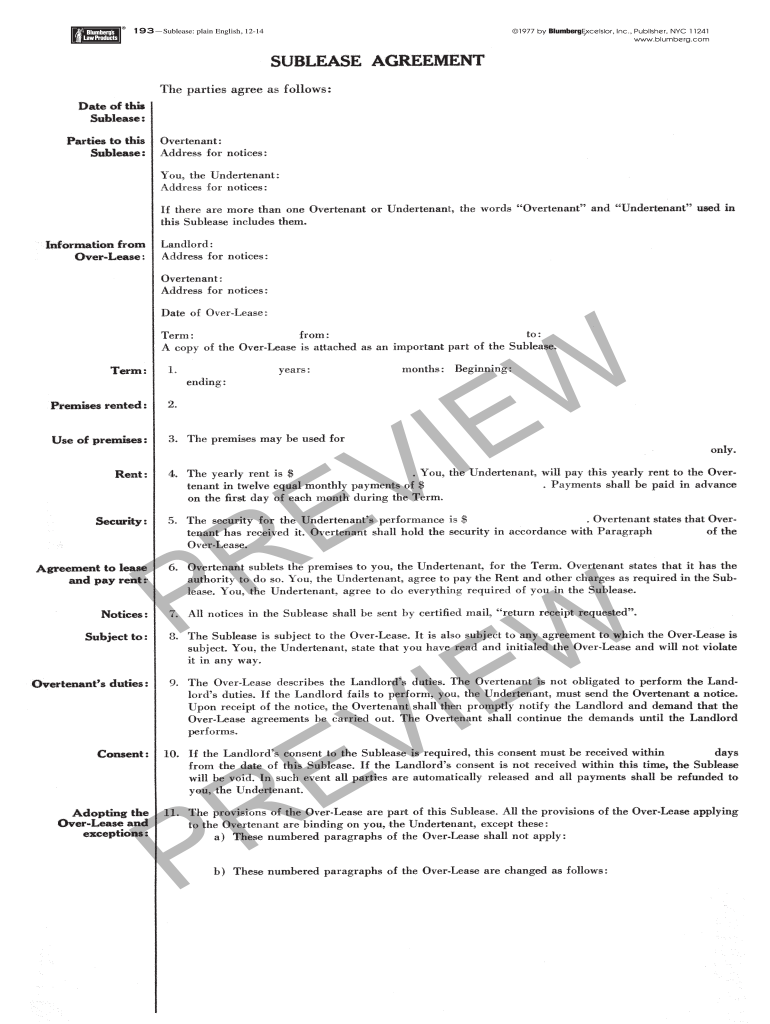
Click ‘Get Form’ to open the Sublease Agreement in the editor.
Begin by entering the 'Date of this Sublease' at the top of the form. This is crucial for establishing the timeline of your agreement.
Fill in the names and addresses of both parties involved: Overtenant and Undertenant. Ensure that all contact information is accurate for future correspondence.
Specify the 'Term' of the sublease, including start and end dates, as well as any relevant details about the premises rented.
Indicate the yearly rent amount and how it will be paid (monthly payments). Make sure to clarify payment due dates.
Review sections regarding security deposits and notices. Ensure you understand your obligations and rights under this agreement.
Finally, sign where indicated, ensuring all parties have completed their signatures for a valid contract.
Start filling out your Sublease Agreement today using our platform for free!
A party must make any objection to written discovery in writing - either in the response or in a separate document - within the time for response.Read more
P-193. Multiplex testing optimization for Field Work Pandemic
by L Stenson 2026 The current optimization includes a redesigned configuration and expands assay panels to detect both DNA and RNA pathogens relevant to theRead more
Cookie consent notice
This site uses cookies to enhance site navigation and personalize your experience.
By using this site you agree to our use of cookies as described in our Privacy Notice.
You can modify your selections by visiting our Cookie and Advertising Notice.