Temple hospital doctors note 2026

Get Form
temple hospital doctors note Preview on Page 1

Here's how it works

01. Edit your temple hospital doctors note online
Type text, add images, blackout confidential details, add comments, highlights and more.

02. Sign it in a few clicks
Draw your signature, type it, upload its image, or use your mobile device as a signature pad.

03. Share your form with others
Send temple doctors note via email, link, or fax. You can also download it, export it or print it out.

How to use or fill out temple hospital doctors note with our platform

Form edit decoration
9.5
Ease of Setup
DocHub User Ratings on G2
9.0
Ease of Use
DocHub User Ratings on G2
  1. Click ‘Get Form’ to open the temple hospital doctors note in the editor.
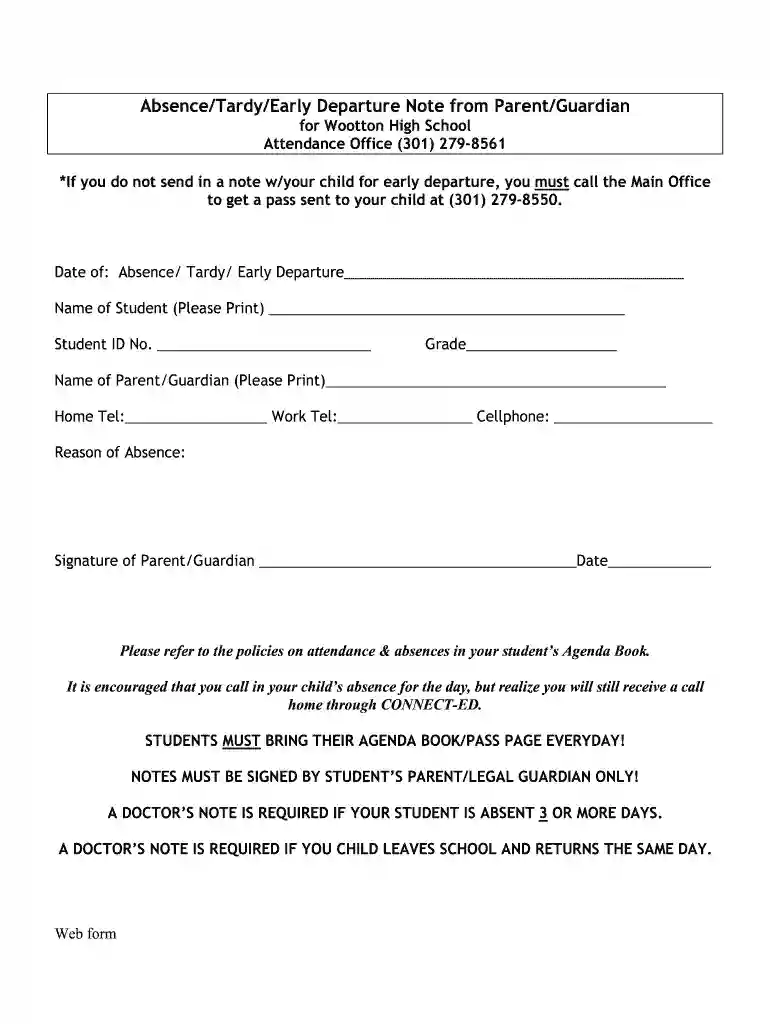
  2. Begin by entering the date of absence, tardy, or early departure in the designated field. Ensure this is accurate as it reflects the specific day of concern.
  3. Next, print the name of the student clearly in the provided space along with their Student ID number. This information is crucial for proper identification.
  4. Fill in the student's grade to help school officials categorize and process the note effectively.
  5. Provide your name as the parent or guardian, ensuring it is legible. Include your home, work, and cellphone numbers for any necessary follow-up.
  6. In the reason for absence section, briefly explain why your child was absent or tardy. This helps school staff understand the context.
  7. Finally, sign and date the form at the bottom. Remember that only a parent or legal guardian can sign this document.

Start using our platform today to easily fill out and manage your documents online for free!

be ready to get more

Complete this form in 5 minutes or less

Get form

Got questions?

We have answers to the most popular questions from our customers. If you can't find an answer to your question, please contact us.
Contact us
Can you get a doctors note without being seen? No, you typically cannot get a doctors note without being seen by a healthcare provider. For a provider to issue a valid doctors note, they must evaluate your symptoms and medical history to confirm your condition.
Key points. A doctors note may be required by employers for absences due to illness, injury, medical appointments, or family emergencies. Urgent care clinics can provide quick and cost-effective doctors notes.
Compensation Key Employees and OfficersCompensationRelated Michael Young (President Ceo Director) $1,437,051 $0 Tony Stuart Reed (Chief Medical Officer) $600,118 $0 Abhinav Rastogi (Chief Operating Officer) $585,273 $0 Angelo Venditti (Svp Patient Services/Cne) $468,345 $08 more rows
Any licensed medical provider can issue a doctors note, including those at walk-in or urgent care clinics. Doctors notes can be used for a variety of reasons, including excused absences due to illness or injury, medical leave, or accommodation requests.

Security and compliance

At DocHub, your data security is our priority. We follow HIPAA, SOC2, GDPR, and other standards, so you can work on your documents with confidence.

Learn more
ccpa2
pci-dss
gdpr-compliance
hipaa
soc-compliance