
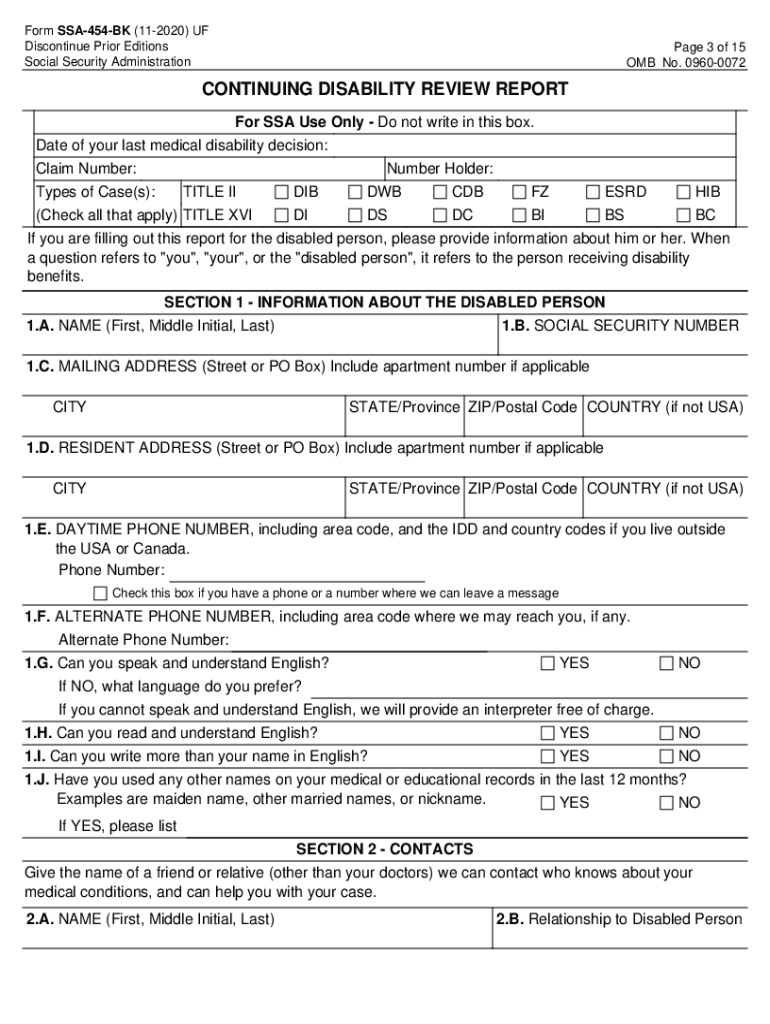




Here's how it works



How to use or fill out SSA 454 BK with our platform

- Click ‘Get Form’ to open the SSA 454 BK in the editor.
- Begin by filling out Section 1, which requires information about the disabled person. Ensure you provide their full name, Social Security number, and complete mailing address.
- In Section 2, list a contact who can provide additional information about the disabled person's medical conditions. Include their relationship and contact details.
- Proceed to Section 3 to detail any medical conditions that limit the individual's ability to work. Be specific and list each condition separately.
- In Section 4, document any medical treatment received in the past year. Include names of healthcare providers and dates of visits.
- Complete Sections 5 through 10 as applicable, providing information on medications, education, daily activities, and work history.
- Use Section 11 for any additional remarks or information that could not be included in previous sections.
Start using our platform today to fill out your SSA 454 BK form easily and for free!
It's free
See more ssa 454 bk versions
Got questions?
How can I create an electronic signature in my disability review report on Android?
Approving paperwork on a mobile device is quick, straightforward, and doesn’t require software installation if you have an account with DocHub. Log in from any browser, fill in your empty fields with your information, and click on Sign → Create your signature. You can draw your eSignature the same way you usually do on paper, add its image to your disability review report, or type in your name and stylize its look. Whatever option you select, your document will be valid.
How do you complete form ssa 454 bk spanish online?
You can complete and eSign your form ssa 454 bk spanish on the internet, even on a tight deadline. All you need to access high quality editing instruments on any device is a DocHub account, which you can register in a couple of moments. Once you sign up, add your document or find what you are looking for in our catalog, complete it utilizing the editing instruments you want, and place your electronic signature on it at the end.
What is a SSA 455 form?
How do you fill out a SSA-454-BK?
What does a disability update report mean?
Security and compliance
At DocHub, your data security is our priority. We follow HIPAA, SOC2, GDPR, and other standards, so you can work on your documents with confidence.
Learn more


