




01. Edit your senior portrait questionnaire online
Type text, add images, blackout confidential details, add comments, highlights and more.

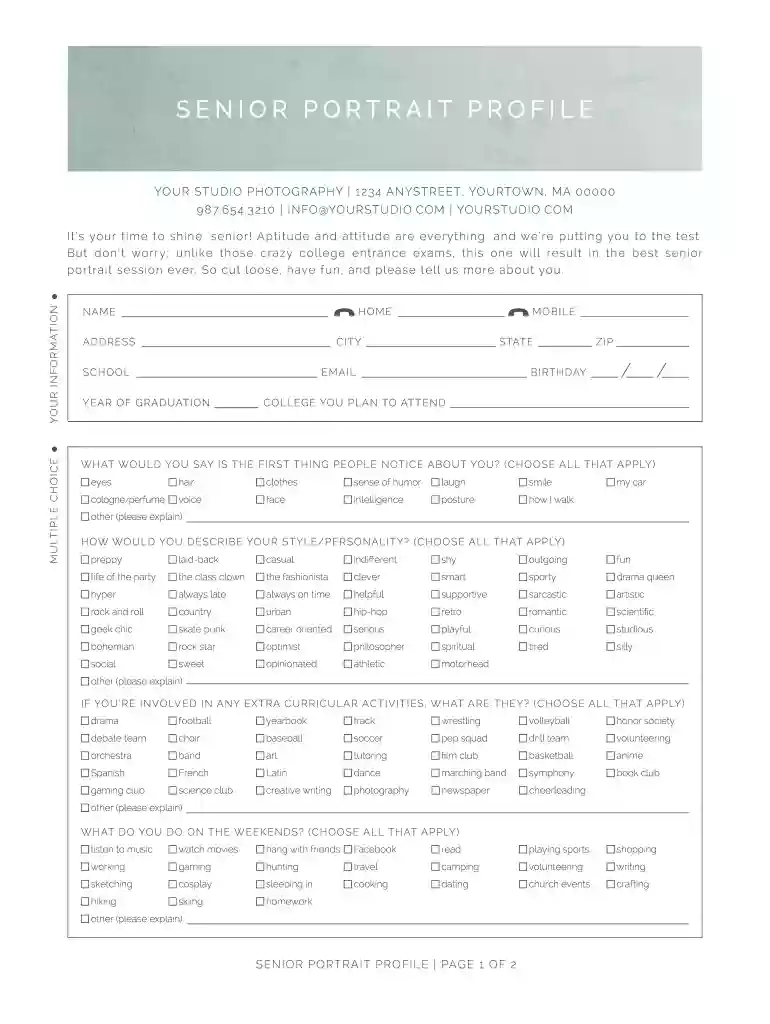
Type text, add images, blackout confidential details, add comments, highlights and more.

Draw your signature, type it, upload its image, or use your mobile device as a signature pad.

Send senior session questionnaire via email, link, or fax. You can also download it, export it or print it out.

Start using our platform today for free and make your senior portrait experience unforgettable!
We've got more versions of the senior portrait questionnaire form. Select the right senior portrait questionnaire version from the list and start editing it straight away!
| Versions | Form popularity | Fillable & printable |
|---|---|---|
| 2014 | 4.4 Satisfied (44 Votes) |
Most eSignature services require users to have a paid subscription. With DocHub, there are two ways for you to add an electronic signature to your photography client questionnaire pdf free of charge:
The second option, though, has limitations on the number of signatures, sign requests, emails, and documents for editing available per month. You can check for full details here.
In addition to an extensive toolset for editing PDFs on mobile devices, DocHub allows you to sign your photography client questionnaire along the way. Open our editor in your internet browser, make modifications using DocHub’s toolset, and finish your editing by eSigning the completed form.
At DocHub, your data security is our priority. We follow HIPAA, SOC2, GDPR, and other standards, so you can work on your documents with confidence.
Overview. The project integrates iGEM safety requirements and international ethical norms across strain design lab operations hazardous reagent
This questionnaire asks about how you spend your time at college--with faculty and friends and in classes, social and cultural activities,Read more
May 18, 2021 Climate change and climate resiliency. Factor into long-term remedy decisions. Emerging contaminants.Read more


