Field trip liability waiver 2026

Get Form
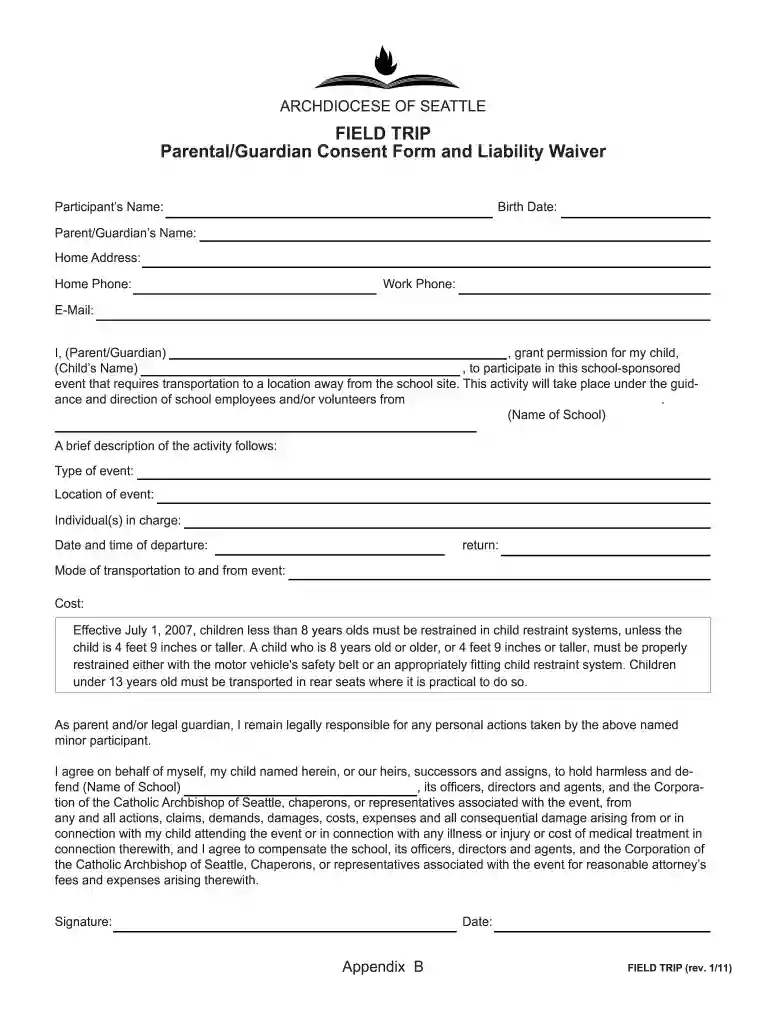
field trip waiver form Preview on Page 1

Here's how it works

01. Edit your field trip waiver form online
Type text, add images, blackout confidential details, add comments, highlights and more.

02. Sign it in a few clicks
Draw your signature, type it, upload its image, or use your mobile device as a signature pad.

03. Share your form with others
Send field trip waiver template via email, link, or fax. You can also download it, export it or print it out.

How to use or fill out field trip liability waiver with our platform

Form edit decoration
9.5
Ease of Setup
DocHub User Ratings on G2
9.0
Ease of Use
DocHub User Ratings on G2
  1. Click ‘Get Form’ to open the field trip liability waiver in the editor.
  2. Begin by entering the participant’s name and birth date in the designated fields. This information is crucial for identifying your child.
  3. Fill in your name as the parent or guardian, along with your home address, phone numbers, and email. Ensure all contact details are accurate for any necessary communication.
  4. Provide details about the event, including its type, location, individuals in charge, and transportation mode. This section outlines essential logistics for the trip.
  5. Review and acknowledge the safety guidelines regarding child restraint systems. Confirm understanding by signing and dating at the bottom of the form.
  6. Complete the medical matters section by providing any relevant health information about your child. This ensures that school staff can respond appropriately in case of an emergency.

Start using our platform today to easily complete your field trip liability waiver online for free!

See more field trip liability waiver versions

We've got more versions of the field trip liability waiver form. Select the right field trip liability waiver version from the list and start editing it straight away!
Versions Form popularity Fillable & printable
2011 4.8 Satisfied (177 Votes)
be ready to get more

Complete this form in 5 minutes or less

Get form

Got questions?

We have answers to the most popular questions from our customers. If you can't find an answer to your question, please contact us.
Contact us

You need to use only reliable software solutions with strong security compliance to sign your documents electronically. DocHub is just the type of service you need! It stores data on Amazon Web Servers and complies with all necessary security criteria and eSignature laws, so it’s a reliable way to electronically sign your field trip waiver or other forms using this tool.

If your go-to electronic mail service is Gmail, it is simple to integrate your DocHub editor into your work. Edit your field trip release form with DocHub instruments and attach it to your drafts in Gmail. See how easy it is to exchange documents and work together having a swift PDF editing solution at hand.

So, if an accident happens and injury occurs, is a Waiver effective in protecting the institution from liability and preventing a lawsuit from the injured party? The answer is that, if properly worded and signed, the Waiver is likely valid and will preclude legal claims for injuries.
In California, a liability waiver must be clear, unambiguous, and explicit. In other words, waivers cannot be printed in faded ink, in small font, on the back of a paper, or in an otherwise ambiguous form. If the waiver that you sign is not represented clearly, it may not hold up in the event of a lawsuit.
When rights are released, they are transferred to another party. When rights are waived, they are gone altogether. If intellectual property rights are waived, the IP can be used by any other party that has access to it.

Security and compliance

At DocHub, your data security is our priority. We follow HIPAA, SOC2, GDPR, and other standards, so you can work on your documents with confidence.

Learn more
ccpa2
pci-dss
gdpr-compliance
hipaa
soc-compliance
be ready to get more

Complete this form in 5 minutes or less

Get form

People also ask

A liability waiver form is a legal contract that educates one party about the risks associated with an activity. Once signed, it prevents the participant from opening a lawsuit against the company in the event of damage or loss, effectively shifting responsibility for injuries from the company to the customer.
Bring a roster sheet of participants Bring a roster sheet of participants. An accurate list of children who have been signed in on the day of the trip is crucial. ... Plan for safe and nutritious food. If your trip will include a meal or snack, be sure to prepare food safely. ... Maintain basic hygiene.
In addition to preparing for the learning experience, the teacher should prepare the children for each trip by reviewing and rehearsing safety precautions, the buddy system, positive behavioral expectations, and emergency procedures. Other adult staff and chaperones should also be prepared.
A waiver is a demonstration, usually in written form, of a party's intent to relinquish a legal right or claim. The key point to note is that the relinquishment is voluntary, and can apply to a variety of legal situations. Essentially, a waiver removes a real or potential liability for the other party in the agreement.
10 Tips to Prevent Kids From Getting Lost on a School Trip Well-planned chaperone groups. ... Prepare Chaperones. ... Emergency Bracelets. ... Emergency Phone. ... T-shirts. ... Re-count. ... Buddy system. ... Set a meeting place and time.

field trip release form template