




Here's how it works

01. Edit your emergency room admission form hospital online
Type text, add images, blackout confidential details, add comments, highlights and more.

02. Sign it in a few clicks
Draw your signature, type it, upload its image, or use your mobile device as a signature pad.

03. Share your form with others
Send emergency room admission form via email, link, or fax. You can also download it, export it or print it out.
How to use or fill out emergency room admittance form with our platform

- Click ‘Get Form’ to open the emergency room admittance form in the editor.
- Begin by entering the date and your name, along with your relationship to the individual being admitted. This information is crucial for identification purposes.
- Fill in the individual's personal details, including their nickname, date of birth, and social security number. Ensure accuracy as this data is essential for medical records.
- Provide health insurance information, including type and policy numbers. This will facilitate billing and coverage verification.
- Complete the address and phone number fields for both primary and secondary contacts. This ensures that healthcare providers can reach you if necessary.
- Document any allergies and living status. Indicate if nursing support is available at the provider agency.
- List emergency contacts, including family members and healthcare providers, ensuring all phone numbers are accurate for quick access during emergencies.
- Detail current medical problems, diagnoses, and consent status regarding treatment decisions. This section is vital for understanding the patient's needs.
Start using our platform today to streamline your document editing experience for free!
Fill out emergency room admittance form online
It's free
It's free
Security and compliance
At DocHub, your data security is our priority. We follow HIPAA, SOC2, GDPR, and other standards, so you can work on your documents with confidence.
Learn more


Related forms

Canary Breeding Record for the Year -
The document is a breeding record for canaries, detailing information about the mating pair (cock and hen), their clutch ...

TAR Inventory and Condition PDF
The document is empty and contains no content to summarize.
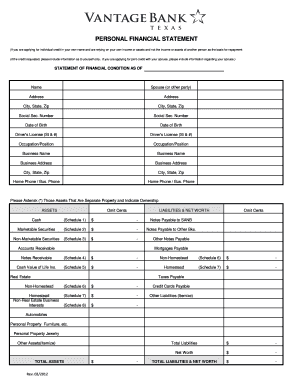
PERSONAL FINANCIAL STATEMENT - Vantage Bank Texas
The document is a Personal Financial Statement used for applying for individual or joint credit. It requires detailed in ...
FORMS (2-21) - Kentucky: Cabinet for Health and Family Services - chfs ky
The document is the Title V Block Grant Application for Kentucky for the year 2013, detailing various forms related to m ...
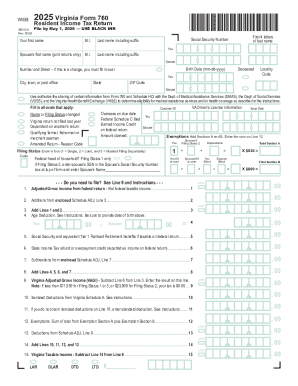
2025 Virginia Form 760
The document is the 2025 Virginia Form 760, a Resident Income Tax Return that must be filed by May 1, 2026. It outlines ...
2025 Individual Income Tax Instructions
The document provides detailed instructions for filing the South Carolina Individual Income Tax (SC1040) for the tax yea ...
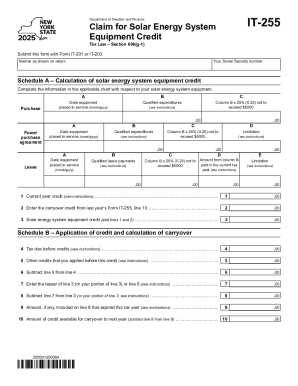
ProWeb: Where do I enter Form NY IT-255, Claim for Solar
The document is a tax form (IT-255) for claiming a solar energy system equipment credit under New York Tax Law Section 6 ...
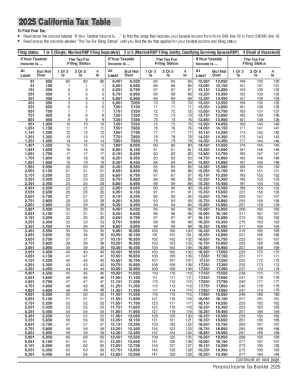
2025 FTB 540 Booklet California Tax Table 2025, FTB 540 Booklet, California Tax Table
The document provides the 2025 California Tax Table, detailing how to determine personal income tax based on taxable inc ...