
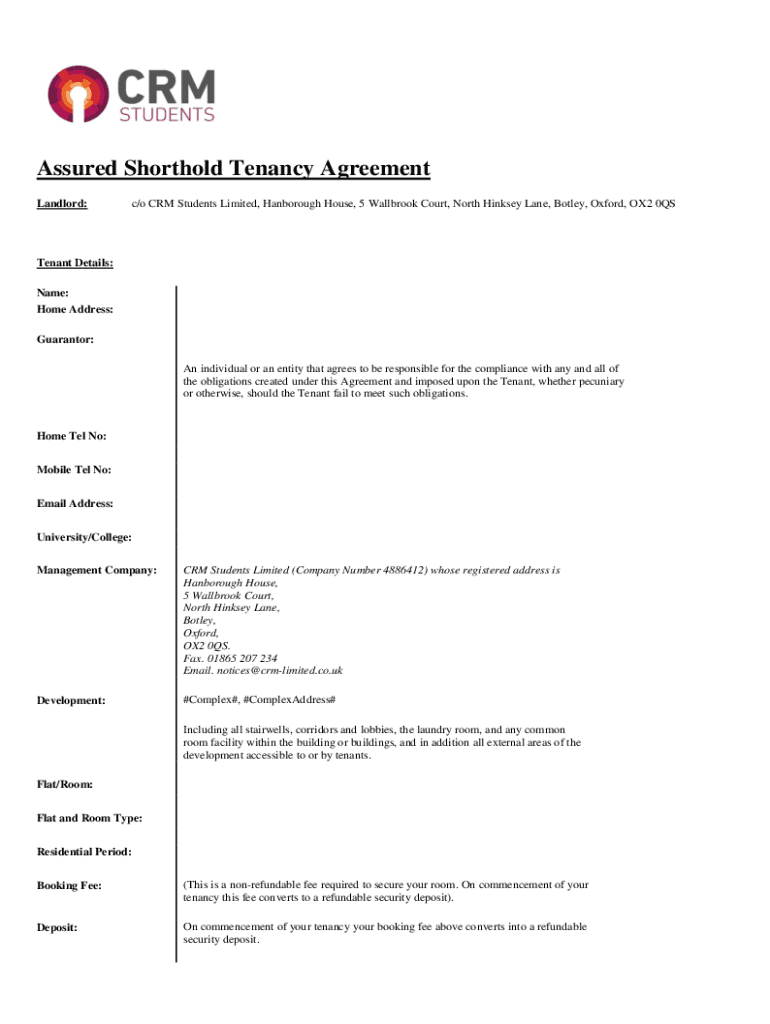







Definition and Meaning of Form Online
The term "form online" refers to electronic documents that individuals can fill out and submit over the internet. This platform eliminates the need for paper forms, offering a more environmentally friendly and efficient alternative. Online forms are widely used across various domains, including government services, business transactions, educational applications, and healthcare documentation. The primary function is to gather data accurately and efficiently, facilitating seamless interactions between the issuer, recipient, and any involved parties. These forms can range from simple contact forms to complex tax return documents, each designed to capture specific information for processing.
How to Use the Form Online
Using an online form involves several straightforward steps:
-
Access the Form: Begin by navigating to the website where the desired form is hosted. Often, forms are available on official sites such as government portals, business websites, or educational institution platforms.
-
Read Instructions: Carefully go through any instructions provided before filling out the form to understand the requirements and necessary information.
-
Fill in Required Fields: Enter the requested details into the appropriate fields. Ensure accuracy to prevent delays or errors in processing.
-
Review and Edit: Before submitting, review the entered information for accuracy. Most platforms allow for editing until the form is officially submitted.
-
Submit: Send the form using the provided submission button. Some forms might require confirmation emails or the creation of a user account.
Examples include filing tax returns through IRS e-filing or applying for university admission via online portals.
Steps to Complete an Online Form
Completing an online form comprises several key steps:
-
Identify the Form Type: Recognize what kind of form you need, whether it's a tax document, application form, or service request.
-
Prepare Required Information: Gather all necessary documents and information beforehand, including identification numbers, employment details, and financial records as applicable.
-
Fill in the Form: Enter the required details in the specific fields, taking care to follow any prompts or guidance notes that might assist with accurate completion.
-
Validation and Verification: Use any built-in verification tools the platform may offer to ensure information integrity.
-
Submit: After filling and reviewing the form, submit it through the designated procedure, and keep a copy for your records.
Why Should You Use Forms Online
Using forms online offers numerous advantages:
-
Convenience: Forms are accessible anytime, allowing users to complete and submit them at their own pace without the need to travel or adhere to office hours.
-
Efficiency: Automated data entry and validation minimize errors, speeding up the process of submission and processing.
-
Cost-Effective: Reducing paper usage cuts costs associated with printing, mailing, and manual entry.
-
Security: Most platforms employ encryption technology ensuring secure data transmission, vital for sensitive information.
By integrating online forms, businesses and governmental institutions can streamline workflows, enhancing communication and record-keeping.
Legal Use of Forms Online
For a form online to be legally binding, it typically needs to comply with regulations such as the Electronic Signatures in Global and National Commerce (ESIGN) Act in the United States. Key points include:
-
Consent: Users must consent to do business electronically.
-
Association: Electronic signatures must be correctly associated with the document, often through time-stamped digital certificates.
-
Record Retention: Both parties should retain records of the transaction, ensuring accessibility for future reference.
Legally compliant forms ensure that transactions conducted online carry the same weight as traditional paper agreements.
Important Terms Related to Online Forms
Several terms are crucial to understanding the landscape of online forms:
-
Fillable Fields: Areas of the form where users can input data, such as text boxes and dropdown menus.
-
Validation: Processes ensuring that the data entered meets specific criteria, often to prevent errors.
-
Encryption: Security measures used to protect the data transmitted via online forms.
-
Digital Signature: An electronic, often encrypted signature used to verify identity and intent.
Understanding these terms is crucial for effectively navigating and utilizing online forms.
Examples of Using Forms Online
Online forms are employed in various scenarios, enhancing efficiency and accessibility:
-
Tax Filing: Platforms like the IRS allow for electronic submission of tax returns, simplifying the tax filing process.
-
Job Applications: Many companies use online portals for receiving job applications, complete with resumes and other required documents.
-
Medical Records: Healthcare providers often use online forms for patient intake and history updates, facilitating better data management.
These examples highlight the versatility and practicality of online forms across sectors.
Software Compatibility and Form Online
Compatibility with various software platforms ensures that users can seamlessly interact with online forms:
-
Document Formats: Most online forms support standard document formats like PDF, DOCX, and TXT for ease of use.
-
Cloud Services: Integration with cloud storage like Google Drive and Dropbox enables users to easily import and export documents.
-
Integration: Connectivity with software like QuickBooks or TurboTax allows for the automatic filling of relevant financial data.
This compatibility promotes ease of use and efficiency, ensuring a broad range of users can engage with online forms smoothly.




