
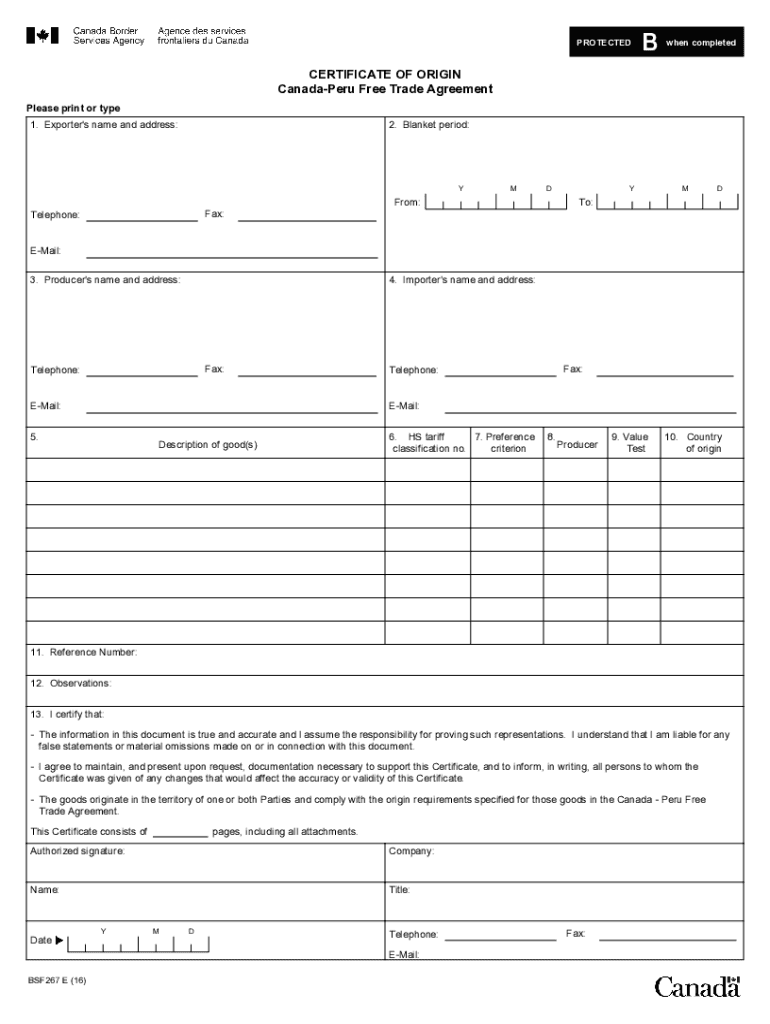







Definition and Meaning of "Form Online"
The concept of a "form online" refers to digital versions of forms that can be filled out and submitted over the internet. These forms are designed to streamline the process of data collection, making it more efficient and accessible compared to traditional paper forms. Online forms are used in various sectors, including government, business, education, and healthcare, to gather information from users and clients. They often include features like fillable fields for text, options for selecting multiple-choice answers, drop-down menus, and digital signature capabilities.
Online forms offer numerous benefits, such as increased convenience as users can complete them from any location with internet access. They also reduce the time and resources needed for data entry, as information can be automatically compiled into databases or exported to compatible software systems. Another advantage is error reduction, thanks to automated validation checks that ensure all required fields are completed correctly. Overall, using forms online results in a more efficient workflow and better data management for organizations.
How to Use the Form Online
To use an online form, follow these general steps:
- Access the Form: Usually, you will receive a link to the form or find it on a website. Click the link or navigate to the designated page.
- Fill In the Required Fields: Enter your information into each of the designated fields. Required fields are often marked with an asterisk (*).
- Use Drop-Down Menus and Checkboxes: For questions with predefined answers, use the available options to make the process quicker and reduce errors.
- Add Attachments: If the form requires additional documents, look for the upload option, usually depicted as a paperclip or an "Upload" button, to attach files.
- Review and Submit: Double-check your entries for accuracy. Once satisfied, click the "Submit" button to send your completed form.
Online forms often include supplementary guidance or tooltips to assist you in completing each section. Be sure to consult these resources if you encounter any difficulties while filling out the form.
Steps to Complete the Form Online
Completing an online form typically involves several stages, each designed to facilitate a seamless user experience. Here is a step-by-step guide:
- Open the Form: Click on the URL provided or navigate to where the form is hosted. This might be a government website, corporate portal, or educational institute's page.
- Review Instructions: Before entering information, read any introductory text or guidelines to understand what is required and how to proceed.
- Input Personal Details: Fill in fields with your personal information, such as name, address, and contact information.
- Complete Information Sections: Depending on the form's purpose, you might need to specify details related to finance, employment, health, etc. Make sure to fill every applicable field.
- Sign Electronically: If a digital signature is required, use the form's signature tool to authenticate your submission.
- Upload Necessary Documents: Attach any supporting documents if the form includes an upload option. Accepted file types are typically specified.
- Finalize and Submit: After ensuring all required fields and documents are complete, submit your form by clicking the appropriate button.
It's recommended to print or save a copy of the completed form for your records, in case you need to refer back to it or confirm your submission.
Why Should You Use Forms Online
Using forms online brings numerous advantages that are particularly beneficial in a digital age.
- Convenience: Online forms are available 24/7, allowing users to complete and submit them at their convenience without the time and location constraints associated with physical copies.
- Efficiency: With fields that guide users in providing the necessary information, online forms reduce the chance of errors and streamline data collection operations.
- Environmental Impact: By reducing the need for paper, online forms contribute to environmental sustainability.
- Cost-Effectiveness: Online forms save costs associated with printing, mailing, and storage for organizations.
- Real-Time Processing: Many systems provide instant confirmation of receipt, enabling the immediate processing of data and reducing wait times for the form's issuer.
In summary, online forms optimize the entire process from submission to processing and storage, providing an effective solution for modern data collection needs.
Key Elements of an Online Form
An effective online form incorporates several essential elements to ensure functionality and usability:
- User-Friendly Interface: The design should be intuitive, with clear labels and well-organized fields that make it easy for users to navigate.
- Clear Instructions: If specific information is required, guidance should be provided next to the relevant field.
- Mandatory Field Indication: Clearly marking required fields ensures that submissions contain all necessary information.
- Security Features: Protecting users' data through encryption and authentication measures is vital to maintaining confidentiality.
- Mobile Optimization: Given the widespread usage of smartphones, forms should be responsive and functional across various devices.
- Feedback Mechanism: Allowing users to easily correct errors and receive immediate feedback on their submission enhances the user experience.
By including these elements, online forms can significantly improve the accuracy and efficiency of information gathering.
Legal Use of Online Forms
The legal applicability of online forms has grown, validating their use in situations where formal documentation is required. Most importantly, electronic signatures on online forms are recognized as legally binding under laws like the U.S. ESIGN Act. However, ensuring compliance with relevant laws is critical, and forms must be carefully designed to adhere to these standards.
- Authentication: Implementing measures to verify the identity of users who submit forms is essential.
- Data Privacy: Organizations must ensure that forms comply with data protection regulations, such as safeguarding sensitive personal information.
- Retention Policies: Online forms and their submissions should be stored in compliance with legal retention requirements.
When used correctly, online forms provide a secure and legally valid means of conducting many transactions previously reliant on paper documentation.
Examples of Using Forms Online
Online forms are utilized across a range of industries for various purposes:
- Government Applications: For services such as driver's license renewals, voter registration, and tax filings.
- Business Contracts: In areas like service agreements, vendor contracts, and non-disclosure agreements.
- Education: For student enrollment, course evaluations, and feedback surveys.
- Healthcare: In patient intake forms, appointment scheduling, and medical history updates.
- Human Resources: For job applications, employee onboarding documents, and performance reviews.
These applications demonstrate how online forms can replace traditional paperwork, facilitating faster and more efficient operations.
Penalties for Non-Compliance
Failing to comply with the specific requirements associated with online forms can result in various penalties, depending on the context:
- Delayed Processing: Incorrect or incomplete forms can lead to delays in processing applications or requests.
- Financial Penalties: In certain regulatory contexts, not submitting mandatory forms on time or with inaccurate details may result in fines.
- Legal Consequences: Failing to comply with applicable laws regarding data protection and document submission might entail legal action.
To avoid such issues, it is crucial to thoroughly review form instructions and ensure all information is accurate and complete before submission.




