




01. Edit your form online
Type text, add images, blackout confidential details, add comments, highlights and more.

Type text, add images, blackout confidential details, add comments, highlights and more.

Draw your signature, type it, upload its image, or use your mobile device as a signature pad.

Send it via email, link, or fax. You can also download it, export it or print it out.
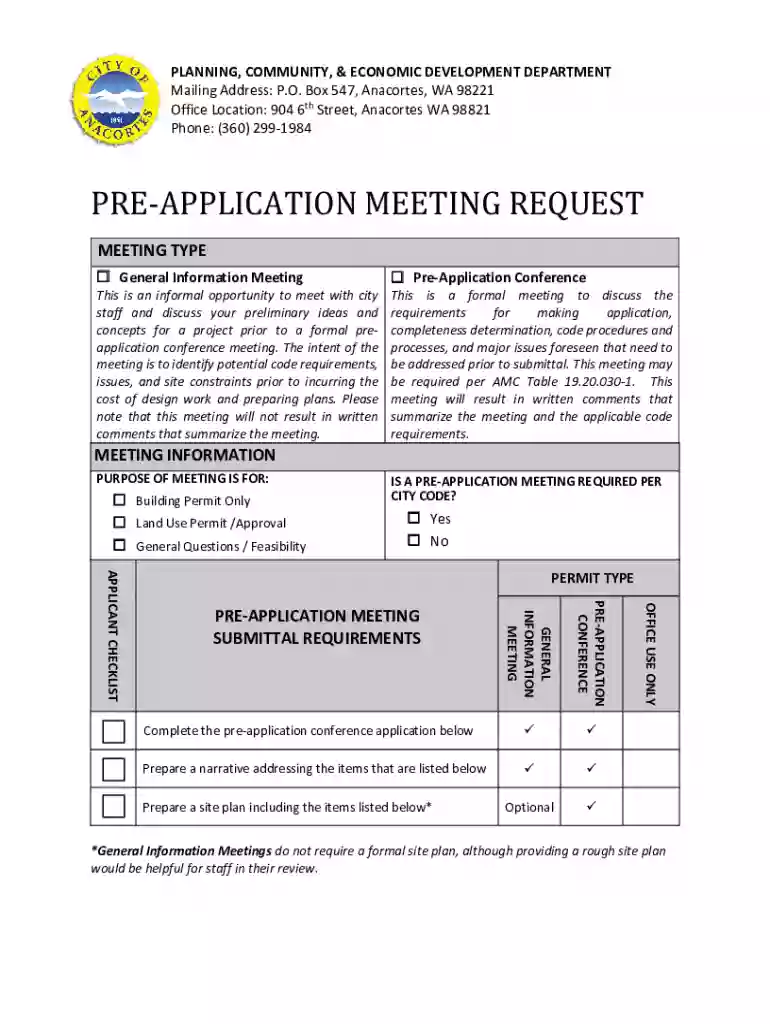
The "kunacity.id.gov DocumentCenter ViewPre-Application Meeting Request - kunacity.id.gov" is a form utilized to initiate a pre-application meeting with the Planning, Community, & Economic Development Department in Kuna City, which is located in Idaho. This document is essential for anyone looking to discuss project ideas or application requirements prior to formal submission. It contains the necessary fields to capture contact details, project description, proposed property use, and any other pertinent information needed to facilitate a productive meeting.
To use the "kunacity.id.gov DocumentCenter ViewPre-Application Meeting Request - kunacity.id.gov," follow these steps:
Completing the "kunacity.id.gov DocumentCenter ViewPre-Application Meeting Request - kunacity.id.gov" involves several detailed steps:
Several critical components must be addressed to ensure the form is complete:
The "kunacity.id.gov DocumentCenter ViewPre-Application Meeting Request - kunacity.id.gov" must be used in compliance with Kuna City's legal and procedural guidelines:
Understanding the following terms is vital for correctly using the form:
This form is commonly used by:


Practical scenarios where the form might be used include:
These collective insights ensure efficient preparation for pre-application meetings and compliance with the city’s planning requirements.
We've got more versions of the kunacity.id.gov DocumentCenter ViewPre-Application Meeting Request - kunacity.id.gov form. Select the right kunacity.id.gov DocumentCenter ViewPre-Application Meeting Request - kunacity.id.gov version from the list and start editing it straight away!
Sign in to your DocHub account and add your kunacity.id.gov DocumentCenter ViewPre-Application Meeting Request - kunacity.id.gov to our editor using one of its upload methods - from your device, cloud storage, secure URL, or your DocHub folders if you have already managed your document before. Open our editor, click the Sign button in the top toolbar, and choose your signing method. You can use an image of your handwritten signature, draw it, enter your name, or use a QR code instead.
You may complete and eSign your kunacity.id.gov DocumentCenter ViewPre-Application Meeting Request - kunacity.id.gov on the internet, even on a tight deadline. All you need to access top-notch editing instruments on any device is a DocHub account, which you can register in a few moments. When you register, add your document or find what you are searching for in our catalog, complete it utilizing the editing instruments you want, and put your electronic signature on it at the end.
At DocHub, your data security is our priority. We follow HIPAA, SOC2, GDPR, and other standards, so you can work on your documents with confidence.


