




Here's how it works



How to use or fill out ribreakers.sportngin.comregisterformPlayer & Parent/Guardian InformationProspective ... - Breakers with our platform

- Click ‘Get Form’ to open it in the editor.
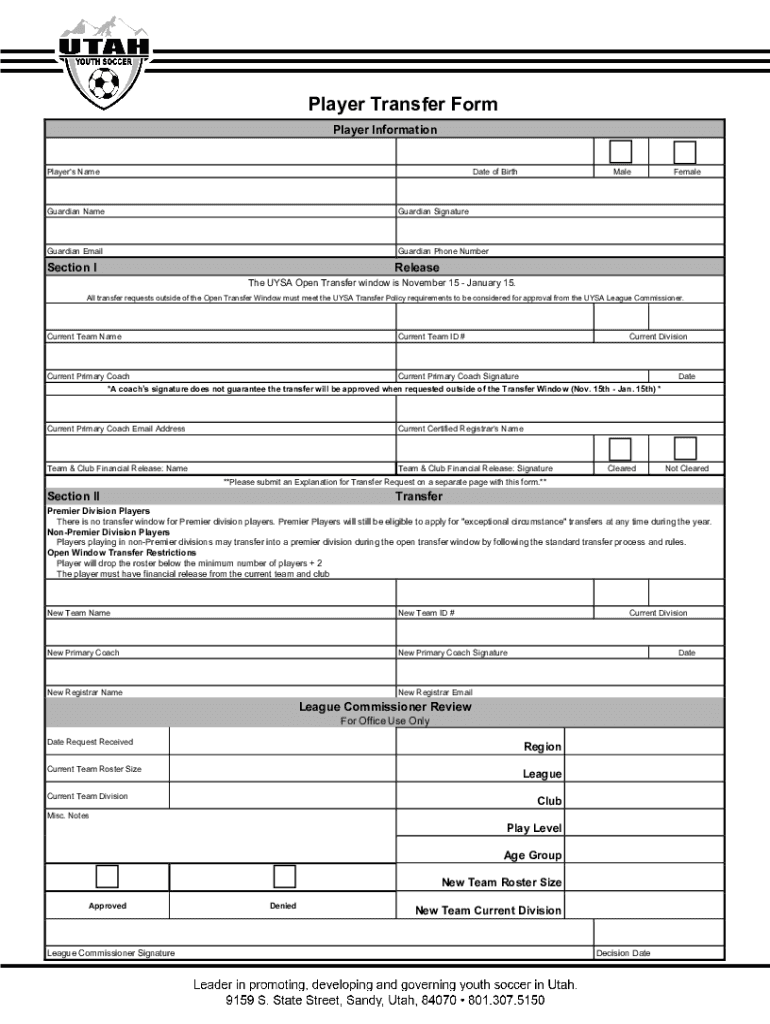
- Begin by filling out the Player Information section, including the Player's Name, Date of Birth, and Guardian Name. Ensure all details are accurate.
- Select the gender of the player by checking either Male or Female.
- Provide Guardian contact information, including Email and Phone Number. This is crucial for communication regarding the transfer process.
- In Section I, complete the Release details. Include Current Team Name, ID #, Division, and Primary Coach’s information. Remember that a coach’s signature does not guarantee approval outside of the transfer window.
- For Section II, ensure you have the Team & Club Financial Release signed and indicate if cleared or not cleared.
- If applicable, submit an Explanation for Transfer Request on a separate page along with this form.
Start using our platform today to streamline your document editing and form completion!
It's free
See more ribreakers.sportngin.comregisterformPlayer & Parent/Guardian InformationProspective ... - Breakers versions
Got questions?
How can I generate an electronic signature on my ribreakers.sportngin.comregisterformPlayer & Parent/Guardian InformationProspective ... - Breakers from Google Chrome?
Managing your documentation with DocHub this way is extremely straightforward once you have downloaded its extension for Google Chrome. Navigate to the Chrome Web Store and set up DocHub - Sign PDF from Gmail to get it. Give our tool access to your Google account, and then open an email containing ribreakers.sportngin.comregisterformPlayer & Parent/Guardian InformationProspective ... - Breakers as an attachment and point to the file with your cursor - the DocHub extension key will automatically appear there. Click on it to open your file in our editor. Make any necessary edits, complete the blanks, and click Sign to create your legally-binding electronic signature.
How to manage my ribreakers.sportngin.comregisterformPlayer & Parent/Guardian InformationProspective ... - Breakers from Gmail?
If your go-to electronic mail service is Gmail, it is simple to incorporate your DocHub editor in your work. Modify your ribreakers.sportngin.comregisterformPlayer & Parent/Guardian InformationProspective ... - Breakers with DocHub tools and attach it to your drafts in Gmail. See how straightforward it can be to exchange documents and work together having a swift PDF editing solution at hand.
Security and compliance
At DocHub, your data security is our priority. We follow HIPAA, SOC2, GDPR, and other standards, so you can work on your documents with confidence.
Learn more


