




Here's how it works

01. Edit your 4 h foods recipe card online
Type text, add images, blackout confidential details, add comments, highlights and more.

02. Sign it in a few clicks
Draw your signature, type it, upload its image, or use your mobile device as a signature pad.

03. Share your form with others
Send 4h recipe card via email, link, or fax. You can also download it, export it or print it out.
How to use or fill out 4-H FOODS EXHIBIT RECIPE CARD with our platform

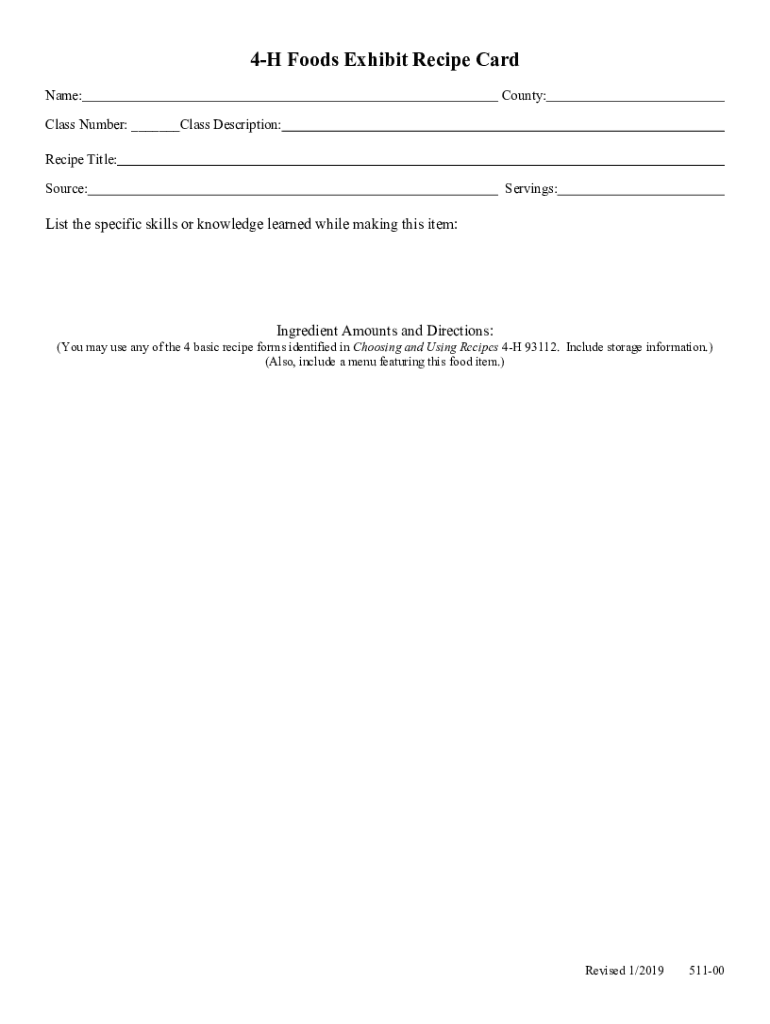
- Click ‘Get Form’ to open the 4-H FOODS EXHIBIT RECIPE CARD in the editor.
- Begin by entering your name and county in the designated fields. This personalizes your recipe card and ensures proper identification.
- Fill in the class number and class description. This information helps categorize your entry for the exhibit.
- Next, provide the recipe title and source. This gives credit to where you found the recipe, enhancing its authenticity.
- Indicate the number of servings your recipe yields. This is crucial for judges to understand portion sizes.
- List specific skills or knowledge gained while preparing this dish. Reflecting on your learning process adds depth to your submission.
- In the ingredient amounts and directions section, detail each component needed for your recipe along with step-by-step instructions. You may refer to any of the four basic recipe forms as outlined in Choosing and Using Recipes 4-H 93112.
- Lastly, include storage information and a menu featuring this food item, ensuring comprehensive guidance for anyone who wishes to recreate your dish.
Start using our platform today to effortlessly complete your 4-H FOODS EXHIBIT RECIPE CARD for free!
Fill out 4-H FOODS EXHIBIT RECIPE CARD online
It's free
It's free
See more 4-H FOODS EXHIBIT RECIPE CARD versions
We've got more versions of the 4-H FOODS EXHIBIT RECIPE CARD form. Select the right 4-H FOODS EXHIBIT RECIPE CARD version from the list and start editing it straight away!
Security and compliance
At DocHub, your data security is our priority. We follow HIPAA, SOC2, GDPR, and other standards, so you can work on your documents with confidence.
Learn more


