




Here's how it works



How to use or fill out maternity grant form with our platform

- Click ‘Get Form’ to open the maternity grant form in the editor.
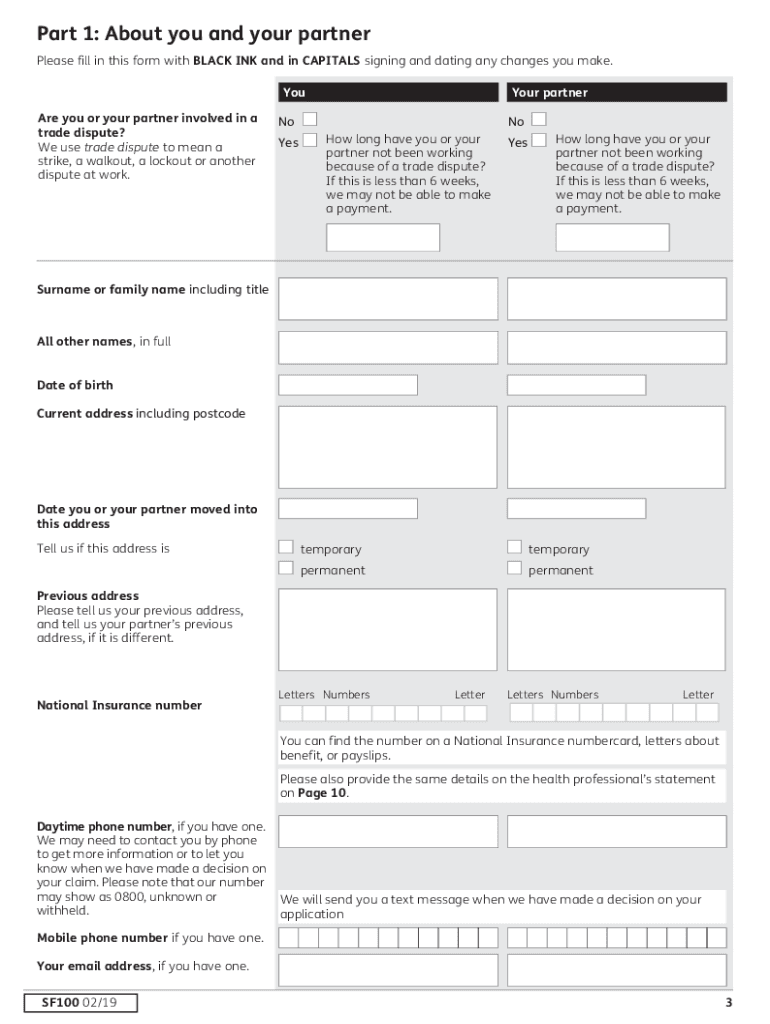
- Begin with Part 1, where you will provide your personal details. Fill in your name, date of birth, and current address using black ink and capital letters.
- In Part 2, indicate any benefits you or your partner are receiving. This section is crucial for determining eligibility for the grant.
- Proceed to Part 3 to specify the expected date of birth of your baby. If expecting multiples, ensure to indicate how many.
- If the baby has already been born, complete Part 4 with the birth date and confirm if more than one baby was born.
- In Parts 5 and 6, provide information about any other children under 16 living with you and their relationship to you.
- Finally, review all sections for completeness before submitting. Ensure that a health professional has filled out the required statement in Part 13.
Start filling out your maternity grant form today on our platform for free!
It's free
See more maternity grant form versions
Got questions?
Can I draw my electronic signature to approve my sure start maternity grant form?
Sure, electronically drawing your signature is acceptable, but only if you utilize a tool that complies with industry regulations and policies. Try DocHub, which guarantees eSignature validity under ESIGN and UETA requirements. All you need to approve your sure start maternity grant form electronically is an account with DocHub and an internet connection. After you open your paperwork in our editor, click Sign and select the Draw option.
How to fill out and sign sure start maternity grant usa online?
You can easily fill out, edit, and even eSign your sure start maternity grant usa using DocHub. Create a new profile and begin your free trial. After that, you can upload the file with the form and simply make all the needed edits. No need to print on paper or use a third-party application to sign it, as you can place your electronic signature on your document quicker through DocHub.
Security and compliance
At DocHub, your data security is our priority. We follow HIPAA, SOC2, GDPR, and other standards, so you can work on your documents with confidence.
Learn more


