




Here's how it works



How to use or fill out 200, Denver, CO 80290 with our platform

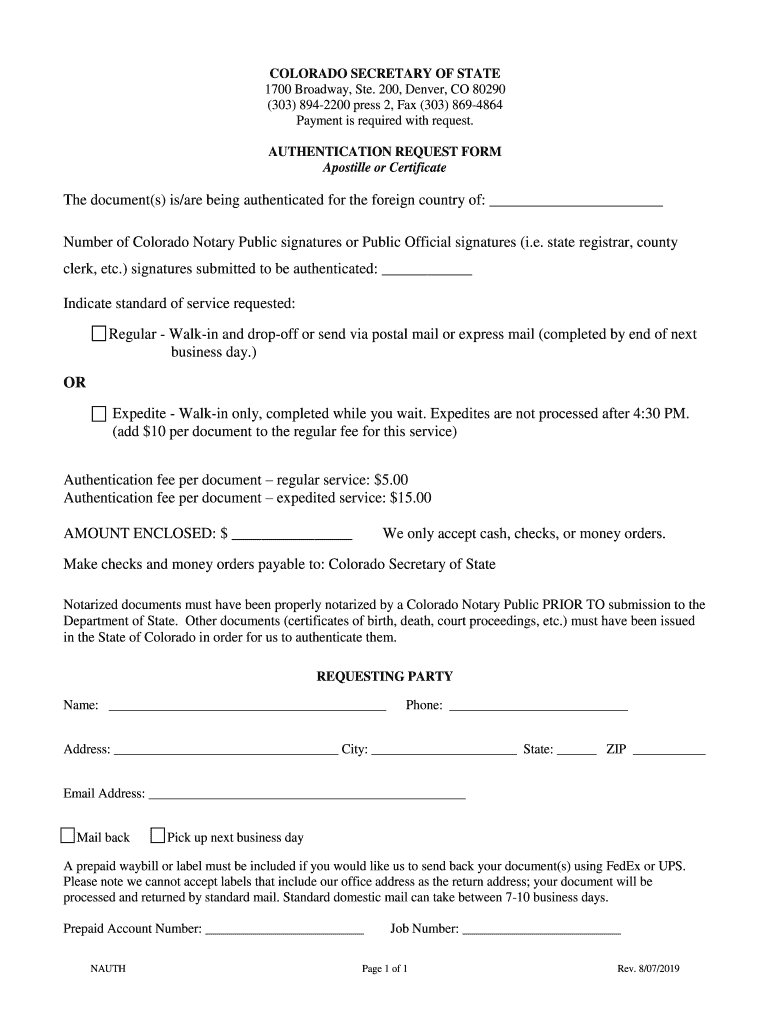
- Click ‘Get Form’ to open the Authentication Request Form in the editor.
- Begin by filling in the foreign country for which the document is being authenticated in the designated field.
- Indicate the number of Colorado Notary Public signatures or Public Official signatures you are submitting for authentication.
- Select your preferred standard of service: Regular or Expedite. If you choose Expedite, remember it must be done in person and is not available after 4:30 PM.
- Enter the amount enclosed based on your selected service: $5.00 for regular or $15.00 for expedited service.
- Complete the requesting party section with your name, phone number, address, city, state, ZIP code, and email address.
- Choose whether you want your documents mailed back or if you will pick them up the next business day.
- If mailing back, include a prepaid waybill or label for FedEx or UPS delivery. Ensure it does not list our office as the return address.
Start using our platform today to streamline your document editing and submission process!
It's free
See more 200, Denver, CO 80290 versions
Got questions?
Can I sign my 200, Denver, CO 80290 in electronic format?
According to eSignature regulations, documents signed electronically have the same validity as traditionally approved ones. You can electronically sign almost any business and private paperwork. Four types of paperwork still call for handwritten signatures only - wills and testamentary trusts, court orders and other court forms, state statutes governing divorce, adoption, or other family law, and notice of cancellation of utility services. If you adhere to the guidelines and utilize a safe and compliant software solution, like DocHub, you can eSign your 200, Denver, CO 80290 without printing it.
Can I print my 200, Denver, CO 80290 and finish it by myself?
If you choose analog methods of completing your 200, Denver, CO 80290, you can easily download your file for printing. Search DocHub’s Forms & Templates catalog to find the exact document template you require and open it for editing or download it on your gadget in the format of your choice. It is possible to complete your form electronically and place your handwritten signature on it after printing or eSign your document with DocHub.
What financial assistance is available in Colorado?
What is the number for help in Colorado?
What does the Colorado Secretary of State do?
Security and compliance
At DocHub, your data security is our priority. We follow HIPAA, SOC2, GDPR, and other standards, so you can work on your documents with confidence.
Learn more


