




Here's how it works



How to use or fill out Fillable Online Form DVAT 35A - Dnhctdgovin Fax Email ... with DocHub

- Click ‘Get Form’ to open it in the editor.
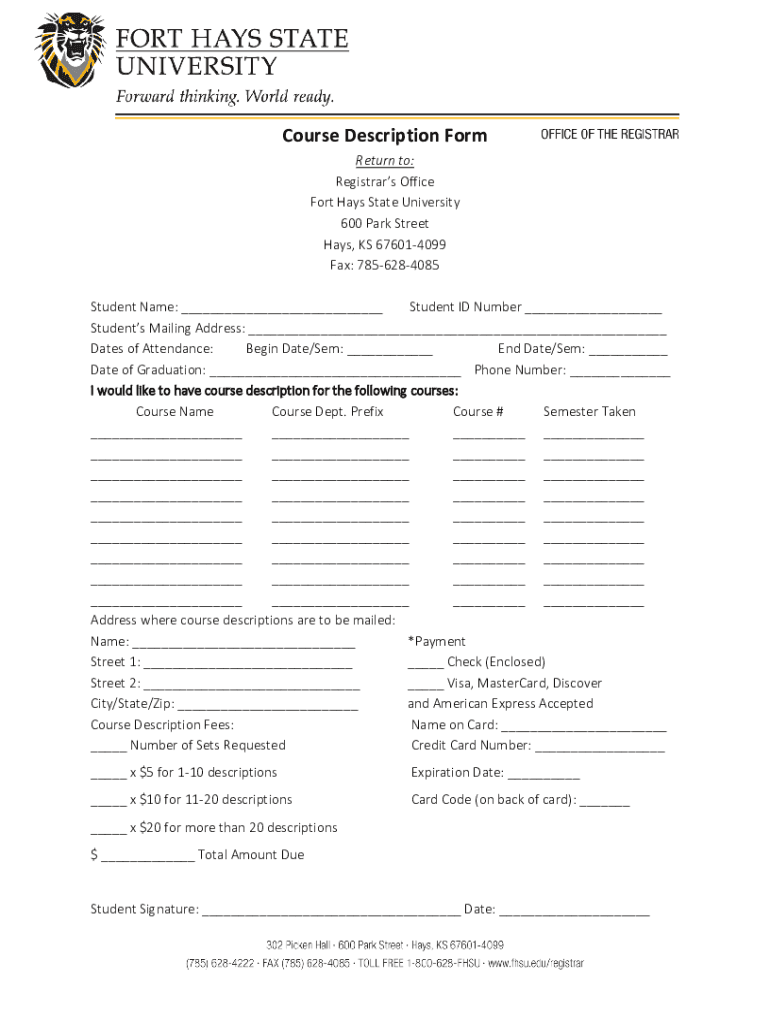
- Begin by entering your Student Name and Student ID Number in the designated fields at the top of the form.
- Fill in your Mailing Address, ensuring all details are accurate for correspondence.
- Specify your Dates of Attendance by filling in the Begin Date/Sem and End Date/Sem fields.
- Indicate your Date of Graduation and provide a Phone Number for any follow-up communication.
- List the courses for which you would like descriptions, filling out each Course Name, Course Dept. Prefix, Course #, and Semester Taken as required.
- Complete the Address section where course descriptions should be mailed, including Name and full address details.
- Select your payment method by checking either Check or Credit Card options and fill in the necessary payment details.
- Finally, sign and date the form at the bottom before submitting it through our platform.
Start using our platform today to fill out your forms easily and efficiently!
It's free
See more Fillable Online Form DVAT 35A - Dnhctdgovin Fax Email ... versions
| Versions | Form popularity | Fillable & printable |
|---|---|---|
| 2018 | 4.8 Satisfied (22 Votes) |
Got questions?
How can I send my Fillable Online Form DVAT 35A - Dnhctdgovin Fax Email ... for eSignature?
Upload your Fillable Online Form DVAT 35A - Dnhctdgovin Fax Email ... to DocHub (after you’ve created an account for this). If you need to fill out fields in it, use proper tools from the upper pane. For example, add Signature Fields, assign each to specific person, and click on Sign → Request signatures from others. Change your message for your recipients and click Send Request. You can also send your form by fax or as a Signing link instead of using email (you’ll locate these options by navigating to the Menu → Send)
How do you get Fillable Online Form DVAT 35A - Dnhctdgovin Fax Email ...?
You can find the latest and most relevant version of the Fillable Online Form DVAT 35A - Dnhctdgovin Fax Email ... in our DocHub forms library. Search it by categories or use the search field to locate the exact template that suits your case. You can open this form for editing after you find it.
Security and compliance
At DocHub, your data security is our priority. We follow HIPAA, SOC2, GDPR, and other standards, so you can work on your documents with confidence.
Learn more


