







Definition and Meaning
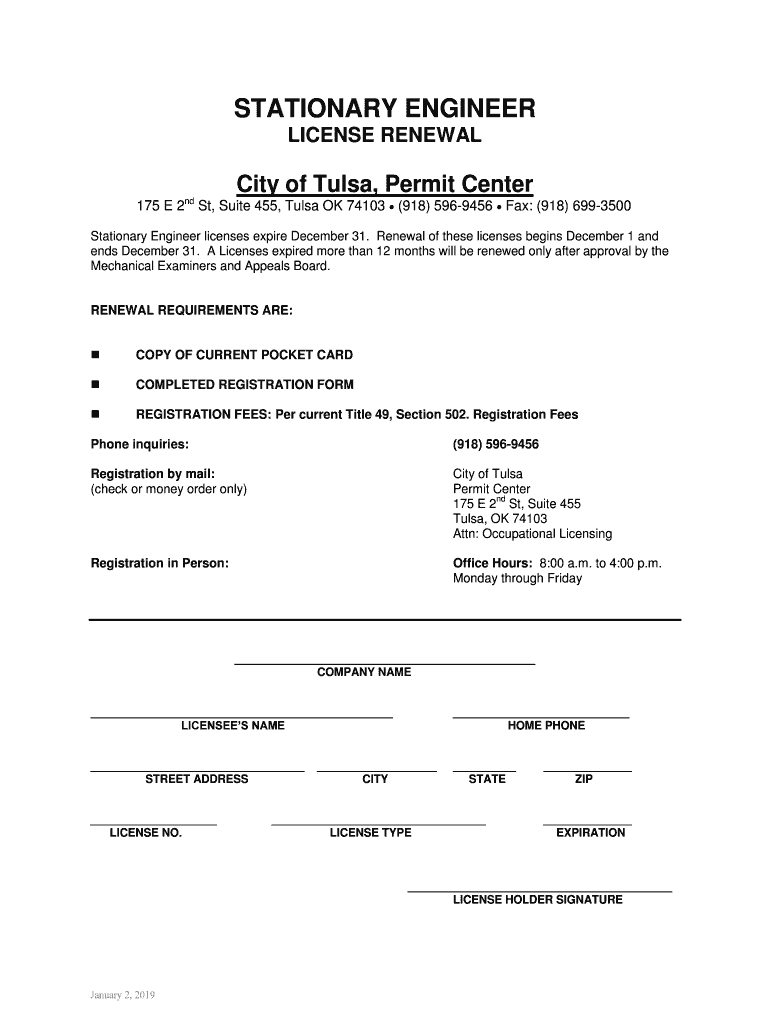
The "Get the City of Tulsa License and Permit Center" form on DocHub serves as a comprehensive tool for individuals and businesses in Tulsa to apply for, manage, and renew various licenses and permits. This platform streamlines the documentation process, making it easier for applicants to fulfill city requirements efficiently. By using DocHub, you can electronically access forms, edit, sign, and submit them directly to the relevant city department, minimizing manual paperwork and facilitating faster approvals.
How to Obtain the Form on DocHub
To access the City of Tulsa License and Permit Center form on DocHub, follow these straightforward steps:
- Visit the DocHub website: Navigate to the website and log in to your account. If you are a new user, create an account using your email or integrate with Google for quick access.
- Search for the form: Use the search bar to find the "City of Tulsa License and Permit Center" form. This will pull up all related documents available for editing and submission.
- Select and open the form: Click on the desired form to access its digital version. You can either start a new form or import an existing one from your device or cloud storage.
- Edit and complete the form: Use DocHub's intuitive editing tools to fill in the required information. The platform offers text boxes, checkboxes, and dropdowns to ensure accurate data entry.
- Sign the form electronically: Add a legally binding signature using DocHub's e-signature options.
- Submit: Once completed, submit the form electronically to the appropriate Tulsa city department or save it to your device for record-keeping.
Steps to Complete the Form
Filling out the "Get the City of Tulsa License and Permit Center" form is made simple with DocHub's user-centric design:
- Gather Information: Before starting the form, ensure you have all necessary documents and information, such as business registration details or personal identification numbers.
- Personal and Business Details: Enter all pertinent personal or business information required by the form, such as name, address, contact information, and tax identification number.
- Specific License/Permit Information: Provide details on the specific license or permit you are applying for, including type, duration, and any additional specifications needed by the city.
- Review and Confirm: Before submitting, review all entries for accuracy to avoid delays. DocHub allows easy navigation between sections to make adjustments.
- Add Signatures: Use DocHub's tools to sign the document electronically, ensuring it meets legal requirements.
- Submit and Track Submission: After submission, you can track the status of your application within DocHub, receiving updates on the processing progress.
Why Should You Use DocHub for Your Application
DocHub provides a seamless experience for handling the "City of Tulsa License and Permit Center" form due to several benefits:
- Convenience: Access and complete forms from any device with internet connectivity, eliminating the need to visit city offices in person.
- Efficiency: Integrated tools allow for easy document editing, signing, and submission, reducing time spent on paperwork.
- Security: DocHub employs 256-bit SSL encryption to protect personal and business information, safeguarding sensitive data transfers.
- Legally Compliant: Electronic signatures through DocHub comply with the ESIGN Act, ensuring all submissions are legally binding and accepted by authorities.
- Real-time Collaboration: Share forms with team members or stakeholders to gather input or approvals seamlessly.
Key Elements of the Form
Completing the City of Tulsa License and Permit Center form involves understanding its essential components:
- Applicant Information: Basic details of the individual or business entity applying for a license or permit.
- License/Permit Type: Specification of the required license or permit, including any associated categories or subtypes.
- Documentation Requirements: Lists all additional documents necessary to complete the application, which may include proof of identification, tax documents, or prior business licenses.
- Payment Information: If applicable, includes sections for fee payments, with options for electronic transactions through DocHub's secure portal.
Important Terms and Concepts
Familiarity with key terms in the "City of Tulsa License and Permit Center" form aids in accurate completion:
- Applicant: The individual or entity applying for the license or permit.
- Issuer: The city department responsible for processing and approving license and permit applications.
- License Type: Specifies the nature and category of the permit required for specific operations or activities.
- Documentation: Refers to the supporting documents needed for a successful application submission.
State-Specific Rules for Tulsa
Tulsa's unique regulations may affect how forms are completed and processed:
- Renewal Timeline: Understand Tulsa’s renewal cycles, which may dictate when you should submit renewal applications to avoid lapses.
- Local Ordinances: Be aware of any city-specific laws that might impact your license or permit terms, such as zoning codes or business operation restrictions.
- Fees and Penalties: Stay informed about application fees and potential penalties for non-compliance or late submissions, ensuring adherence to local requirements.
Real-World Examples and Case Studies
Understanding practical applications of the City of Tulsa License and Permit Center form can offer insights:
- Small Business Applications: A Tulsa-based café owner leverages DocHub to renew a food service permit, appreciating the ease of digital form submission and quick approval timeframe.
- Construction Permits: A construction company utilizes the platform to apply for building permits, benefiting from the real-time collaboration feature that allows project stakeholders to access and approve documents remotely.
Incorporating these examples helps paint a vivid picture of how DocHub optimizes the license and permit process for various user scenarios.




