




Here's how it works



How to use or fill out Buyers Name: ("Buyer") with a mailing address of using our platform

- Click ‘Get Form’ to open the Oregon General Bill of Sale in the editor.
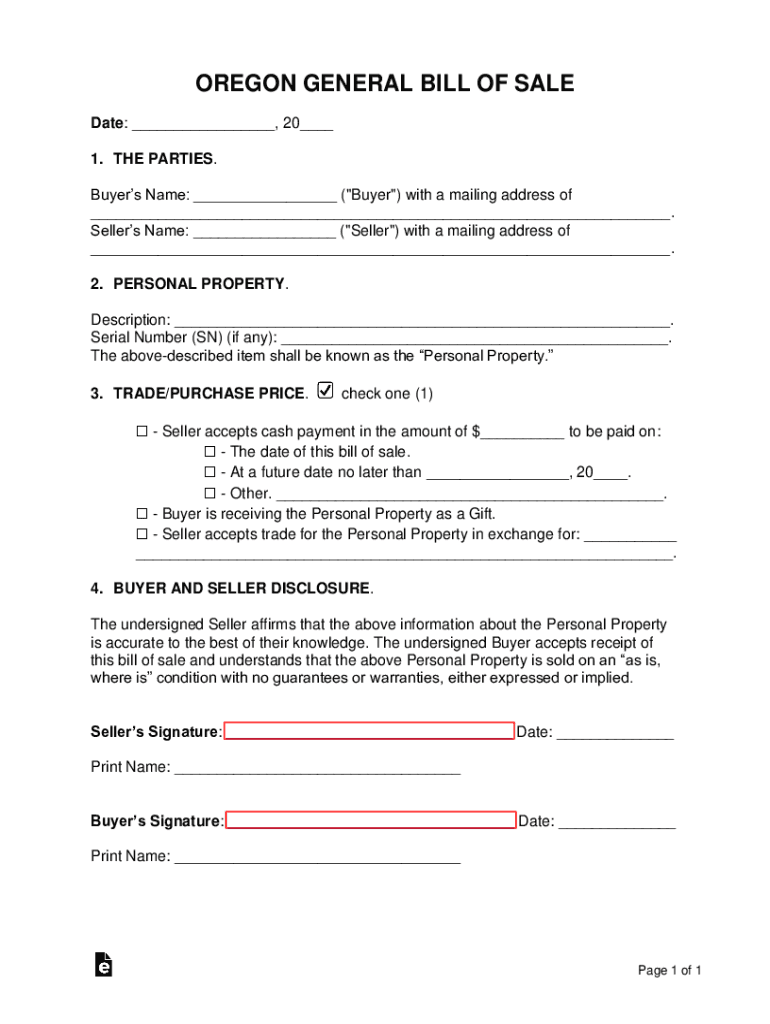
- Locate the 'Buyer’s Name' field. Enter the full name of the buyer as it should appear on the document.
- Next, find the 'mailing address' section directly below. Fill in the complete mailing address for the buyer, ensuring accuracy for future correspondence.
- Proceed to fill out any additional required fields such as Seller’s Name and mailing address, along with details about the Personal Property being sold.
- Review all entered information for correctness. Utilize our platform's editing tools to make any necessary adjustments before finalizing.
Start using our platform today to streamline your document editing and signing process for free!
It's free
See more Buyers Name: ("Buyer") with a mailing address of versions
Got questions?
What is the optimum way to electronically sign my Buyers Name: ("Buyer") with a mailing address of?
A lot of software solutions are available on the market for document modifying and signing. DocHub is one of the most in-demand online solutions that comply with all data protection and compliance standards and guarantees your electronically signed paperwork is legally enforceable. All you need to give it a try is to sign up for an account, upload your Buyers Name: ("Buyer") with a mailing address of, fill out the necessary information, and click Sign. Create your eSignature by typing, drawing it, uploading its picture to your document, or scanning a unique QR code.
How to complete Buyers Name: ("Buyer") with a mailing address of on the internet for free in 2024?
With a swift editing system like DocHub, you do not require anything but a browser and internet connection to edit your Buyers Name: ("Buyer") with a mailing address of online quickly. Add your file or find the relevant form in DocHub’s catalog, open our editor with a single click, and complete it electronically. To edit your forms anytime, register a free account with DocHub.
How do I docHub a buyer for my product?
How do I find retail store buyers?
Do sellers see buyers names?
Security and compliance
At DocHub, your data security is our priority. We follow HIPAA, SOC2, GDPR, and other standards, so you can work on your documents with confidence.
Learn more


